In this article
Arguably the biggest overhaul coming to Kinetic Hosting during the Harmony Update is our new, completely in-house billing system! The new billing ecosystem allows you to manage your server billing (and support requests) all in our unified Kinetic Panel. There's only one password/login needed to access everything, now, as well!
As this billing system is definitely the biggest part of our Harmony update, we'll cover some highlights of what you can expect as you go through the new system below.
NOTE: Not everybody will have access to the new billing system right away! We will gradually transition over time, beginning with new orders, so we can make sure everything is stable and to avoid any possible disruptions.
Built-in Store Access
First and foremost, you'll now have full access to the managing Kinetic Hosting products directly from your billing area here, all categorized to be as intuitive as possible!
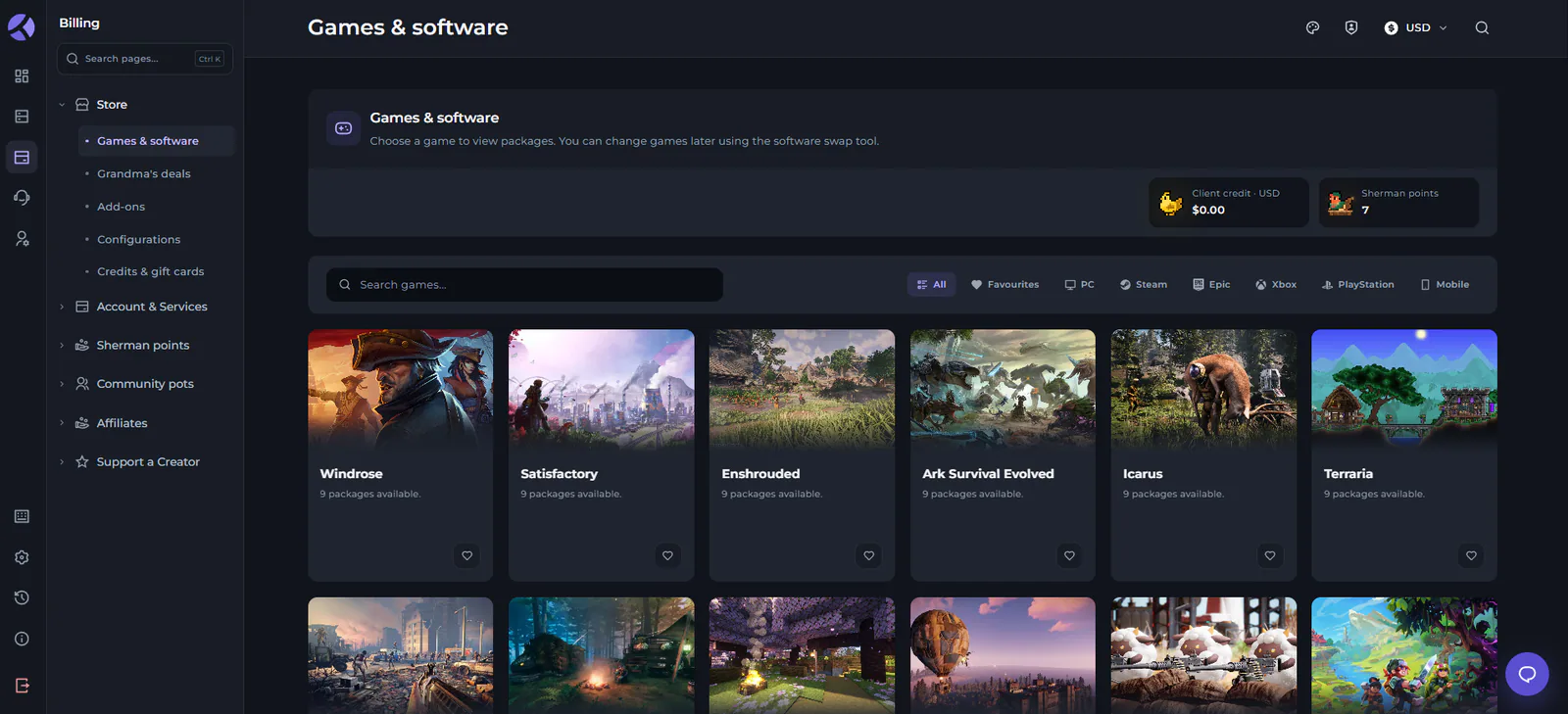
This area has 5 main tabs to browse, including:
Games & Software: This is where you can view packages for various games that we offer, or start up a new subscription.
Grandma's Deals: You'll now have quick access to Grandma's Deals, which allows you to pick up hardware and servers at discounted rates on our legacy/retired older hardware.
Add-Ons: A central area to purchase addons for your servers, such as a storage upgrade!
Configurations: The configurations tab allows you to add extra resources to your existing services.
Credits & Gift Cards: Just in time for the coming holiday season, you can now easily purchase shareable gift cards to send to others, or manage your account credits!
Account & Services
This is your new central hub for account management, ranging from invoices to allowing other users to access and help manage your account!
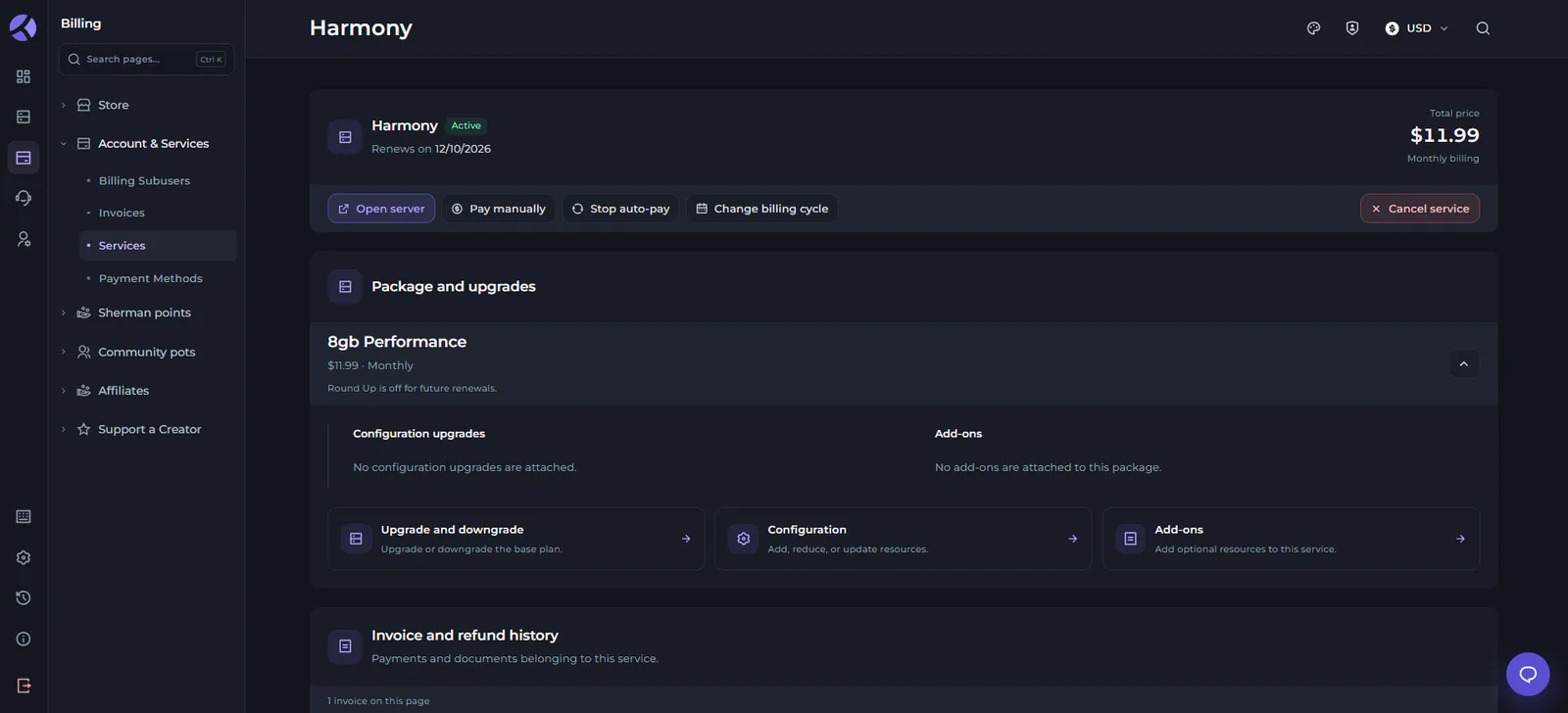
In this area, you can control:
Billing Subusers: This is your hub for managing other people that you've added to access your billing account to help manage your services for you.
Invoices: Your new Invoice list, allowing you to view receipts, download PDFs, see your invoice history, and more!
Services: This is your core service list to view any servers, subscriptions, or other purchases you have with Kinetic Hosting! You can also individually manage servers from here in order to handle upgrades/downgrades, add-ons, server cancellation, billing cycle changes, and everything else you could imagine.
Payment Methods: Control the available payment methods on your account, including changing the default payment method used for purchases and renewals.
Sherman Points
Sherman points are our all-new loyalty reward system, gained any time you make a purchase or renewal your server! These can all be viewed and managed from this area of the Kinetic Panel.
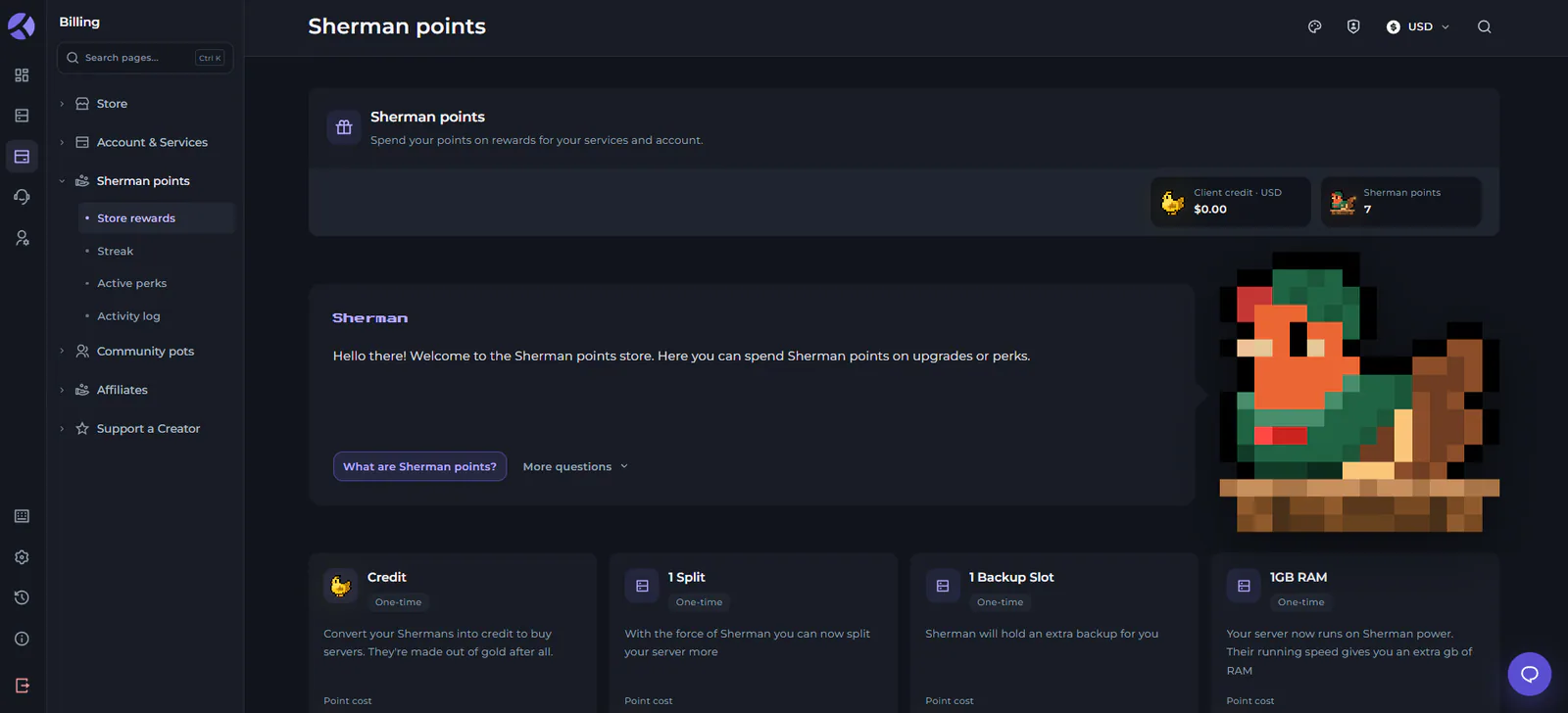
You will be able to redeem your Sherman points for rewards such as:
Extra backup slots
Additional server splits
Account credit towards purchases
Server RAM addons
Sherman Points will also be multiplied based on how long you stay with us! Your progress towards various multipliers (your streak) can be viewed in the Streak tab of this area, showing your current streak, next milestone, and what you can look forward to at various milestone stages:
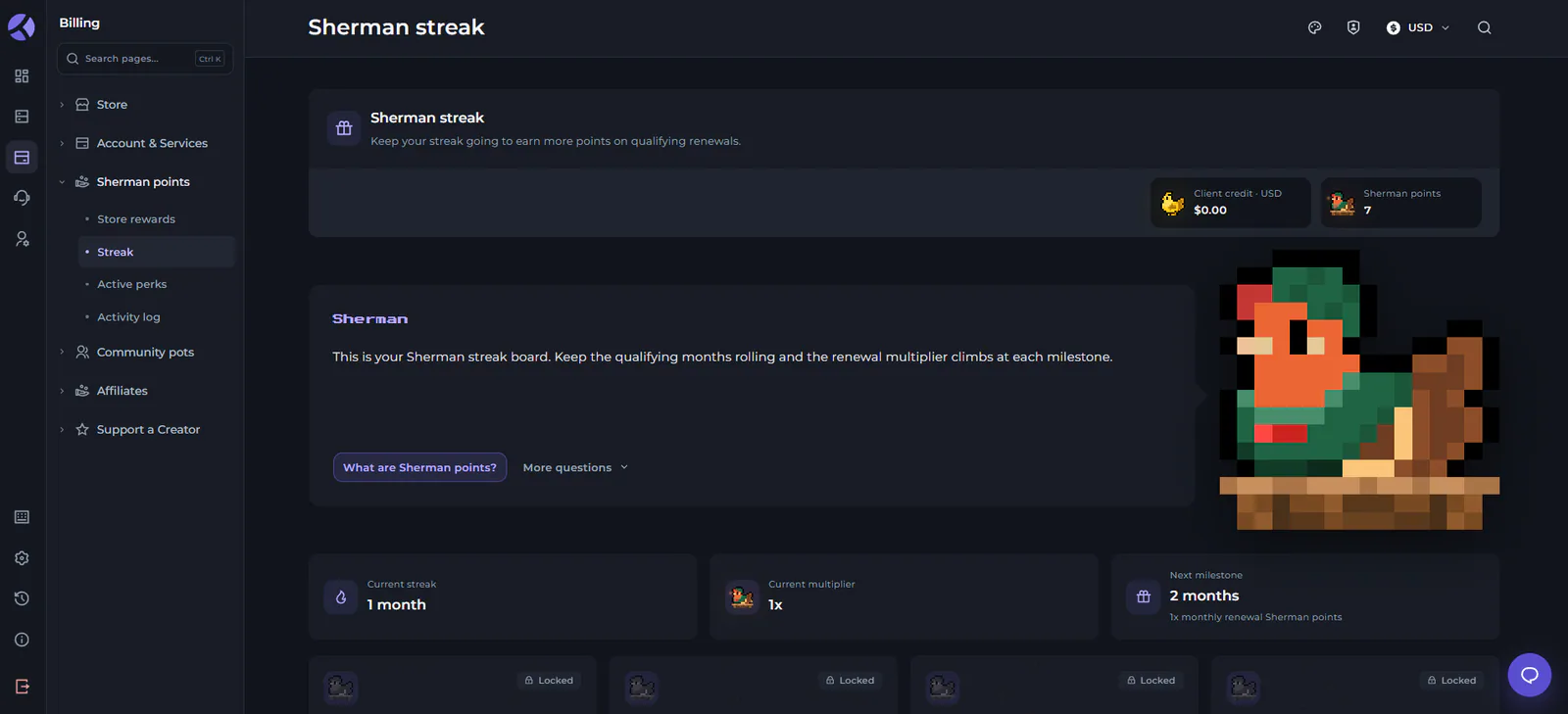
Otherwise, you can also use this area to view any Active Perks you have activated using Sherman Points, and see a general Activity Log of your Sherman Point history! This will display any Sherman points you've gained, how you gained them, and where you may have spent any of your points.
Community Pots
We're also excited to introduce Community Pots to the new billing ecosystem! These offer a way for you to bring your community together to support your servers / services with Kinetic Hosting.
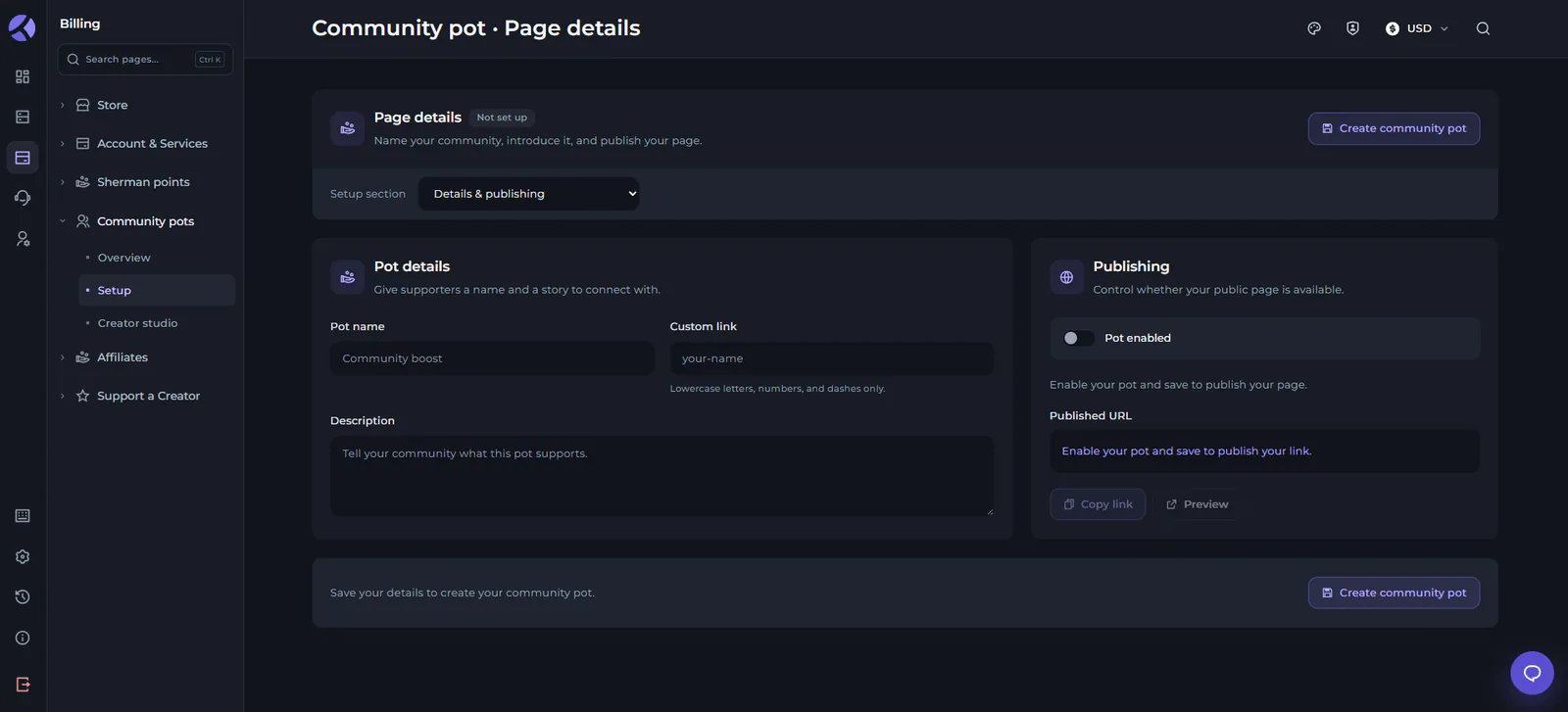
You can do this by creating a publicly shareable link where your players, friends, family, or anyone else can donate to your page. All donations go towards your Kinetic Hosting account as account credit for use in payments and renewals!
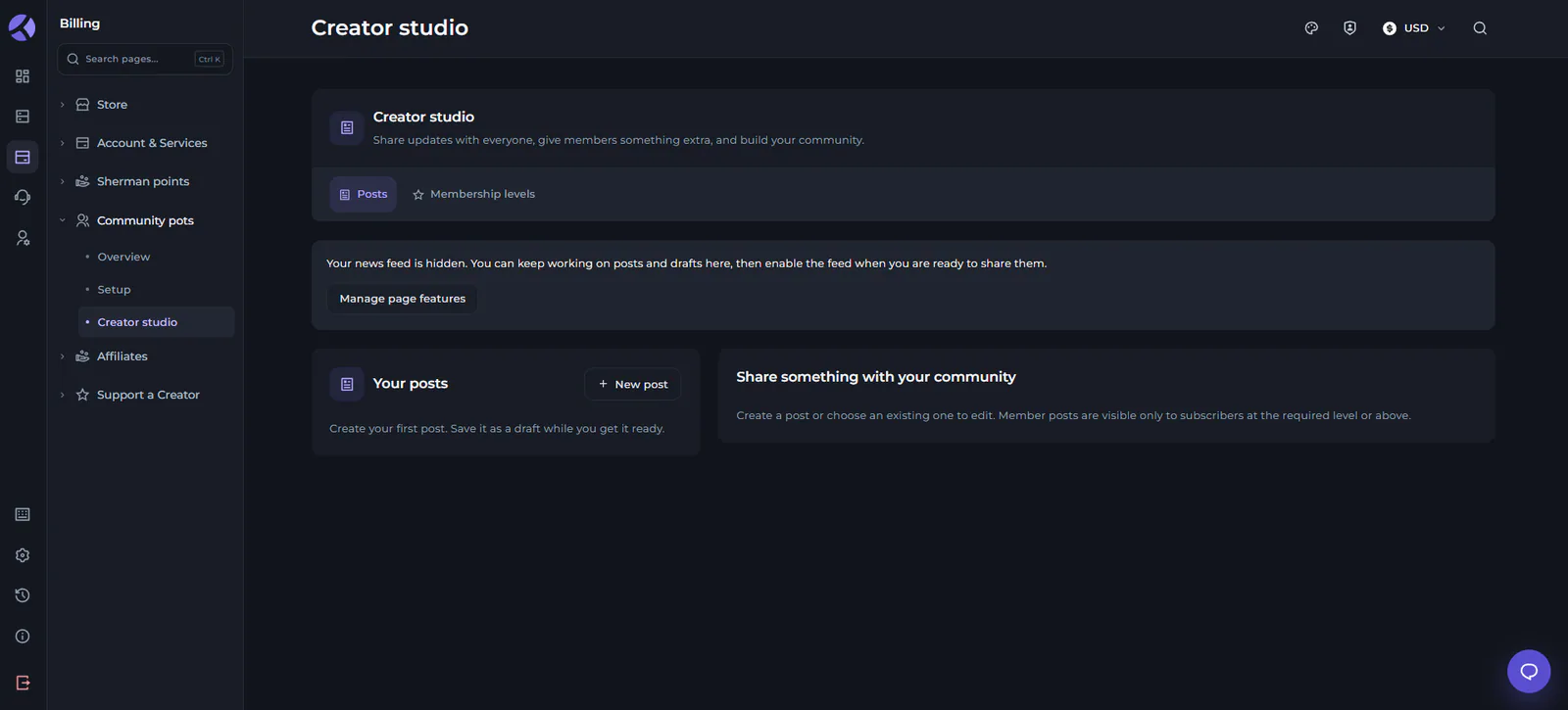
This area also features a dedicated Creator Studio, which lets you actively reward the people that give back to your community and your services. With this, you can create private posts just for your contributors, or even set up different membership levels based on the contributions of your community members!
Affiliates & Creator Support
Otherwise, we're taking tools for supporting affiliates, server owners, and developers a step forward with our affiliate system improvements in the billing area. From here, you'll be able to directly handle withdrawals, analytics, your personalized perks, and more!
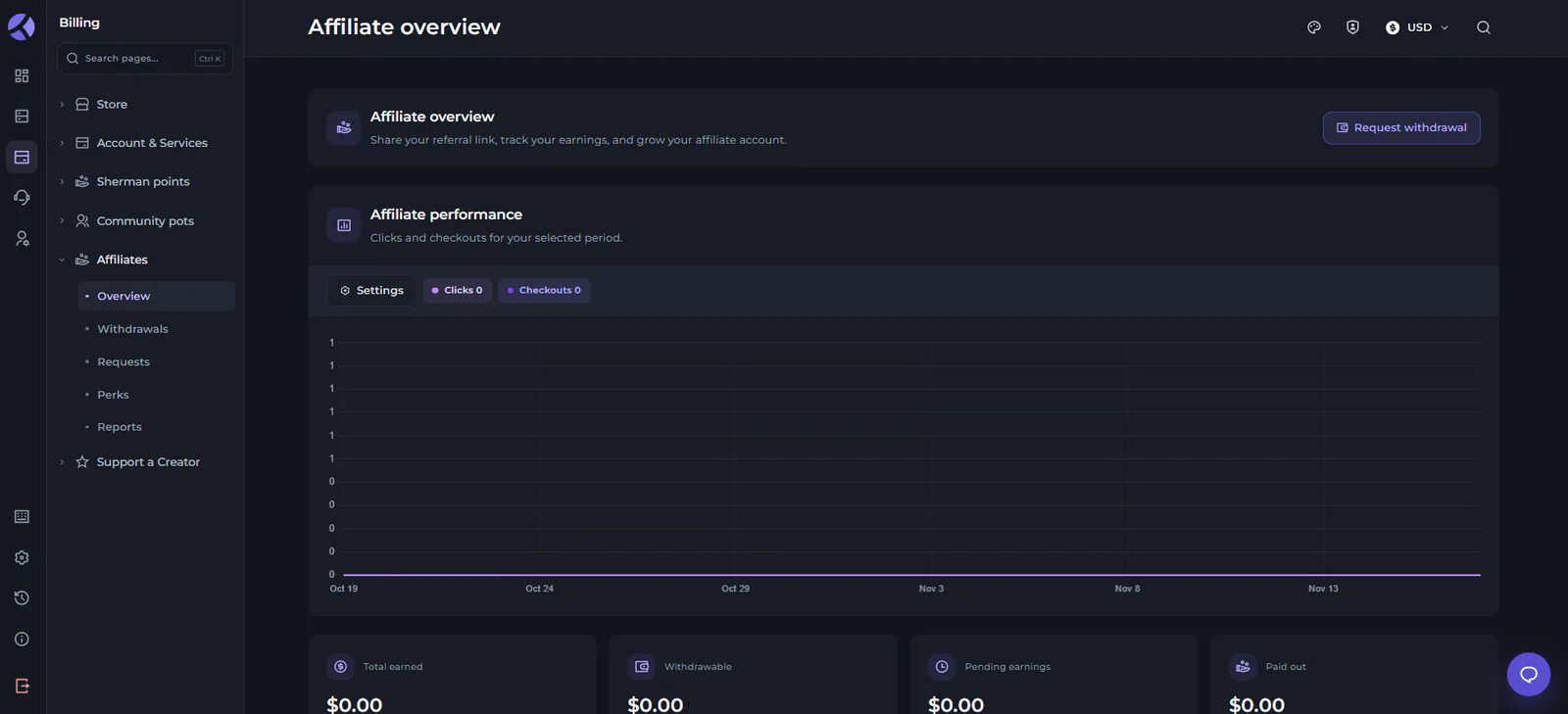
In Particular, the Affiliates area includes:
Overview: A central tab to view your personal affiliate performance, analytics on your affiliate links, affiliate earnings, and more!
Withdrawals: One easy hub for managing your affiliate balance, creating statements, or requesting a balance withdrawal.
Requests: This area allows you to view your past withdrawal requests, or start a new one! You can also check on the status of any pending requests you've placed.
Perks: In your Perks tab, you'll be able to see any of perks available through your creator code! This is personalized to your own affiliate status with us.
Reports: Similar to the Overview tab, the Reports area is an reporting tool to learn more about your affiliate history with us! This tab focuses more on your affiliate earnings over time, and your history of withdrawals.
Finally, we also have a dedicated Support a Creator area here now! This allows anyone on the new billing ecosystem to search for communities set up through Kinetic Hosting to donate/contribute to, view activity of, or just explore!
New Support System
Your support requests will also now all be handled and accessible in the same place under this billing area!
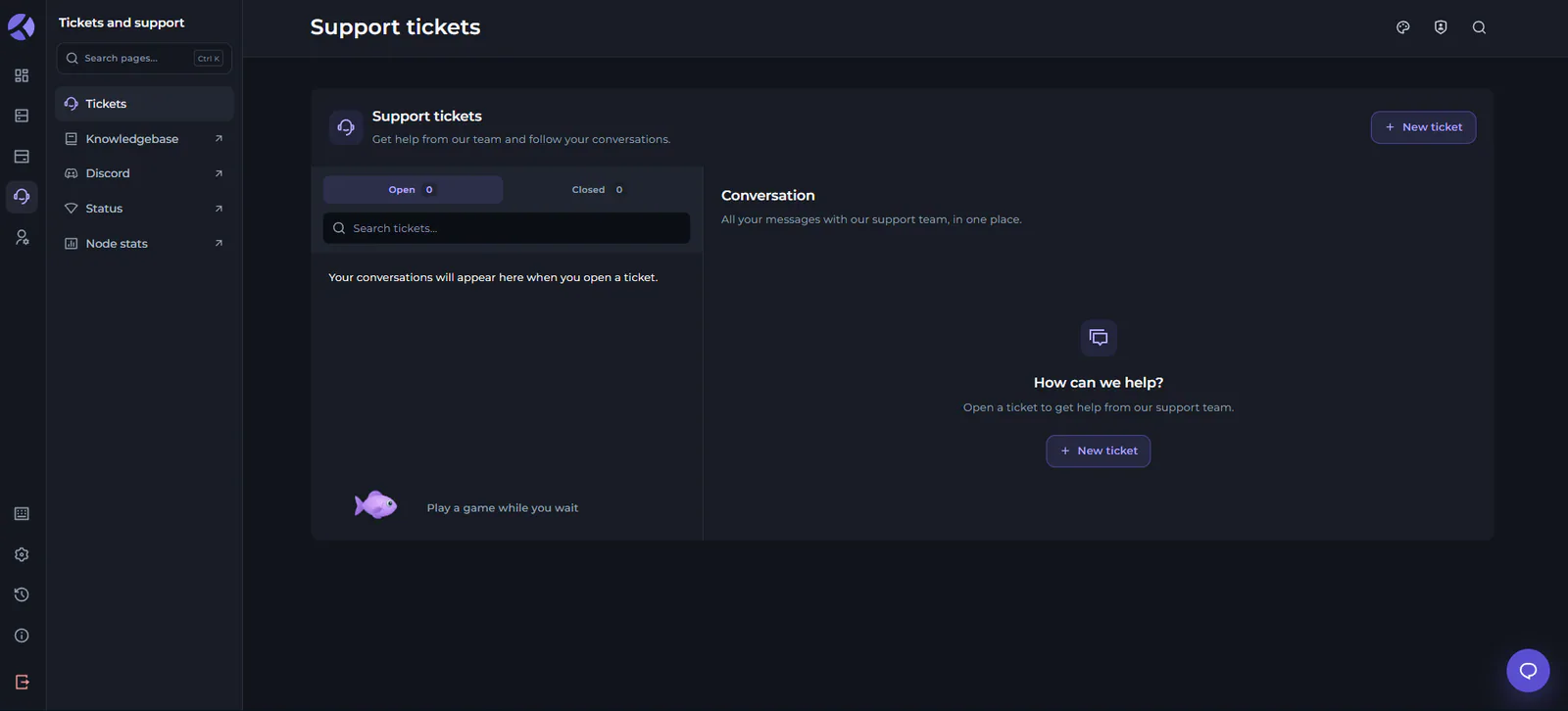
Here, you'll have quick access to anything you might need if you run into trouble, including:
Tickets: Your new hub for support tickets/support requests! This allows you to view your active tickets, or go back and reference old ones that have been closed.
Quick Links: You'll also find quick links here to jump to our Knowledgebase, our Discord server for community support, our service Status page, and our Node Stats page!
Live Chat: Anywhere on our new platform, you'll find our new live chat tool at the bottom right of your screen! This will allow you to immediately connect with one of our human support agents and get quick help on anything you might be running into trouble with.
Updated Account Settings
Since all of your Kinetic Hosting services and controls are under one platform now, that means you've got some merged account settings accessible from your billing area as well!
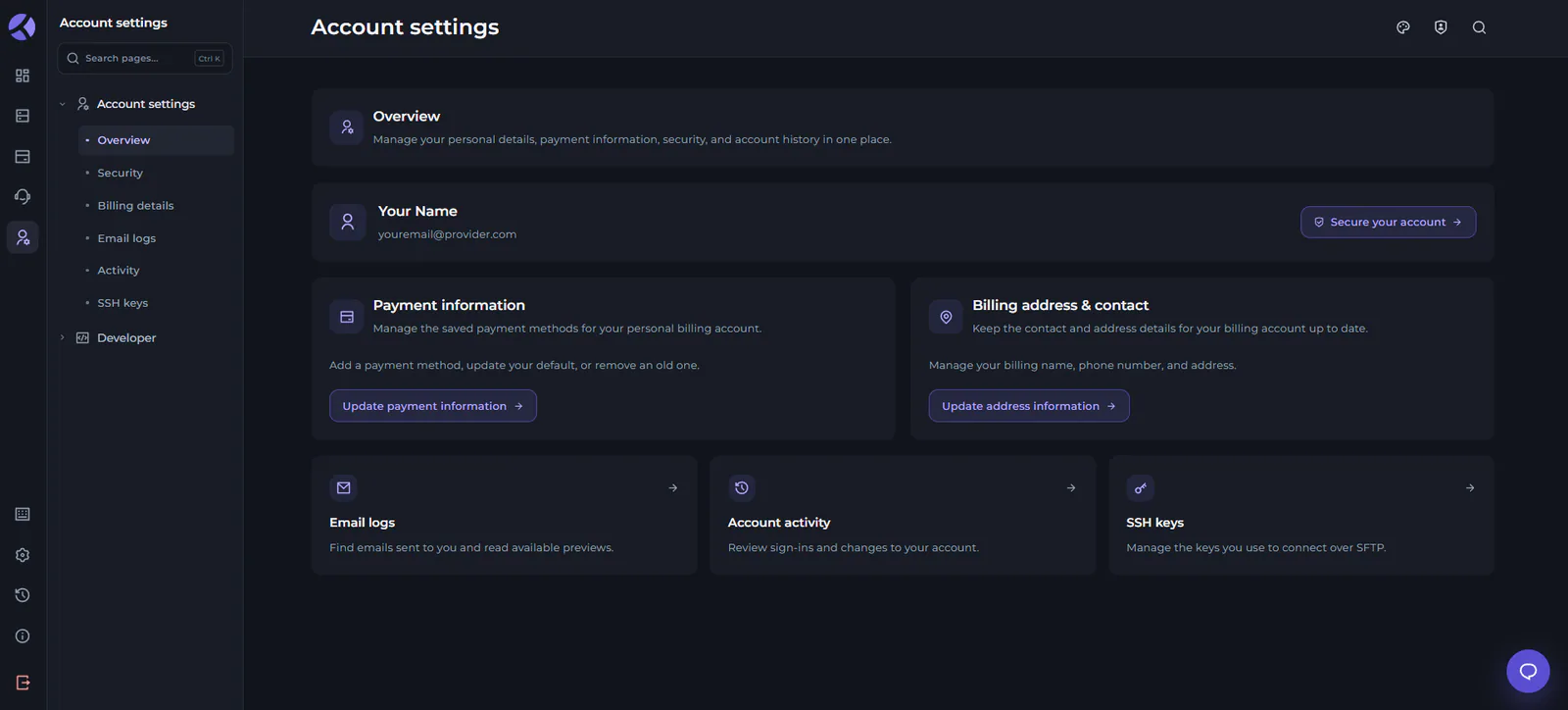
We've kept things organized here by dividing it up into categories, since there's a lot you can personalize about your experience with us. This includes the following tabs:
Overview: Your main account overview panel, featuring some click links out to some of the other sub-tabs to manage things like account activity, payment information, and more!
Security: Through this tab, you can easily change your password, swap to another email address, or manage two-step verification on your account.
Billing Details: This area includes a quick link to jump to managing your payment methods, but is mostly for managing the billing address associated with your account.
Email Logs: Here, you can view a history of all of the emails you've received from us! This can be especially helpful if your inbox ever fills up, an email provider is having trouble receiving emails, or you just want quick access.
Activity: The activity tab allows you to view history for your Kinetic Hosting account. This includes events like new users being created, account sign-ins, etc.
SSH Keys: With SSH Keys, you can enable yourself connect to your own servers over SFTP for more technical users. This is your secure dashboard for managing any/all keys you have created.
For Developers
We've also expanded our API coverage, including a dedicated section in the new billing area for developers to reference or handle their credentials for use in any of their applications that hook into Kinetic Hosting's ecosystem!
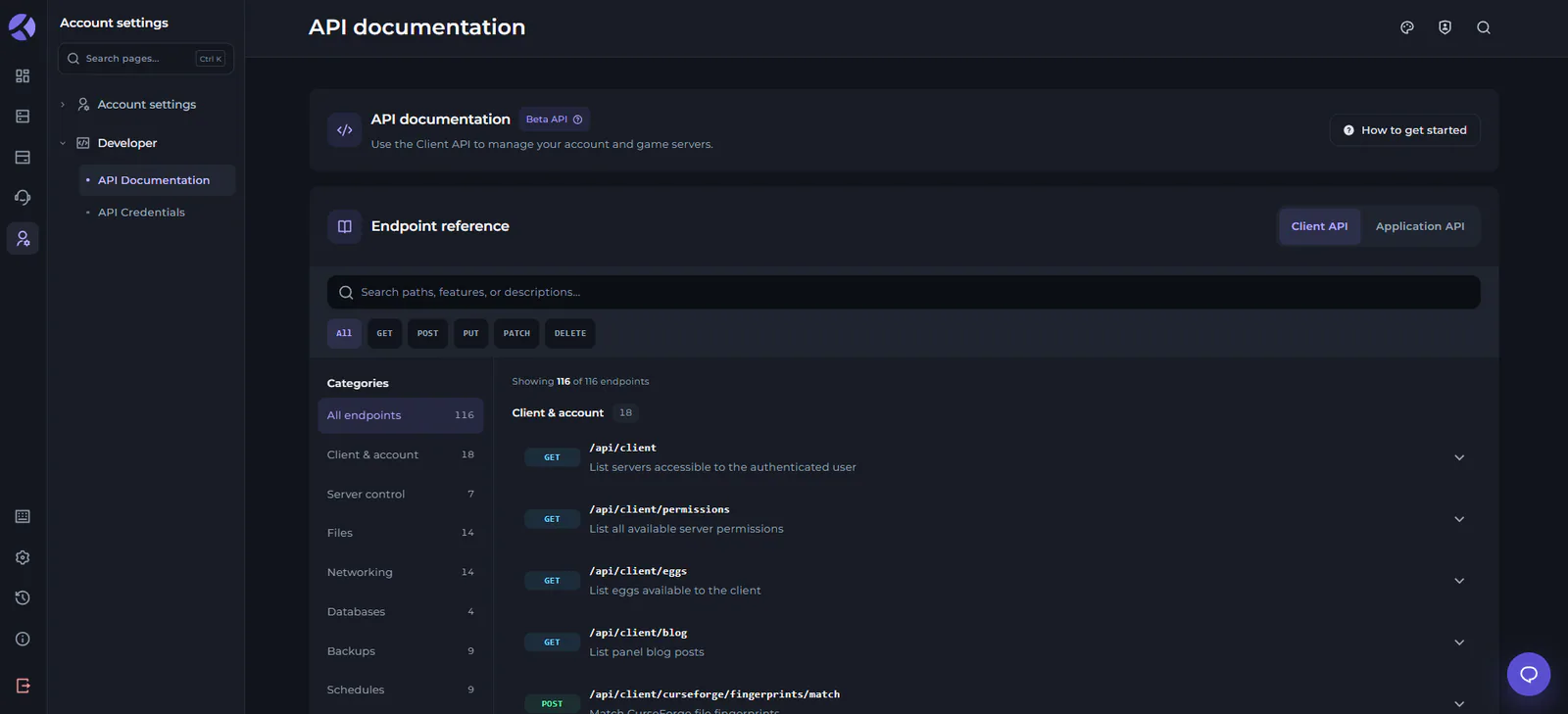
Above, our new API Documentation area can be found, categorized by the purpose of various endpoints, and broken into two major categories of Client vs Application API endpoints.
Otherwise, you'll also fined the API Credentials tab here, which allows you to create your own API keys for development purposes, and manage existing ones securely.
How to Migrate/Join
Since our new billing ecosystem is rolling out over time to ensure everything works properly, existing accounts will be migrated over following some outside procedures. For more information on this, we have a great blog post which you can find using the button below to learn more:
In shorter terms, once we're sure the groundwork we have is prepared to start moving people over in larger groups, we will begin to scale up our migration process. As soon as that process begins, you'll be able to request an account migration from the billing area of the new Kinetic Panel.
What do you think?
Loading reactions…