Keyboard link hints
Enable link hints from the accessibility menu, then hold Shift to label visible links and controls. Type a label while holding Shift to activate it.

Accessibility at Kinetic
Accessibility is not a one-off checklist for us. We are improving how people navigate, read and manage their services across the Kinetic website and Kinetic Panel, while being open about the work we still need to do.
On the Kinetic website
Open accessibility options here or from the main navigation to adjust the website to suit how you browse. Your preferences work across the public website and are stored locally on your device.
Enable link hints from the accessibility menu, then hold Shift to label visible links and controls. Type a label while holding Shift to activate it.
Press Ctrl+K to search site pages, games, modpacks, blog posts, FAQs and knowledgebase articles from anywhere on the website.
Choose a darker, higher-contrast theme with white text and stronger borders. Your preference is saved on your device.
Inside Kinetic Panel
Accessibility continues after checkout. Kinetic Panel includes keyboard shortcuts and search so common server-management tools are easier to reach without moving through every screen manually.
Explore Kinetic PanelShowing panel shortcuts screenshot.
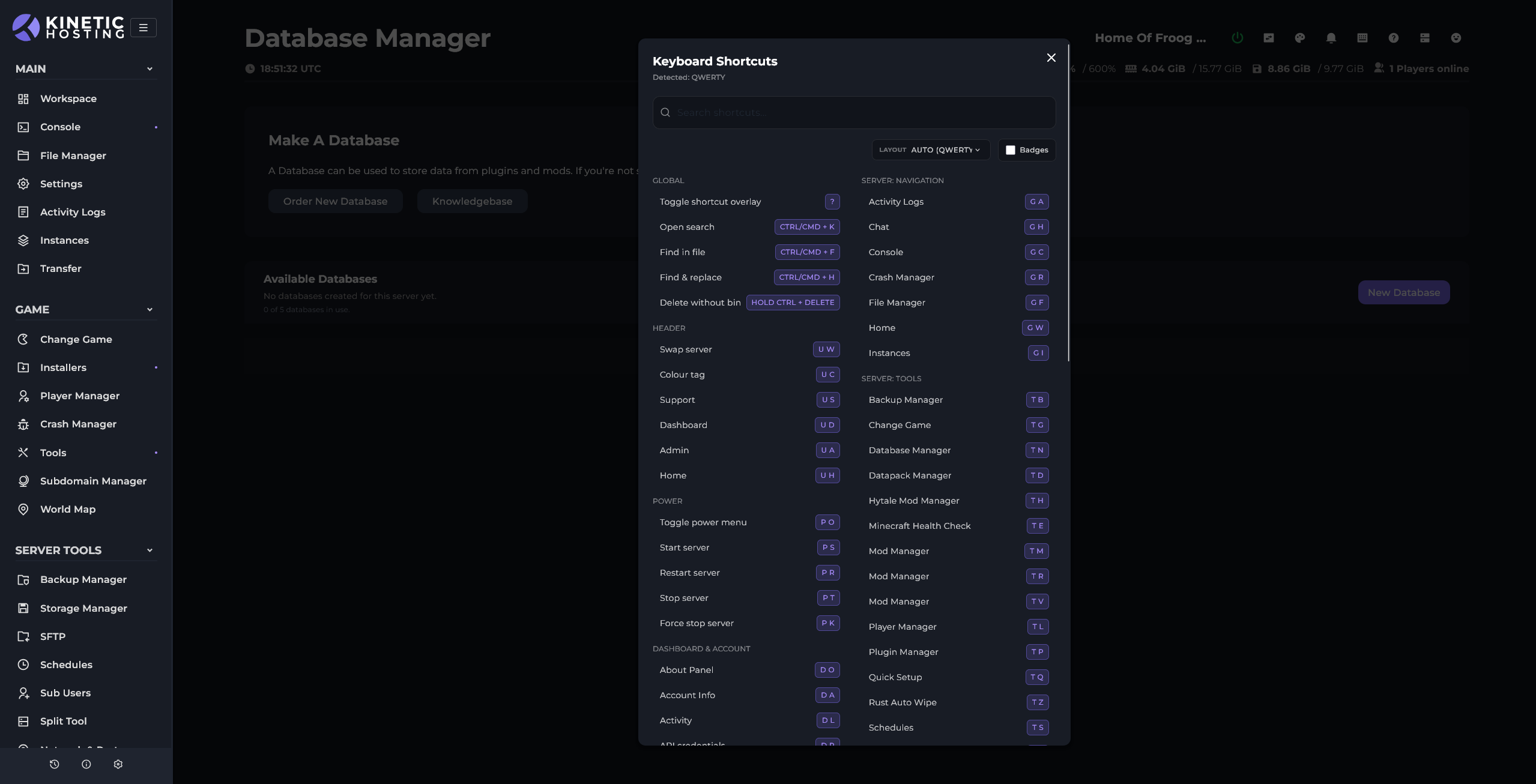
See the panel's keyboard shortcuts in one place. Open the shortcuts menu to find the keys for common actions, then use them to move around your server tools without navigating through every screen manually.
Our approach
We try to keep colours, controls and page structure accessible from the start. Automated checks help us catch issues, but we also review real journeys because accessibility is about whether someone can complete a task, not only whether a test passes.
Accessibility roadmap
Some parts of the Kinetic experience are further ahead than others. This roadmap shows where we are focusing next and will evolve as we learn more.
We are working on additional panel themes to support different visual and contrast needs, while keeping server management clear and familiar.
The billing panel does not yet include the website's link-hint navigation or the same accessibility preferences. We plan to bring improved keyboard navigation, clearer focus states and theme options into that experience.
We will keep reviewing common journeys, fixing barriers and using feedback from customers to guide what we improve next.
Help us improve
If you cannot access information or complete a task, tell us which page or service you were using and what assistance you need. We will provide information in another format where reasonably possible and use your feedback to improve the experience.