Inline editor and IDE view
Edit configs and scripts with tabs, syntax highlighting, and fast search.

Built for game servers
A desktop workspace for your server files. Edit configs, upload worlds and switch between saved connections, with game tools built right in.
Available on Windows only
Checking for the latest Windows release...
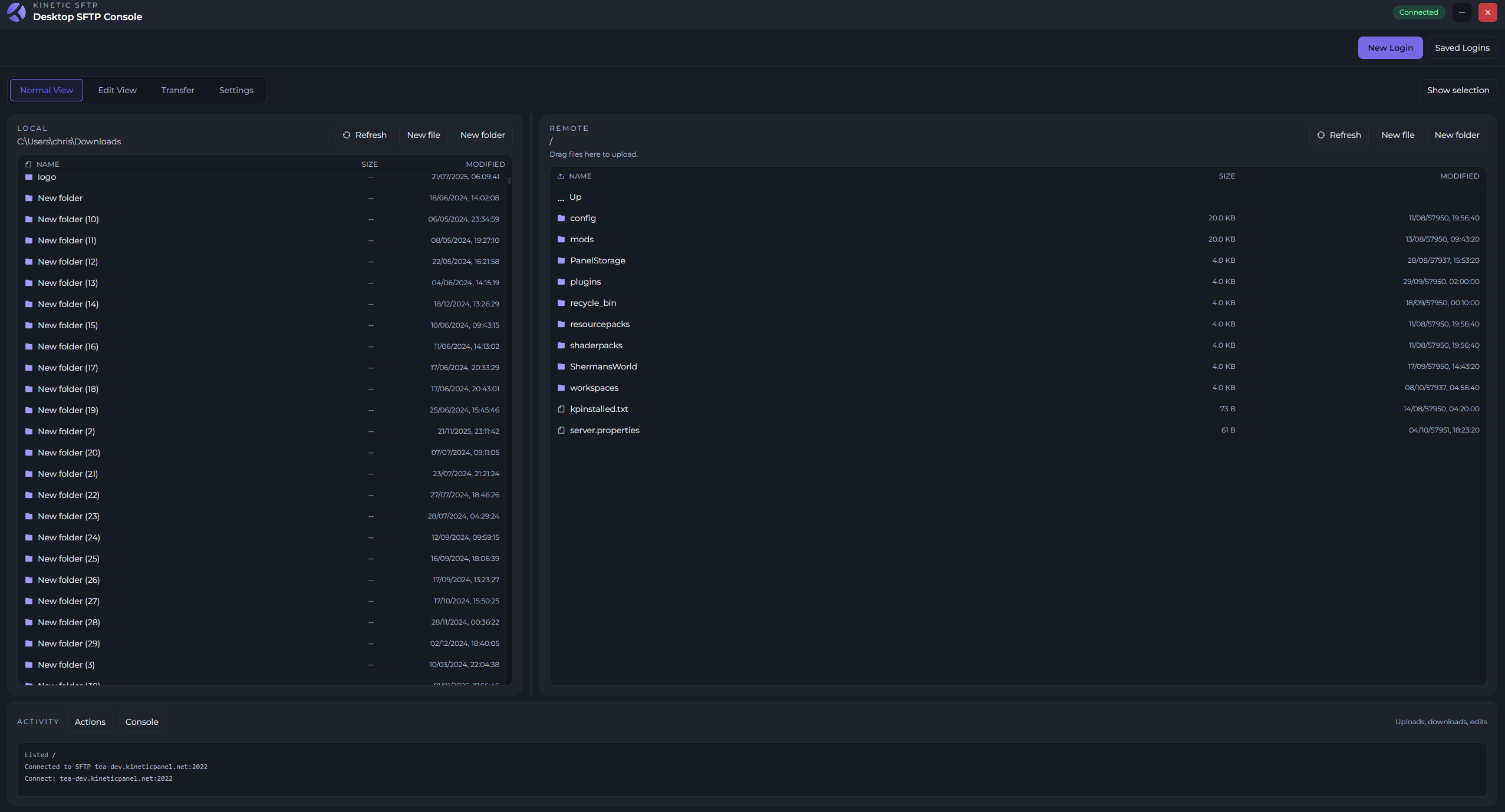
More than moving files
From a quick configuration change to managing several servers, keep your editing tools, game utilities and saved connections in one place.
Edit configs and scripts with tabs, syntax highlighting, and fast search.
Use game-friendly tooling like an NBT editor and log tailing.
Store every SFTP login in a secure, encrypted vault for fast switching.
Quick uploads
Drag and drop big worlds, modpacks, and backups with queue-aware transfers.
Bring files from your computer into your server workflow, with transfers organised in a queue.
Move between your files, editing view and transfers without reaching for a separate client.
From desktop to server
Start with the Windows client and your server's SFTP details. Your saved logins make coming back easy.
Get the latest Kinetic SFTP release using the download above, then open the client on your Windows computer.
Choose New Login and enter your server's SFTP connection details. Save the login in the encrypted vault for next time.
Browse your server files, switch to Edit View to work on configs, or drag in the worlds and files you want to upload.
Download Kinetic SFTP, or talk to our team if you need help connecting.