In this article
One of the biggest changes coming in the Minecraft 26.3 update is the introduction of the new Dappled Forest biome!
This is a cozy, autumn-colored biome spread throughout the world featuring its own little theme and surprises.
Plants & Mushrooms
The dappled forest biome is known for plants, fungi, and other growths around the biome like tree stumps.
The trees in this biome will give poplar wood when cut down, and will often be found with new shelf mushrooms rowing off of the side of the tree logs:
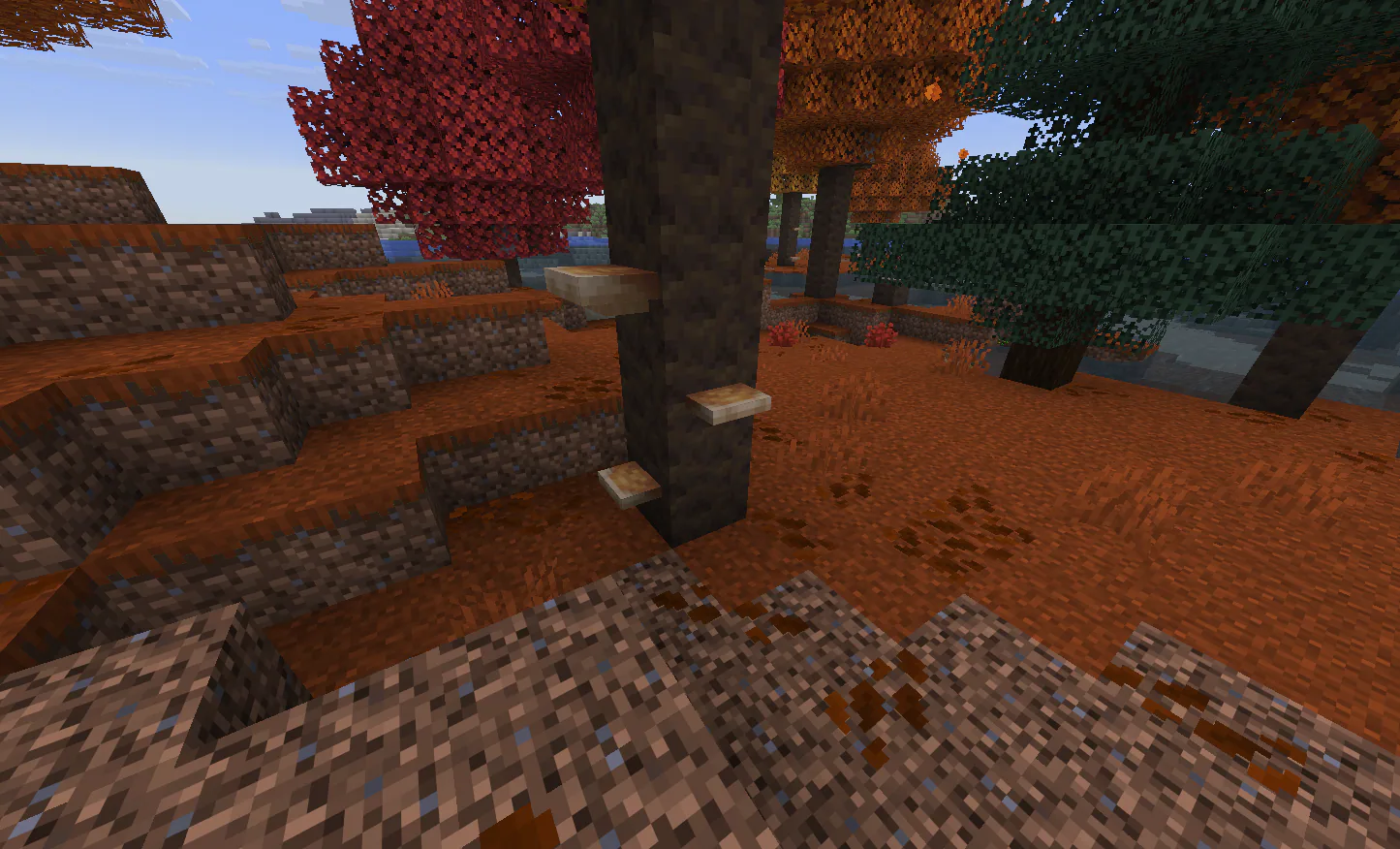
In addition, you can find new red shrubs/bushes around the biome in the grass, which match the range of tree leaves you can find in the biome that often appear as orange or red in hue!
How to Find Dappled Forests
As of now, there isn't a guaranteed rule for the new biome generating at specific places in the world. Fortunately, it's super distinct in color, which makes spotting it by the color of the tree leaves a lot easier while you travel!
Otherwise, if you have access to cheats or command permissions in the case of a server, you can use the /locate command to find the coordinates of a Dappled Forest biome directly:
/locate biome minecraft:dappled_forest

More 26.3 Changes
You can find more information on the other changes to Minecraft in the 26.3 update on our blog post here!
We will always post news on coming updates to the game so everyone is up to date and ready for all of the changes coming in major updates like this one. There's a lot of new content to explore on 26.3, and tons of potential for builders thanks to the addition of blocks like cushions and wool stairs/slabs!