Changes To How We Update Our Panel
Posted by Chris | 13 June 2026
A few months ago, we spoke about Panel 7, a major new update in the works that included our new billing system and a host of new features.
Alongside this update, we've also been looking at how we release panel updates as a whole. As Kinetic has grown, so has the size and complexity of our updates, and we've realised there is a better way for us to get new features into your hands faster.
Let's dive into what's changing.
Over the years we've had smaller panel updates and larger panel updates, such as Panel 4, Panel 5, Panel 6, and so on. A major version jump would normally happen when we made a large change to the panel or introduced significant under-the-hood improvements.
With the planned Panel 7 update, we not only had the new billing system, but also a massive under-the-hood rewrite of the panel. This meant that any features developed for Panel 7 wouldn't work on Panel 6.
As development progressed, Panel 7 continued to grow. More features were added, more improvements were planned, and the update became significantly larger than any panel release we'd done before.
At first, this seemed like a good thing. More features, more improvements, and a bigger update for everyone. However, as the project grew, we started to run into some problems with the way we were building and releasing panel updates.
The Problem With This Plan
The way we work at Kinetic is simple: if we keep seeing tickets about something, we usually build a feature to solve it. People were having trouble finding what was using their storage, so we rolled out v6.18. Windrose released, so we added mod support in v6.19. Schedules were becoming confusing, so we rolled out improvements in v6.20.
This helps keep our support queue under control while continually improving the experience for everyone.
The problem was that Panel 7 had become such a large project that it was taking months to build. Meanwhile, Panel 6 still needed new features and improvements. This meant features were often built for Panel 6 first, then had to be ported across to Panel 7 later, wasting development time.
Back when Kinetic was much smaller, and panel updates were less frequent, a five-month gap between Panel 4 and Panel 5 was perfectly reasonable. The system worked.
Today, Kinetic has grown significantly, and we need to ship improvements much more frequently. The old approach no longer fits how we build software.
So we're changing it.
Changing To Versioning
Moving forward, we'll be retiring the Panel 5, Panel 6, and Panel 7 naming system and replacing it with year-based versioning.
The next panel update will be 26.23.0, as it is the 23rd major update released during 2026.
This also means we'll be splitting what was previously planned as Panel 7 across multiple updates. Instead of completed features sitting unfinished for months while we finish everything else, we'll be able to release them as soon as they're ready and tested.
We're not making Panel 7 smaller.
We're simply breaking it into smaller releases so you get new features faster.
What's Coming In 26.23.0
This is going to be a big update packed with quality-of-life improvements, bug fixes, performance enhancements, and new features.
Under The Hood
First up is the large under-the-hood rewrite.
This change makes the panel faster, more responsive, and easier for us to update moving forward.
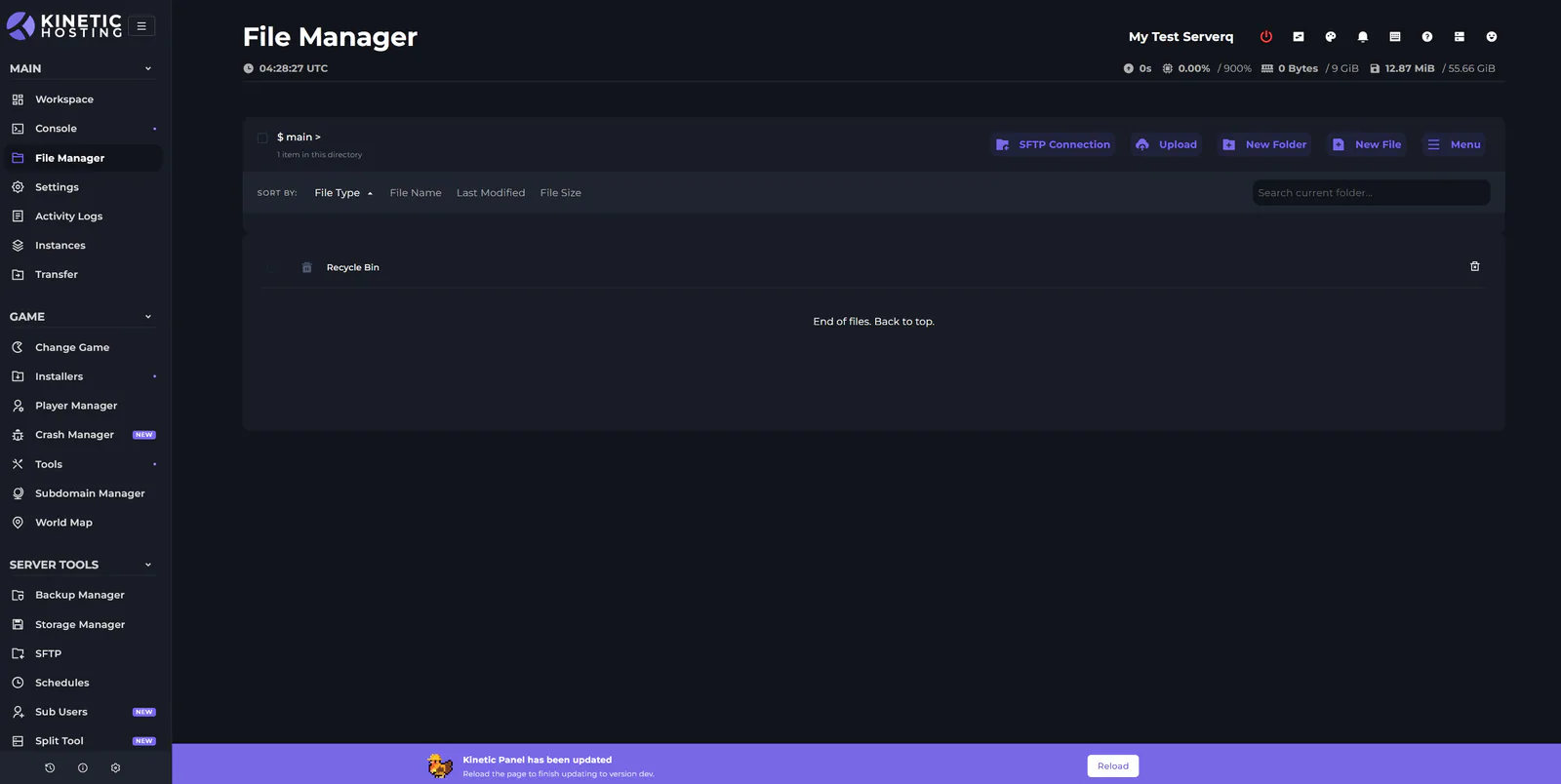
When the panel updates, you'll now see a small notification at the bottom of your screen asking you to reload. Unless we're deploying a major API change, we'll no longer lock users out of the panel while updates are being applied.
If an API update does require downtime, the process will now take seconds rather than the 15 minutes or so it can take today.
UI Changes
The Version Installer, Quick Installer, SFTP modal, Dashboard, and many other areas of the panel have received UI improvements.
Some changes make things easier to understand, some provide more information, and others simply make the panel nicer to use.
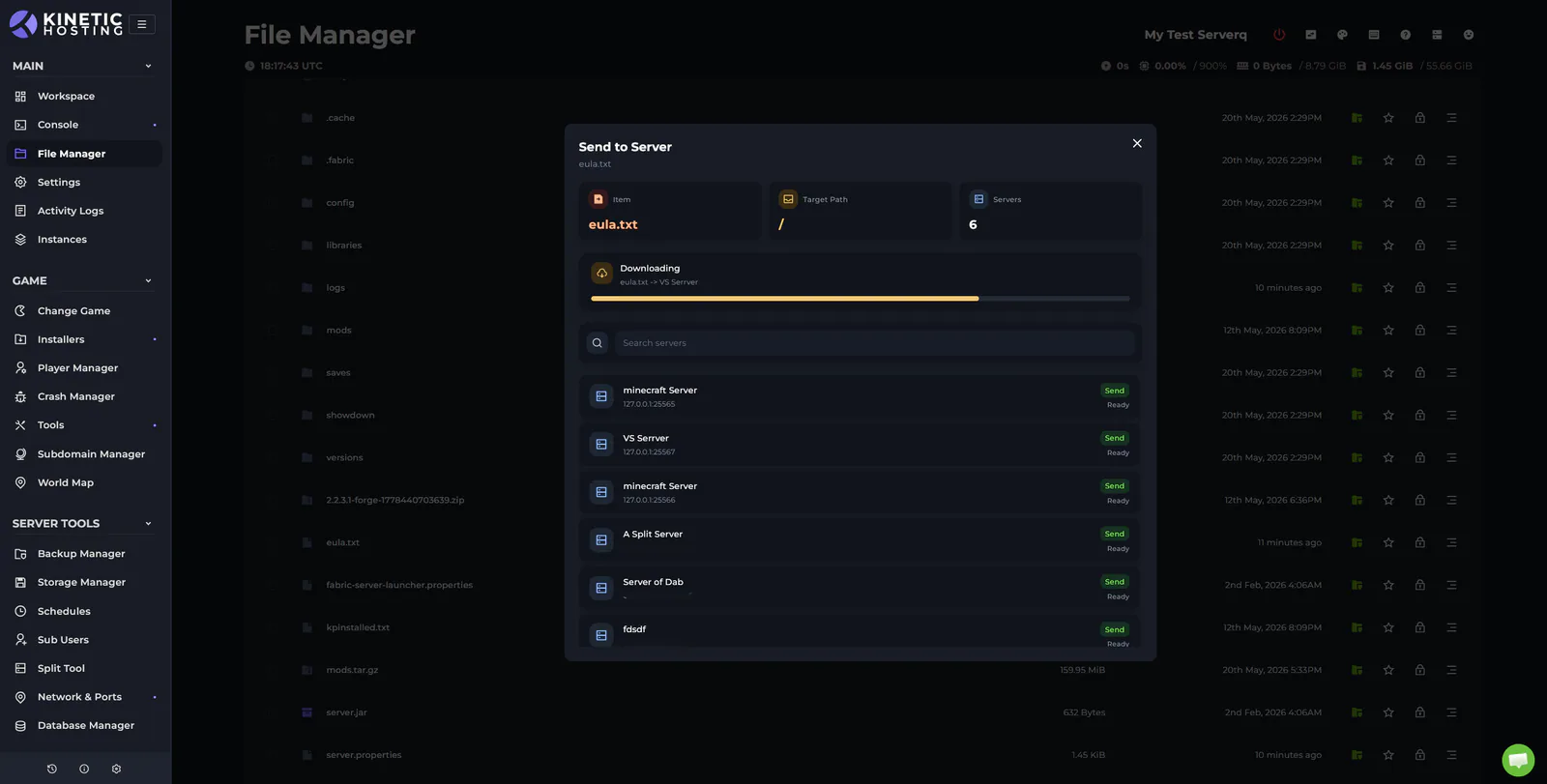
Send To Server, URL Pull, and Download Remote
Three new features are coming to the File Manager.
You can now right-click a file and send it directly to another server you own without needing to download it to your PC first.
You can also generate a public download URL for any file or folder, making it easy to share worlds, backups, or other files with friends.
Finally, you can now provide a URL for the File Manager to download directly from. This makes it easy to pull files from GitHub and other sources without first downloading them locally.
Workspace Changes
We've made a number of improvements to Workspaces to make everything feel smoother and more flexible.
Components now move around more naturally, and we've also made the top navigation bar detachable. You can unlock it and move it like any other workspace component.
Want it out of the way? Drag it to the bottom and forget about it.
Login and Signup
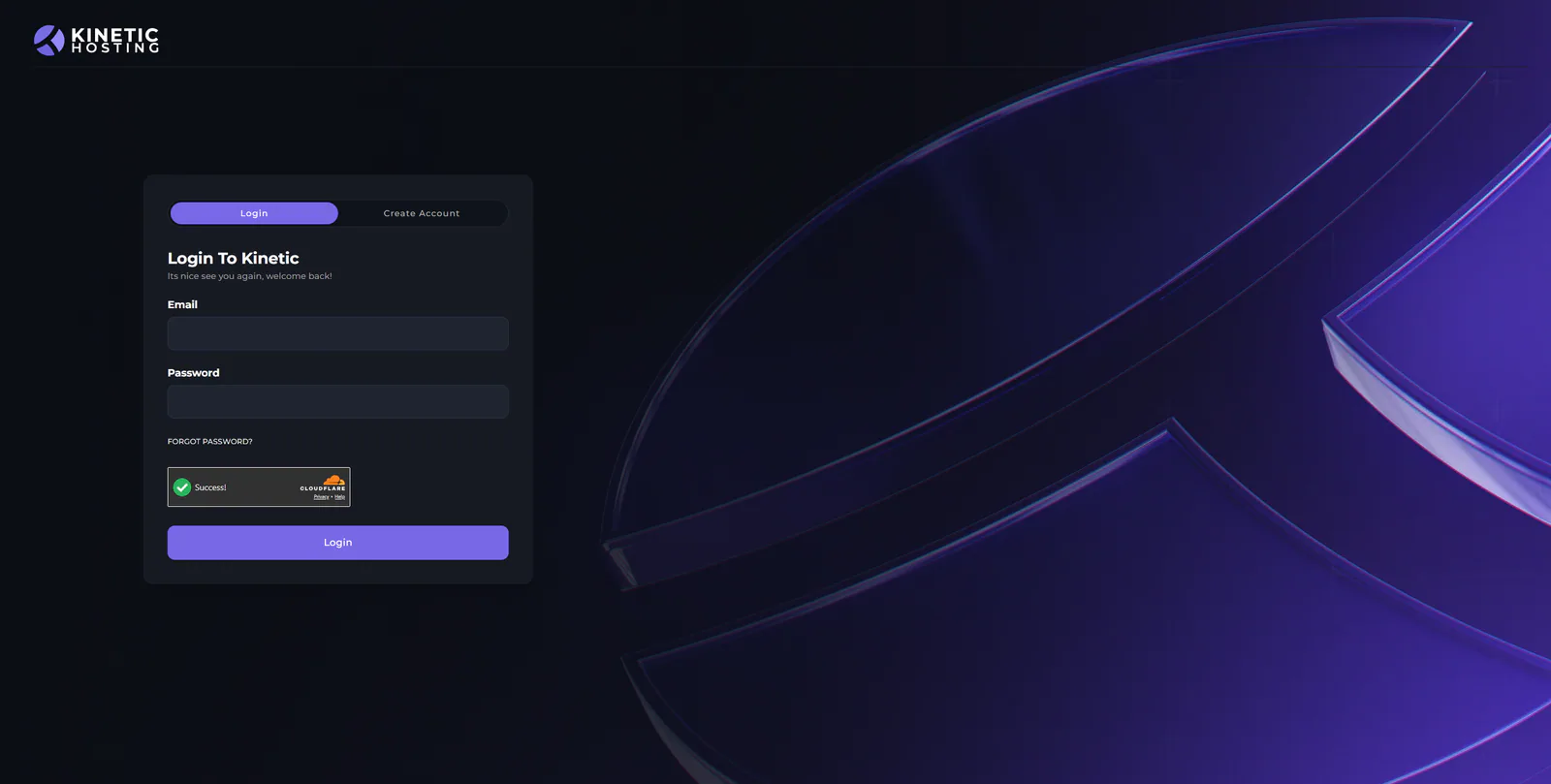
We've completely redesigned the login screen.
This new screen also allows users to create a Kinetic Panel account directly. While this will become more important once the new billing system launches, it already allows sub-users to create accounts without needing to wait for an email invitation.
File Manager QoL Changes
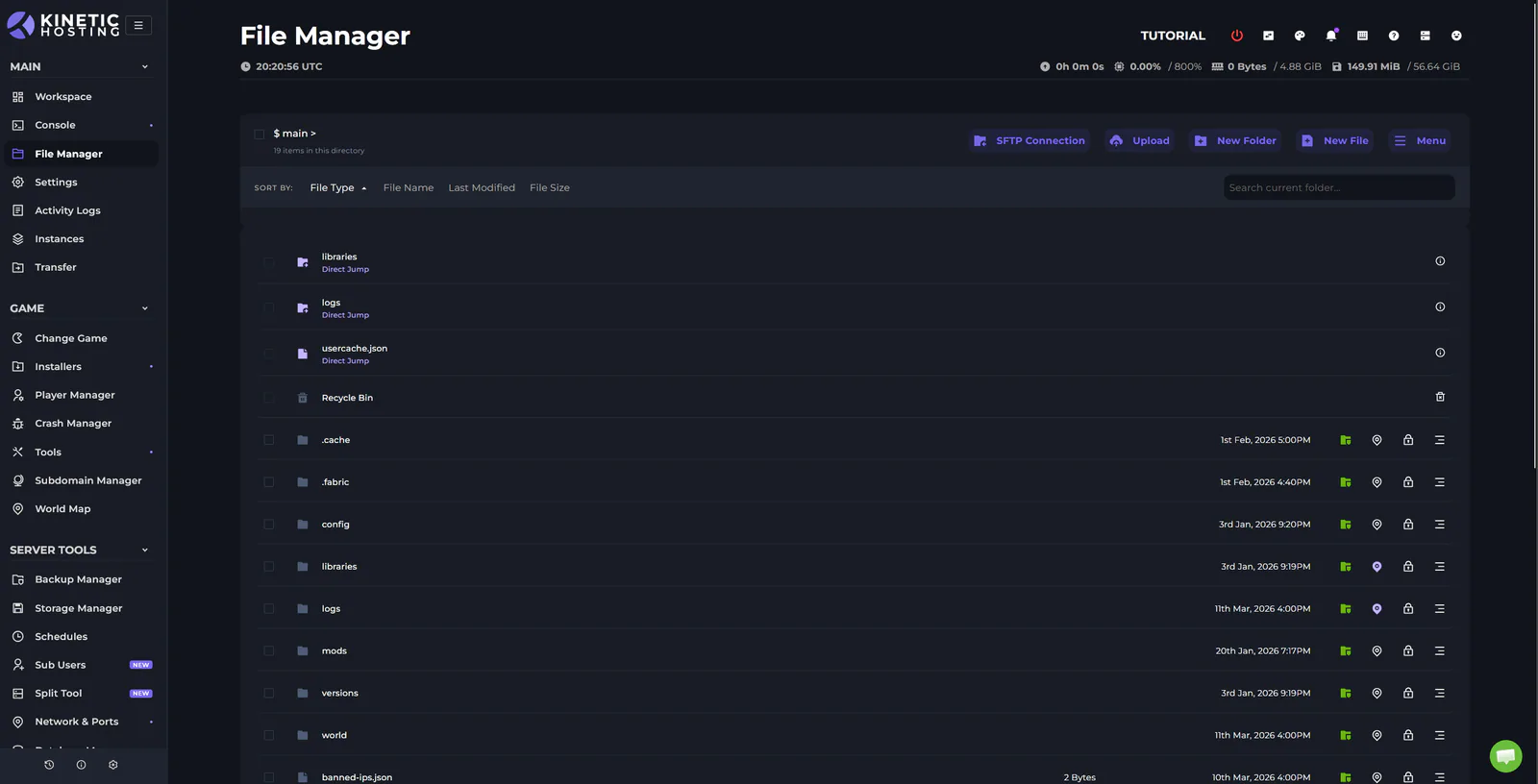
The File Manager has received a number of quality-of-life improvements.
You can now right-click a world or JAR file and set it as the active world or JAR for your server.
Worlds also now have dedicated icons, making them easier to identify at a glance.
When archiving or extracting files, you'll now see progress in a simple modal rather than a loading spinner with no indication of progress.
You can also pin files and folders from anywhere on your server directly to the root directory, allowing them to be accessed instantly. We've also added default pins for games that like to bury important files several directories deep.
Transfer Tool and SFTP
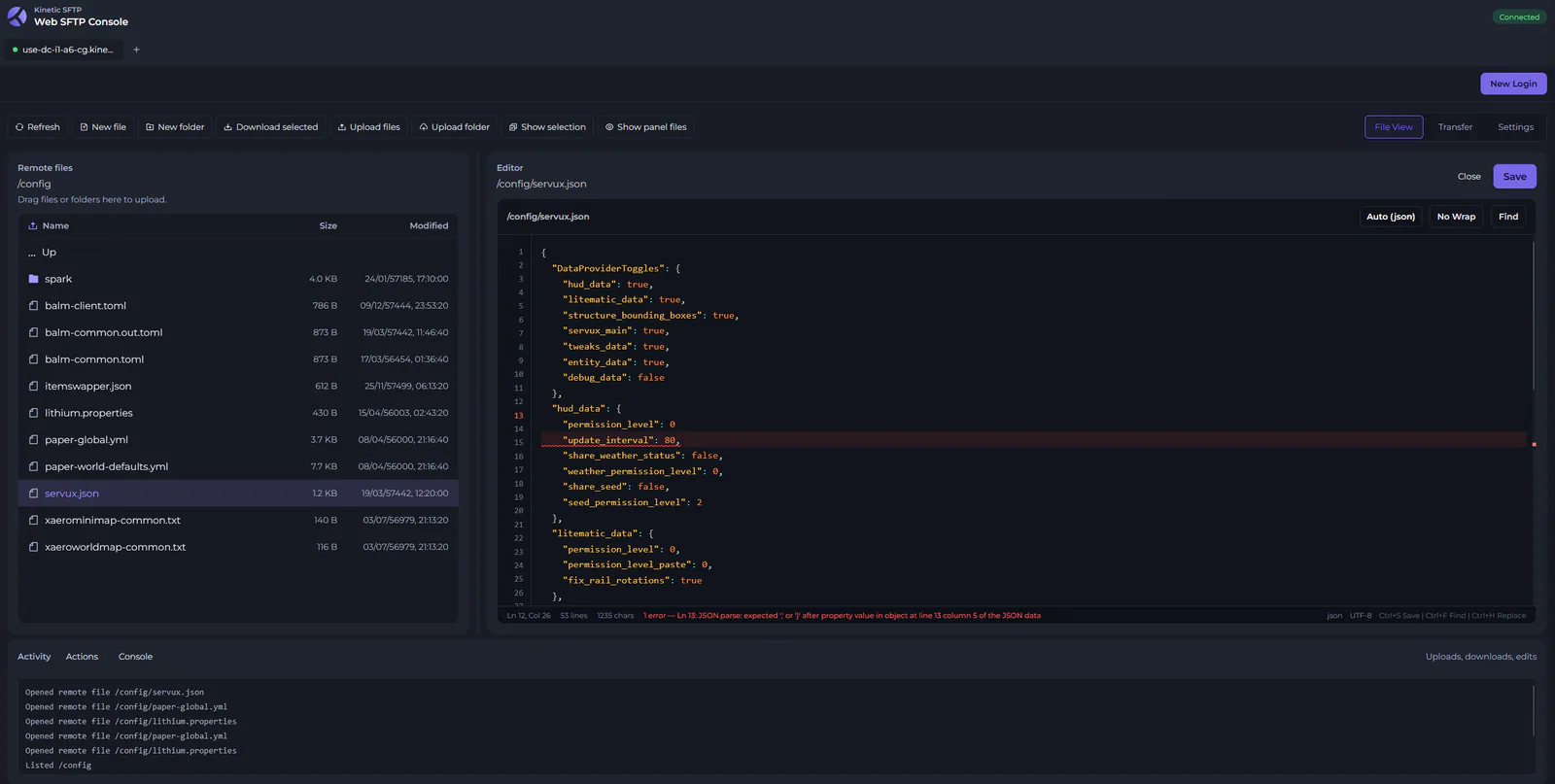
We're also introducing a web-based SFTP client.
This brings many of the benefits of the Kinetic SFTP Client directly into your browser and provides a more IDE-like experience for power users who spend a lot of time editing configuration files.
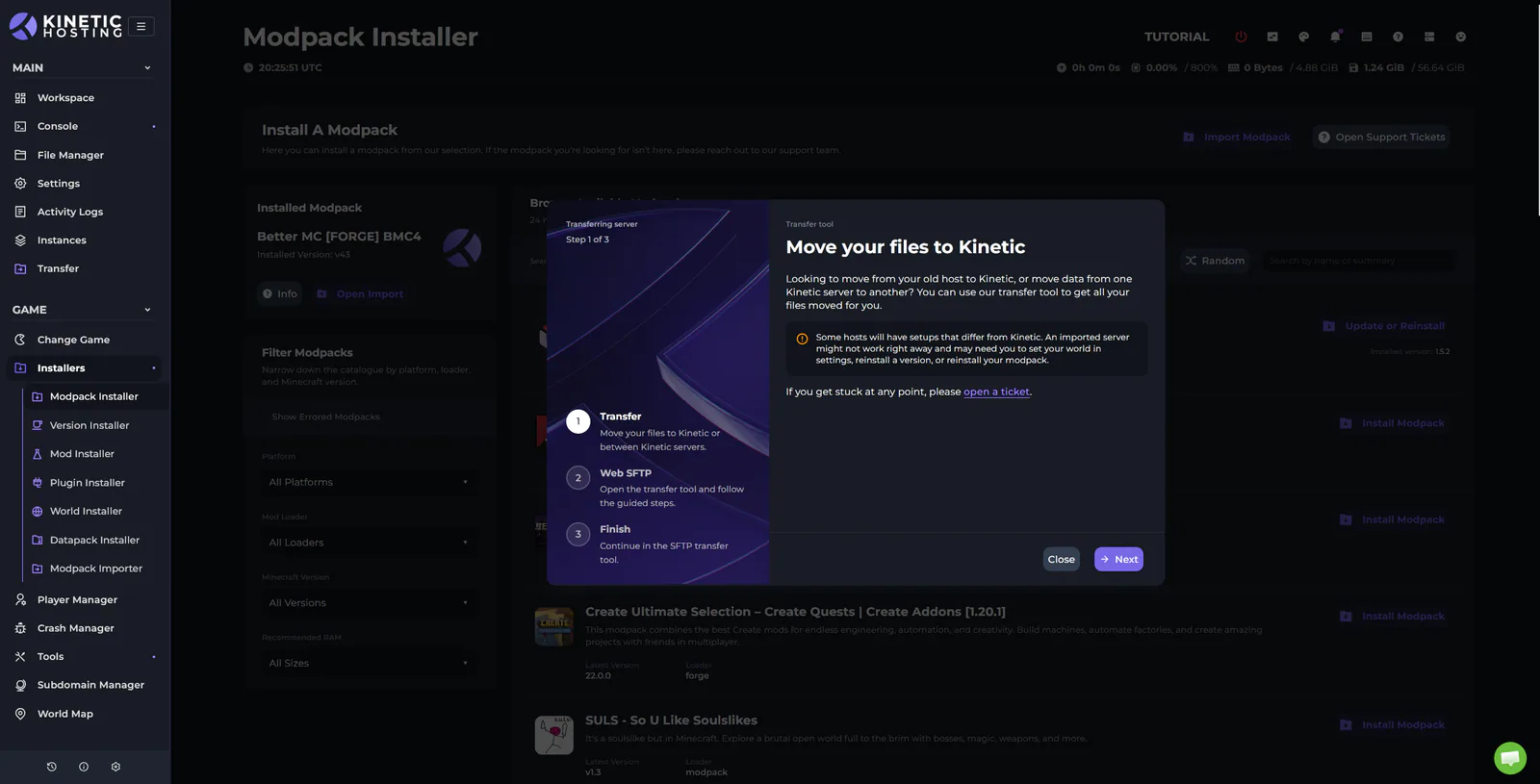
Alongside this comes our new Transfer Tool.
This allows you to migrate files from another host, or move data between Kinetic servers, without manually downloading and re-uploading everything.
Simply start the transfer, grab yourself a cup of tea, and let the system do the heavy lifting.
As always, Sherman is there to help if you get stuck.
New Modpack Importer
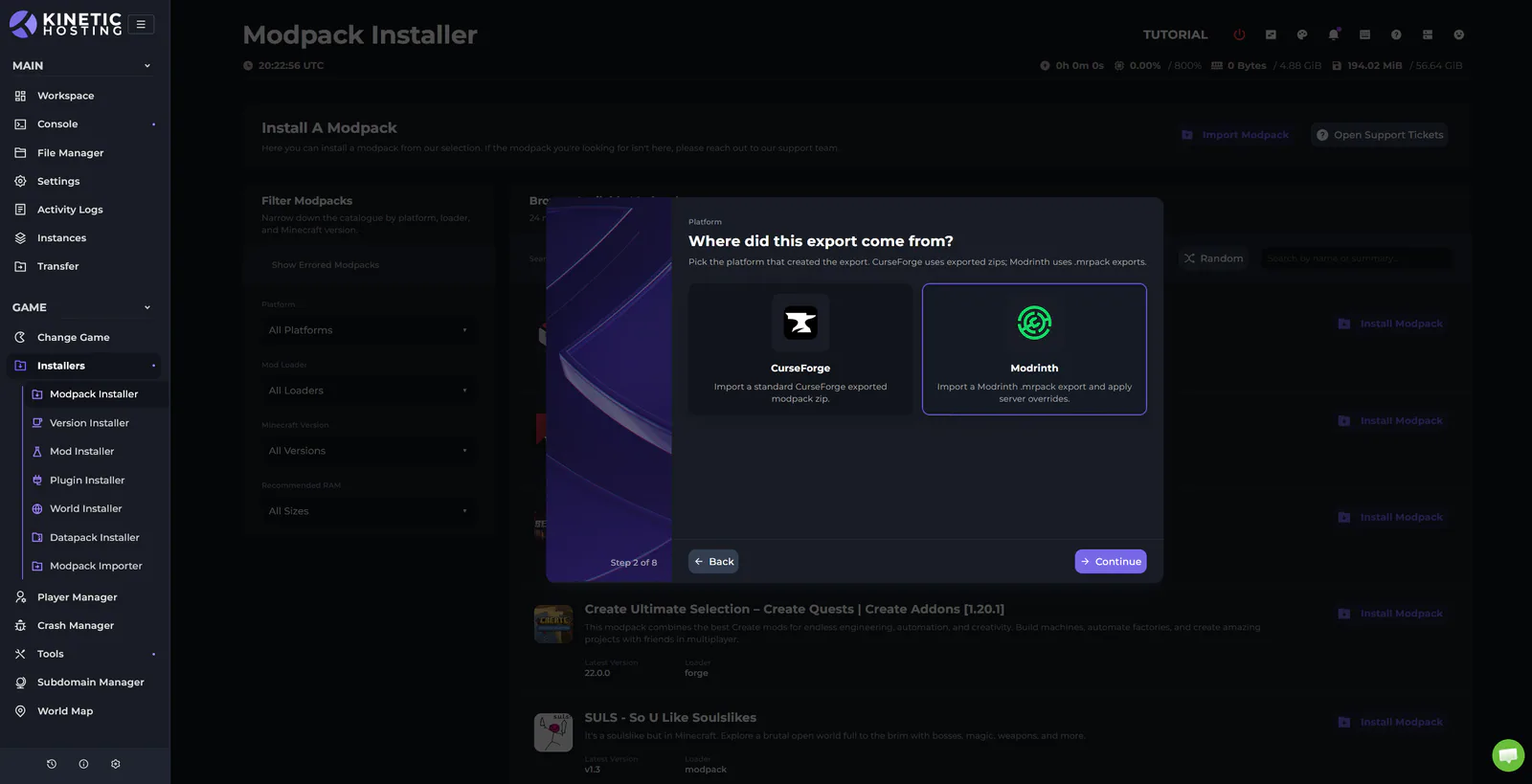
The Modpack Importer has been completely redesigned. Imported modpacks now also show just like any other modpack in the panel.
It's clearer to use, several long-standing bugs have been fixed, and we've now added Modrinth support.
Maintenance Messages
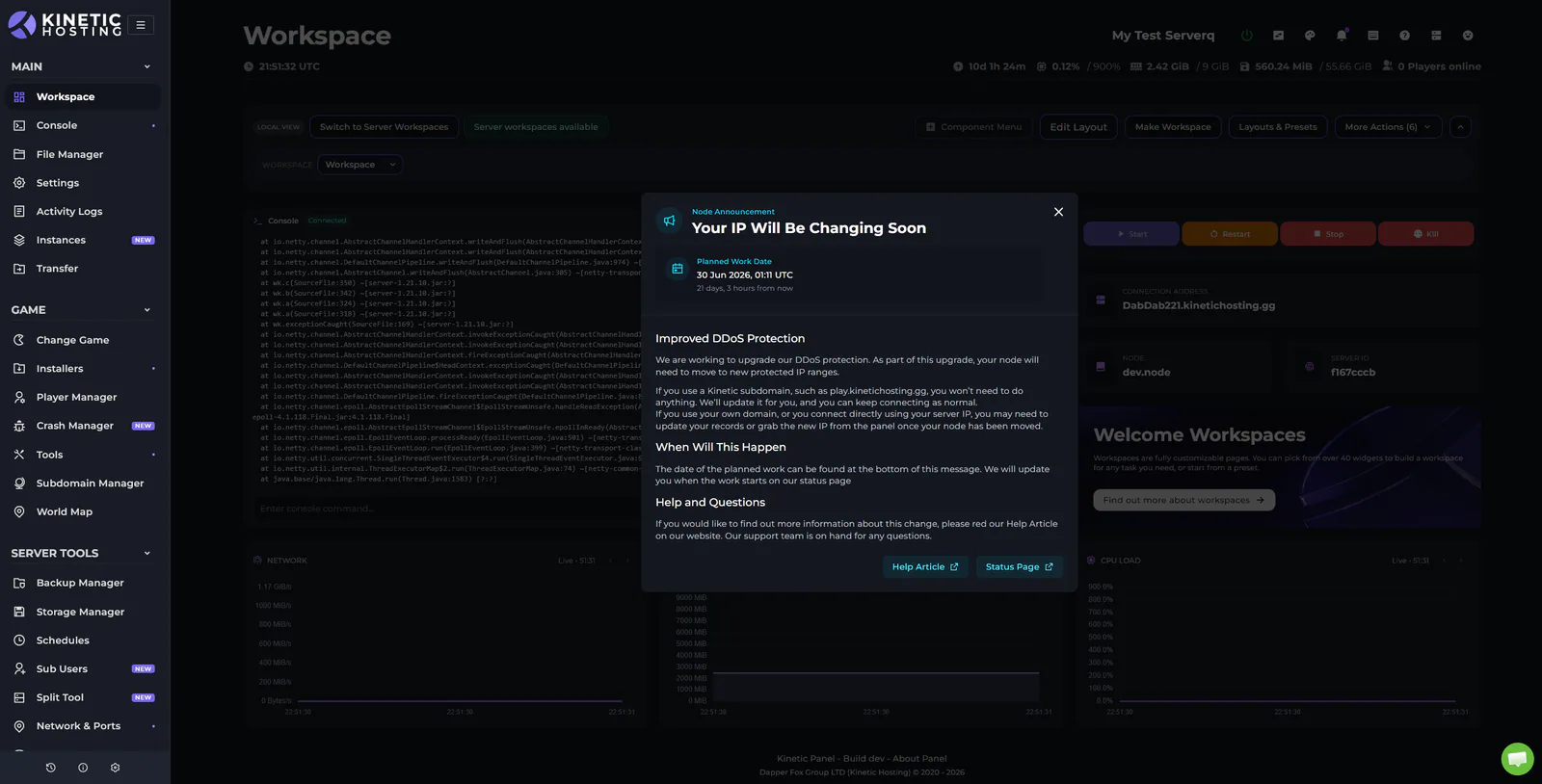
We can now send maintenance notices and service warnings directly within the panel.
This helps keep you informed about upcoming work that may affect your server without relying on external announcements.
Bug Fixes
Alongside all of the new features, we've also spent time fixing a large number of bugs and improving areas of the panel that weren't as clear or intuitive as they could be.
Not Done Yet
This is only the first major update arriving over the coming months.
There is still plenty more to come from the original Panel 7 roadmap, including our new billing system and a number of improvements across our supported games.
This update is simply the first part of a series of major releases that will be arriving much faster than before.
As always, we're open to feedback on both the update itself and our plans for future releases.
Start Your Own Server
Looking for a game server? Get set up in a few moments. With our one-click installers and simple packages.
Related Posts
Changes To Panel Updates
We launched the Kinetic Panel back in 2022, and up until now, most features have been added through major updates. This approach sometimes meant that features were completed but had to wait for other features to be finalized before release. While this was unavoidable in some cases, such as with the significant UI reworks in Panel 3 and Panel 4, it has occasionally left features you could have been using just sitting there.
Chris19 August 2024

Panel 6.19 Update Change Log
A mighty QoL update for all ye Windrose sailors! We’ve hauled aboard a brand new mod installer, importer, and manager, making yer modding life smoother than a calm sea at dawn. 6.19 is now live on all nodes, so grab the wheel, and let’s set sail…
Chris21 April 2026
Panel 6.11 Update Change Log
Panel update 6.11 is live on all nodes. It comes with bug fixes, new server folders, and a new mobile text editor. The update was planned to be bigger and include Rust auto-wipe features, and more Minecraft start-up options, but this has been pushed to 6.12 that will drop next week.
Chris20 February 2026

Kinetic Hosting - Now With Unlimited Storage
When we rolled out our new packages, we set a smaller storage cap. Over time, we increased this from 30 GB to 60 GB, and as of today, we’re removing the hard limit entirely. Servers will still deploy with 60 GB by default, but you’ll be able to request a free storage upgrade at any time via a support ticket.
Chris1 January 2026
Panel 26.23.0 Update Change Log
A huge update has now rolled out on our panel. It comes with a load of QoL changes, new features, and big under the hood changes making the panel feel more snappy
Chris28 June 2026

Huge Upgrade to Our DDoS Protection
We all know DDoS attacks are common when it comes to game servers. If you run a public server, it’s usually a case of when, not if, you’re going to get hit. At Kinetic, we’ve always provided DDoS protection to keep your servers online. But as botnets have grown larger and attacks have become more frequent, it’s time for an upgrade.
Chris1 May 2026