In this article
A mighty QoL update for all ye Windrose sailors! We’ve hauled aboard a brand new mod installer, importer, and manager, making yer modding life smoother than a calm sea at dawn. 6.19 is now live on all nodes, so grab the wheel, and let’s set sail…
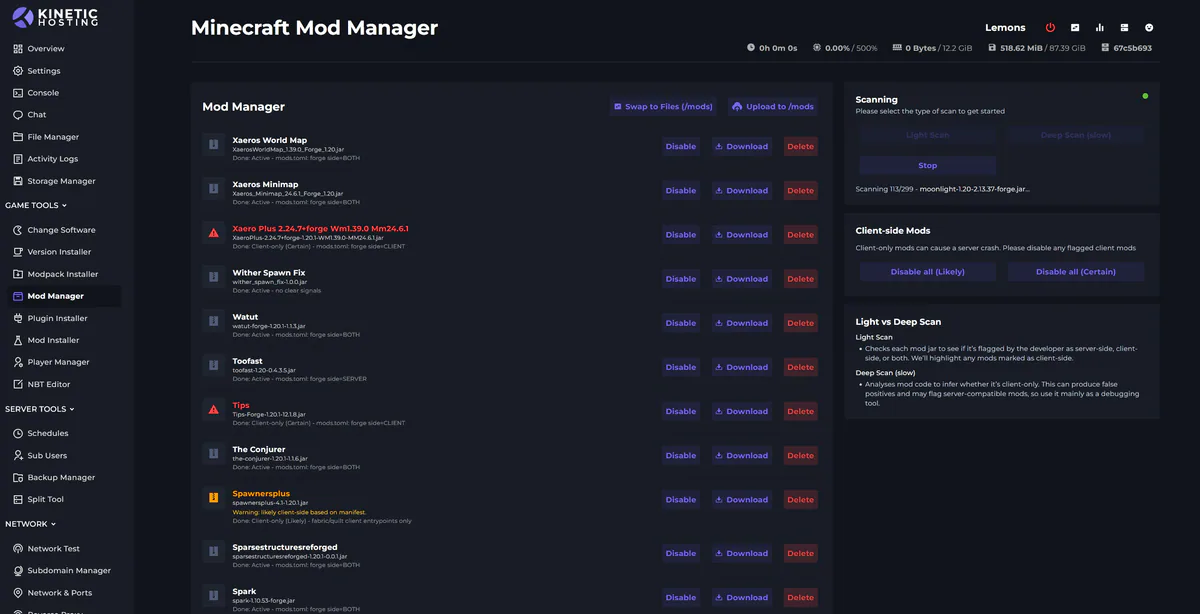
Mod Manager
From within the Mod Manager, ye can now spy all yer RS and UE4SS mods currently aboard yer server. Check their details, disable the scallywags, or toss ‘em overboard when they’ve outstayed their welcome. Sending a mod to the depths performs a full clean sweep too, configs and all, not a trace left behind.
Mod Importer
Within the Mod Manager lies the Mod Importer, your trusty first mate for getting mods shipshape. It’ll place yer mod in the right folder and set the proper configs for ye. Now, if a mod be a tricky beast with a more complex setup, it may need a bit o’ manual tinkering, so keep a sharp eye. But for most, it’s as easy as importing and restarting yer server to get the winds in yer sails.
Mod Installer
The Mod Installer lets ye plunder mods straight from the Curse platform and bring ‘em aboard yer server. It handles all the heavy lifting, same as the importer, so yer mods be ready for action with little effort.