Advanced Search Added to Our Knowledge Base

Posted by Chris | 7 July 2026

Not an update to our panel this time, but a big QoL update to our knowledge base.

Ask a Question

You can now ask our knowledge base a question, and the new search system will find the most relevant articles for you.

Misspelled a search? Don't know the name of the article? Want to filter by your game? The new search system now understands parts of your message instead of relying on exact article titles.

For example: If you want to set an MOTD for your Minecraft server, you previously had to search for the exact guide name: "How to Set an MOTD". Now, you can search for things like "How to set a message of the day Minecraft" or even "How set motd", and it will still find the correct guides for you.

Helper Sherman

When live chat is offline, Helper Sherman will now appear, giving you quick access to the knowledge base search, as well as shortcuts to our Discord server and ticket system.

Any feedback on the new search please let us know

Start Your Own Server

Looking for a game server? Get set up in a few moments. With our one-click installers and simple packages.

Order Now
Kinetic Hosting - Now With Unlimited Storage
Kinetic News

Kinetic Hosting - Now With Unlimited Storage

When we rolled out our new packages, we set a smaller storage cap. Over time, we increased this from 30 GB to 60 GB, and as of today, we’re removing the hard limit entirely. Servers will still deploy with 60 GB by default, but you’ll be able to request a free storage upgrade at any time via a support ticket.

Chris1 January 2026

Panel 6.19 Update Change Log
Kinetic News

Panel 6.19 Update Change Log

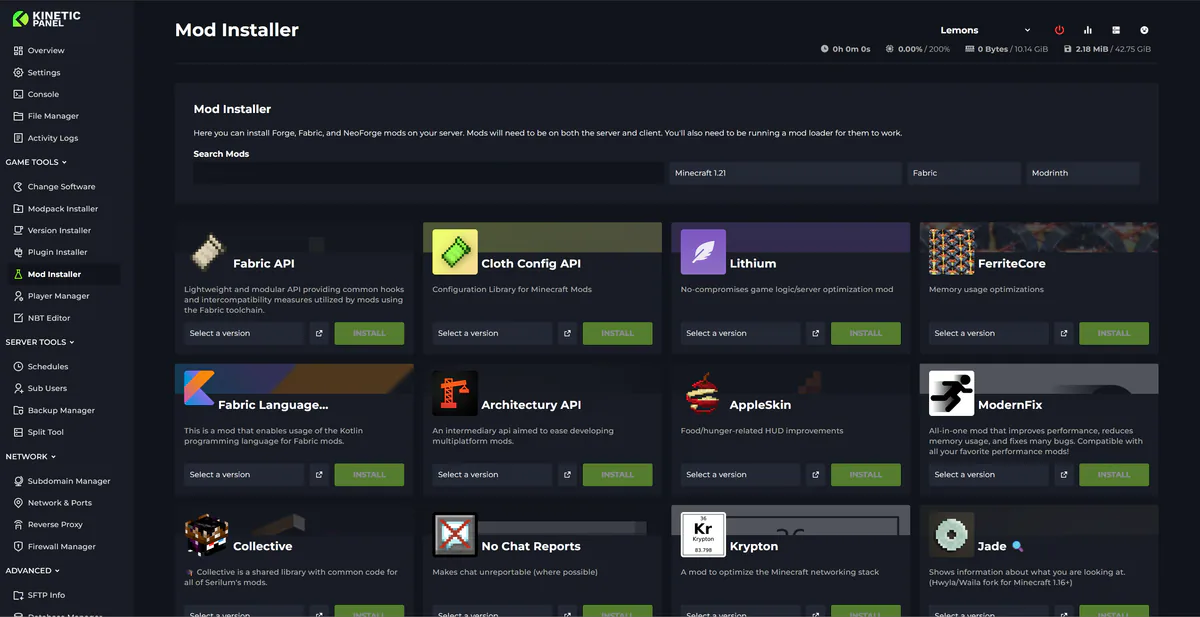
A mighty QoL update for all ye Windrose sailors! We’ve hauled aboard a brand new mod installer, importer, and manager, making yer modding life smoother than a calm sea at dawn. 6.19 is now live on all nodes, so grab the wheel, and let’s set sail…

Chris21 April 2026

Panel 6.11 Update Change Log
Kinetic News

Panel 6.11 Update Change Log

Panel update 6.11 is live on all nodes. It comes with bug fixes, new server folders, and a new mobile text editor. The update was planned to be bigger and include Rust auto-wipe features, and more Minecraft start-up options, but this has been pushed to 6.12 that will drop next week.

Chris20 February 2026

Changes To Panel Updates
Kinetic News

Changes To Panel Updates

We launched the Kinetic Panel back in 2022, and up until now, most features have been added through major updates. This approach sometimes meant that features were completed but had to wait for other features to be finalized before release. While this was unavoidable in some cases, such as with the significant UI reworks in Panel 3 and Panel 4, it has occasionally left features you could have been using just sitting there.

Chris19 August 2024

Mid 2026 Feedback Form Reply
Kinetic News

Mid 2026 Feedback Form Reply

This has been one of the biggest years yet for our feedback form. We've had some amazingly kind words, and some common feedback. In this post we'll have a chat about the common bits of feedback.

Chris27 August 2026

Mid 2026 Feedback Form - Win a Free Server and The Toast Role
Kinetic News

Mid 2026 Feedback Form - Win a Free Server and The Toast Role

If you've been around Kinetic a while, you'll know every 6 months or so we make feedback form. This is to collect feedback on you guys about Kinetic. As a thank you we'll be giving away** 3 16gb Performance servers for life** to 3 random people who fill out the form

Chris17 August 2026

Display and navigation

Accessibility options

Personalise how Kinetic Hosting looks and how you move around it. Your choices are saved on this device.

Press Ctrl+K to search. When link hints are enabled, hold Shift to label every visible link and control.

High-contrast dark theme

Use black and dark backgrounds with white text and stronger borders throughout the site.

Keyboard link hints

Hold Shift to show a temporary key on every visible link and control. Keep holding Shift and type a label to activate it.

Keyboard navigation

Ctrl+K opens site search. When link hints are enabled, hold Shift to label every visible page link, menu item, order control and location. Keep Shift held while typing the displayed label, or release Shift to close the labels.

Search Kinetic Hosting

Search site pages, game servers, knowledgebase articles, blog posts, FAQs and modpacks.

Enter at least two characters to search the site.

↑↓ Select · Enter Open · Esc CloseCtrl+K