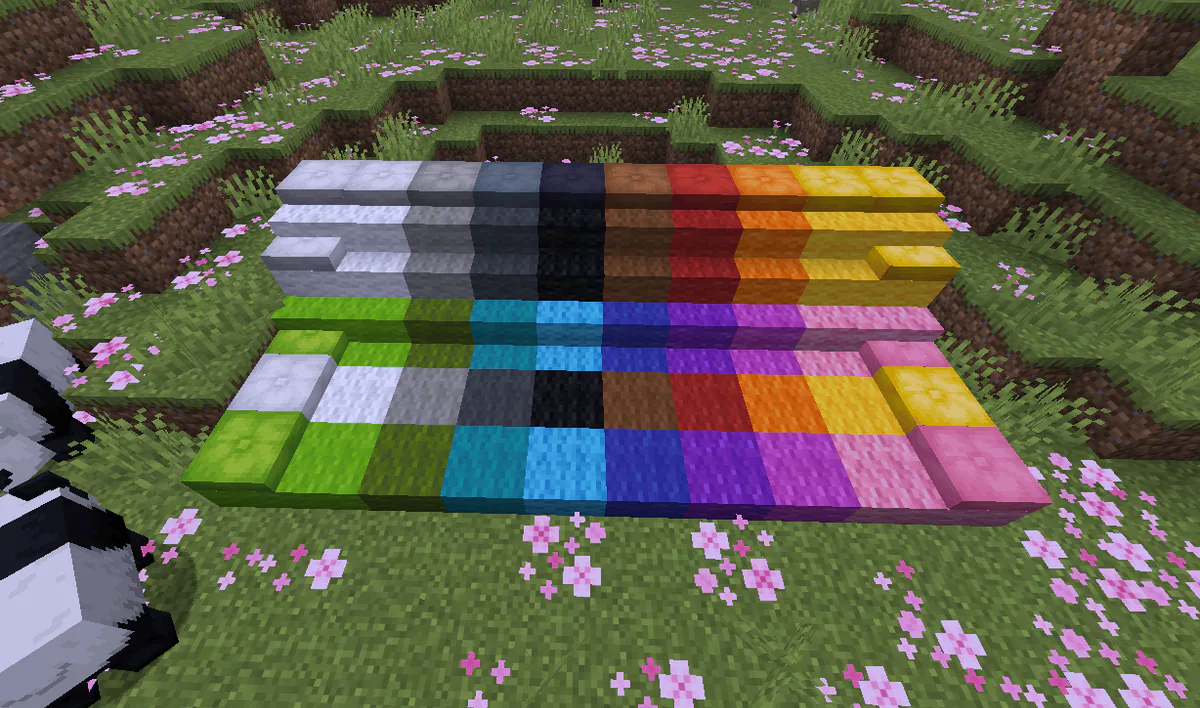
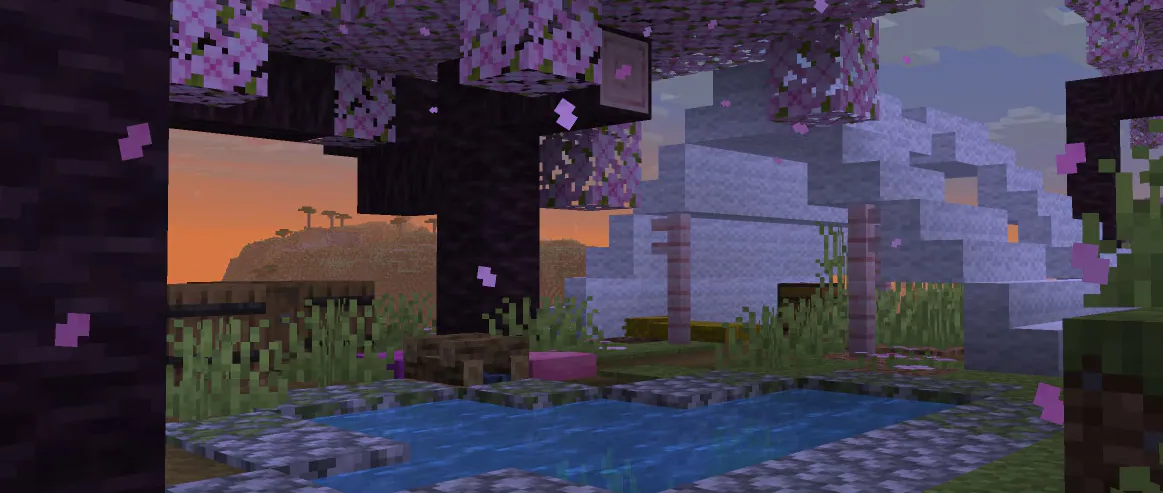
After 17 years, you can now sit down in Minecraft!

Posted by Dals | 7 July 2026

Mojang has been hard at work preparing the game's 26.3 update, including a new biome, blocks, mob eggs, and a plethora of other new additions.

However, snapshot 3 for the update has added one of the most deceptively game-changing blocks to the game: cushions.
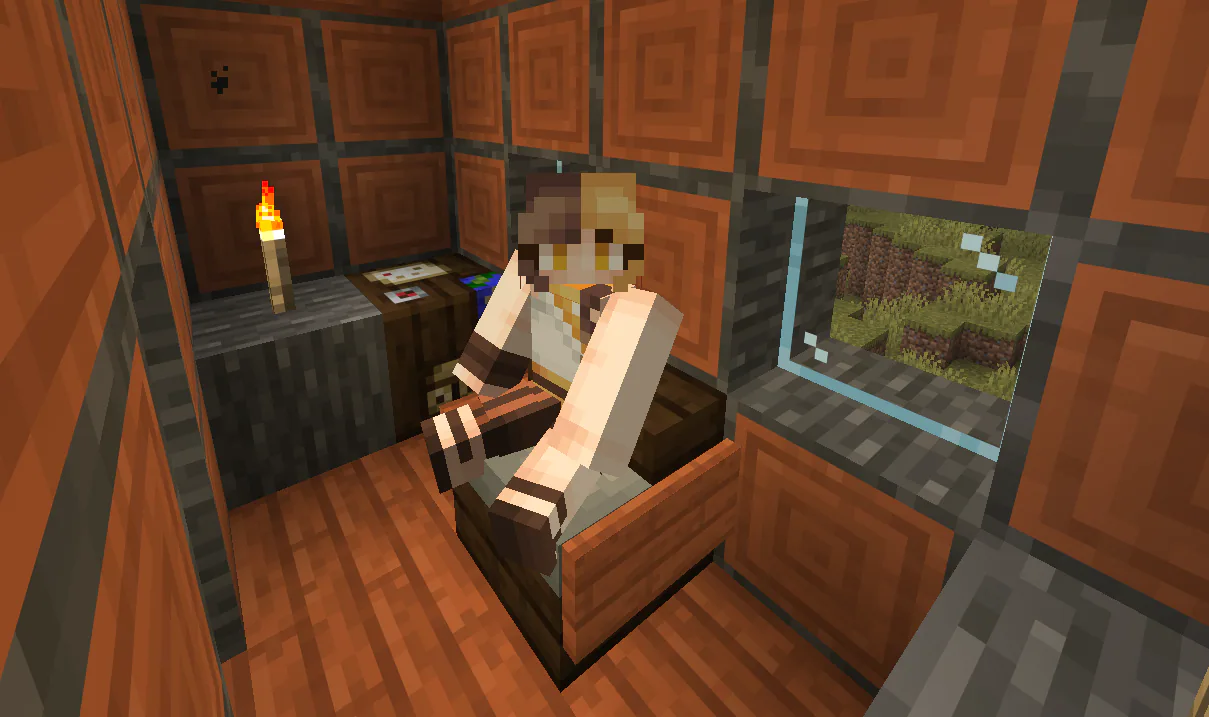

26.3 Cushion Sitting 1783464519374 Optimized

Cushions!

After roughly 17 years, players can now sit down in Minecraft!

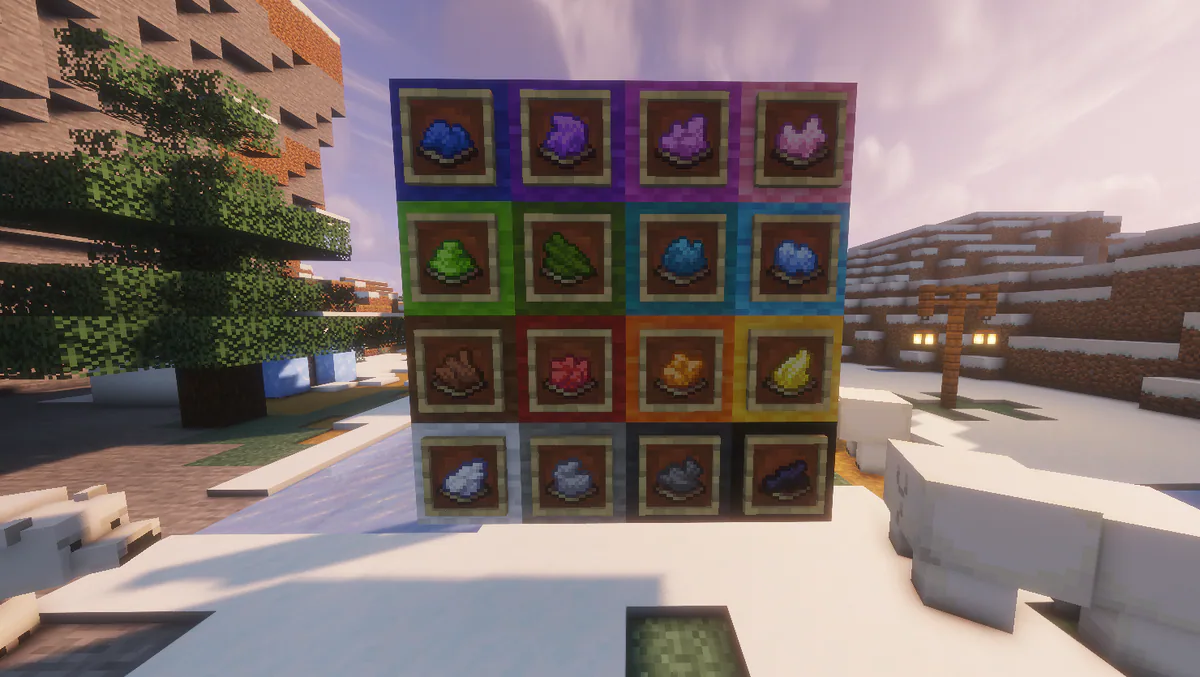
Cushions come in all colors currently available in the game, allowing for them to fit into any of your existing builds and palettes perfectly. Right clicking a cushion, no matter what it's placed on, allows players to sit down on them.
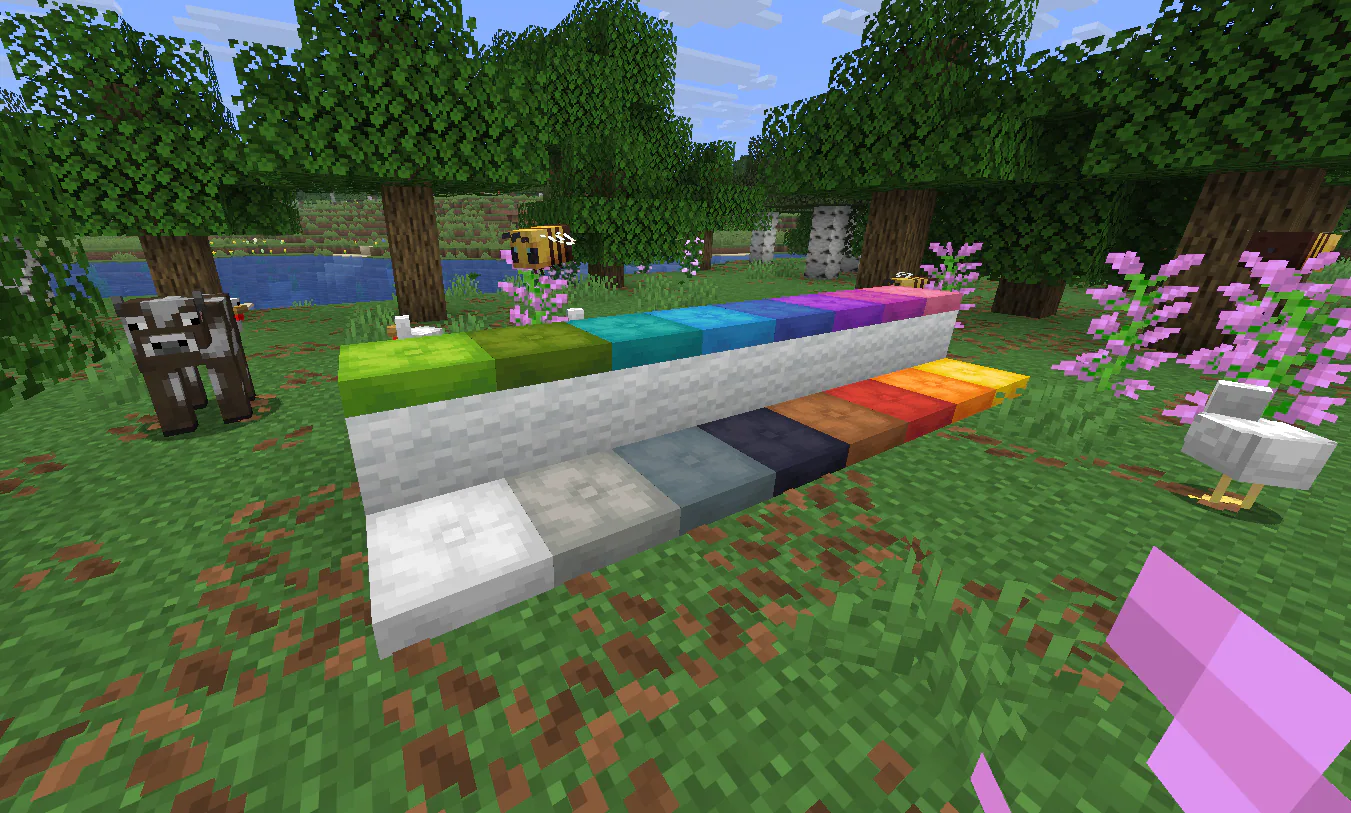
26.3 Cushion Colors 1783464449236 Optimized

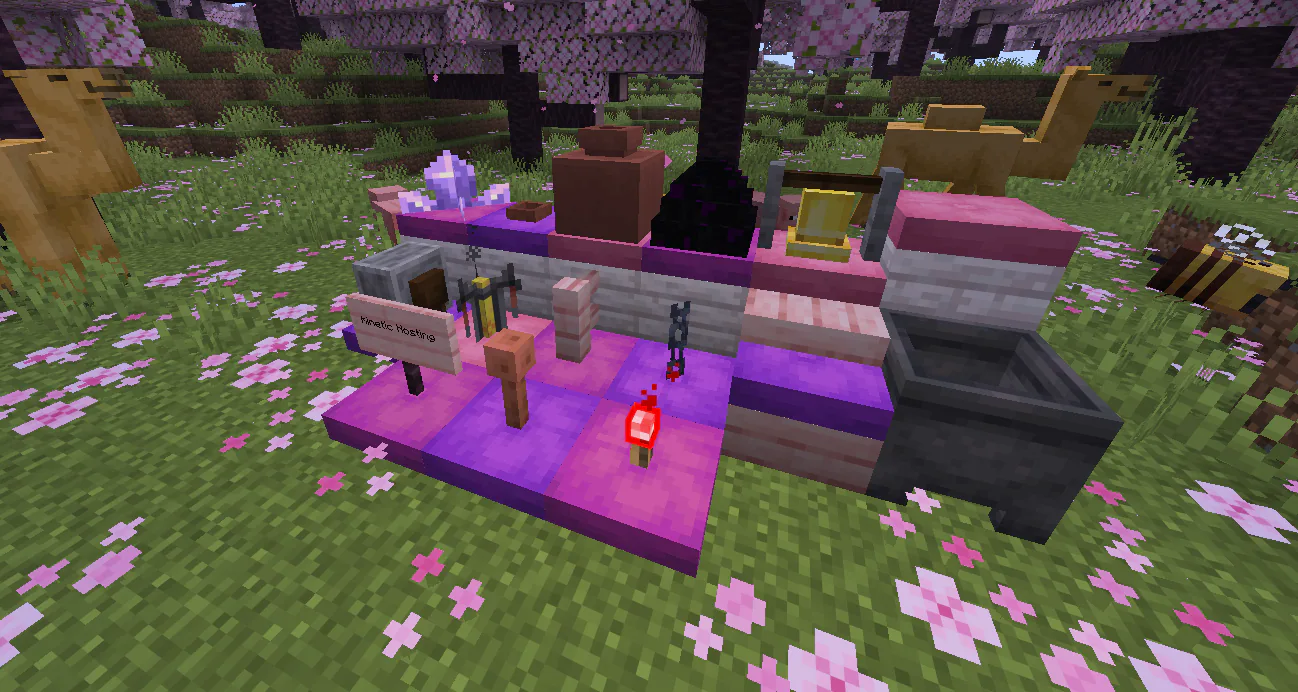
Players are already discovering just how massive the implications of the new block is for builders. Cushions can be placed on ANY flat surface, and don't currently collide with players or other blocks.

What does this mean in-game?

Not only can you place cushions on any blocks like slabs and stairs, but you can put them INSIDE other blocks as well! Place them inside of cauldrons, below any other blocks, and add an extra layer of building that was previously impossible in vanilla Minecraft.
26.3 Cushions 1783464415289 Optimized

The best part is that cushions are available already with the Minecraft 26.3 Snapshot 3 update! You can already jump in and play around with the new block with your friends on a Kinetic Hosting server. Try things out and poke around in with the new blocks completely risk free thanks to our 7-day money back guarantee if you end up not enjoying our server hosting.

Mojang makes their snapshot server files accessible on their official news posts as well, meaning you can always go back and experiment with others as well if you've missed the previous snapshots.

If you have the chance to hop into the latest update and get creative with cushions, consider sharing some screenshots of what you come up with in our Official Discord Server!

If you run into any issues with the newest snapshot or need any help getting set up, feel free to reach out to our fully human support team anytime. We're always around, and are more than happy to help!
Ready to sit down?

Kinetic Hosting has you covered for the latest snapshot for the game! Build up a lounge to sit and hang out with your friends, or break the limits of the game thanks to cushions having no collisions.

Create My Dream Lounge
How to Craft Every Color Dye in Minecraft
Minecraft

How to Craft Every Color Dye in Minecraft

With of the dye colors in Minecraft currently, it can be hard to keep track of how to craft them all. We've broken down all the crafting options for each!

Dals26 August 2026

Minecraft 26.3: How to Craft Wool Slabs & Stairs
Minecraft

Minecraft 26.3: How to Craft Wool Slabs & Stairs

Minecraft 26.3 is finally introducing wool slabs and stairs to the game! Find out how to craft each and create fluffier builds than you ever could before.

Dals17 August 2026

How to Install a Minecraft Snapshot Release
Minecraft

How to Install a Minecraft Snapshot Release

Looking to try out the new features coming to Minecraft, or play on a specific snapshot? We'll help walk you through the easiest method of installing them!

Dals3 August 2026

The Best Minecraft Modpacks for the 2 Week Minecraft Phase
Minecraft

The Best Minecraft Modpacks for the 2 Week Minecraft Phase

We’ve all had the 2 week Minecraft phase, but sometimes it’s so difficult to find the right modpack to play, this guide should help you find the ideal one!

Cole13 March 2026

USE-NY Server Migrations
Minecraft

USE-NY Server Migrations

This year has already been massive for us at Kinetic. We hit our end-of-year client goal at the start of February—something we never expected so early! It’s been incredible to see this growth, and we owe a huge thank you to everyone who has checked out Kinetic Hosting and placed an order.

Chris19 February 2025

Minecraft - Authentication Servers
Minecraft

Minecraft - Authentication Servers

Seeing an authentication server error message on Minecraft? This is an error on Mojangs end, your server is working fine. Please reach out to support if you have any questions.

Chris19 August 2024

Display and navigation

Accessibility options

Personalise how Kinetic Hosting looks and how you move around it. Your choices are saved on this device.

Press Ctrl+K to search. When link hints are enabled, hold Shift to label every visible link and control.

High-contrast dark theme

Use black and dark backgrounds with white text and stronger borders throughout the site.

Keyboard link hints

Hold Shift to show a temporary key on every visible link and control. Keep holding Shift and type a label to activate it.

Keyboard navigation

Ctrl+K opens site search. When link hints are enabled, hold Shift to label every visible page link, menu item, order control and location. Keep Shift held while typing the displayed label, or release Shift to close the labels.

Search Kinetic Hosting

Search site pages, game servers, knowledgebase articles, blog posts, FAQs and modpacks.

Enter at least two characters to search the site.

↑↓ Select · Enter Open · Esc CloseCtrl+K