Panel Version 5.11

Posted by Chris | 21 October 2025

5.11 is now live on all nodes. It includes a shiny new console, a Minecraft chat console, and a rework of our game rules page.
Console 1761013173221 Optimized

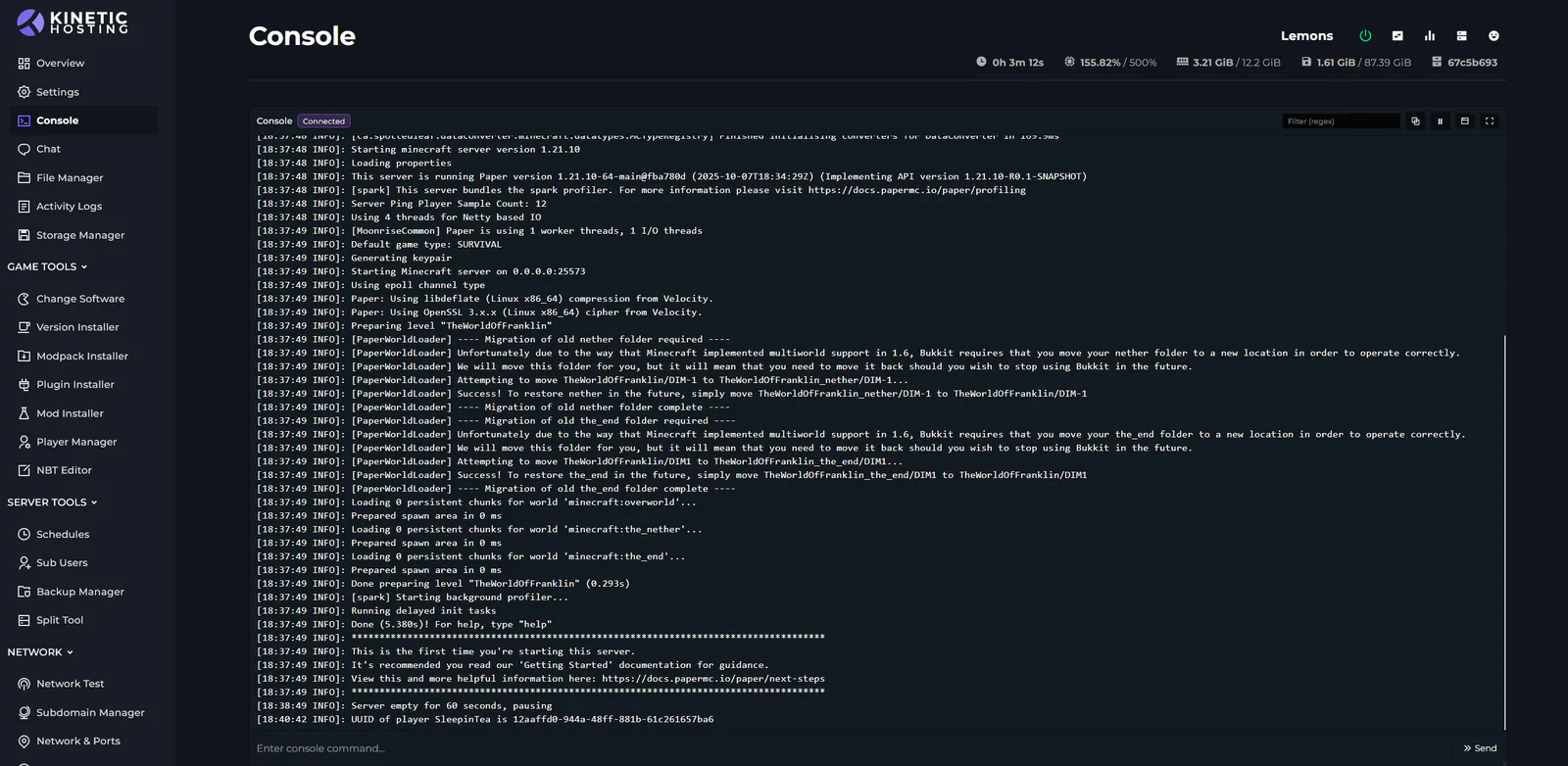
New Console

Our console has been rebuilt, and the 2.0 console is packed with new QoL features.

- Console can now be popped out into a floating panel that sticks with you across pages

- Console can be resized

- Console can be paused so you can read logs if they’re moving too fast

- Console can be made full screen

- You can copy the console output

- You can filter the console by regex — type error to see errors, warning for warnings, or filter by a command

- Full visual restyle
Minecraft Chat 1761013239589 Optimized

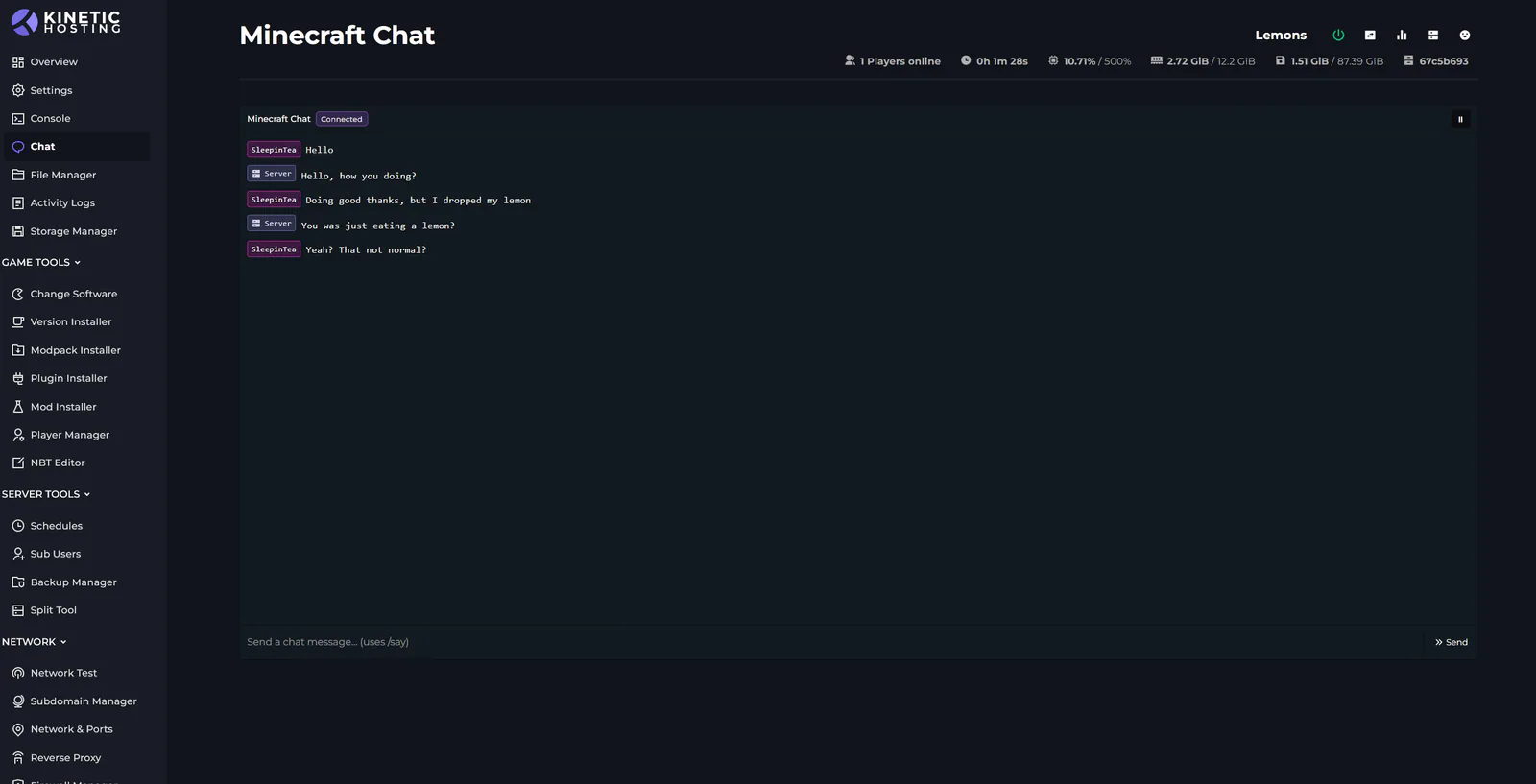
Minecraft Chat

Chat in Minecraft is now filtered into its own console, letting you talk to players online.

(There’s a known bug with chat not working on some versions; we’re on it.)
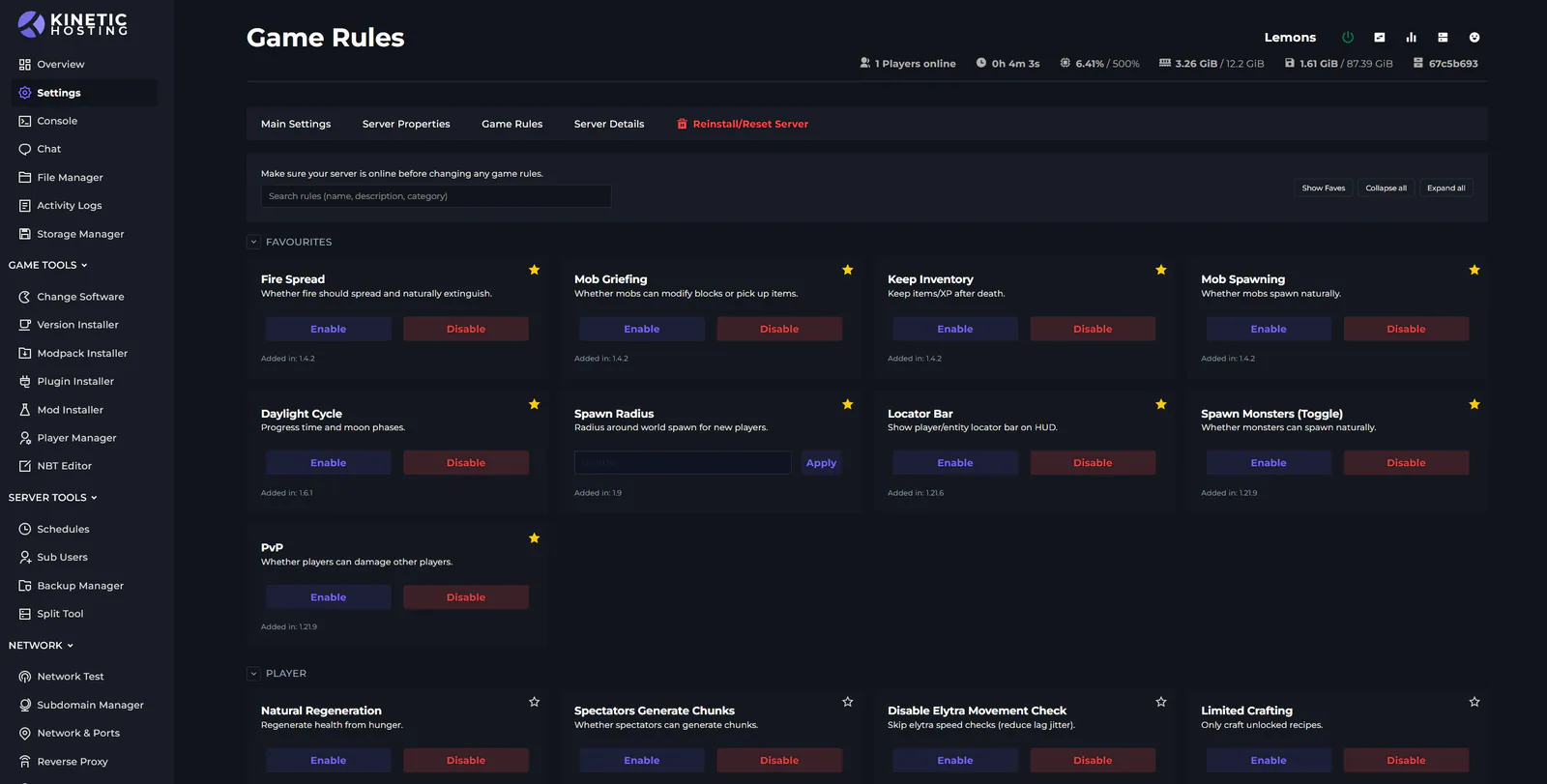
Game Rules 1761013211895 Optimized

New Game Rules Page

Our Minecraft Game Rules page has a fresh UI. It now shows all Minecraft game rules and filters them based on your installed version.

- You can favourite rules

- Lists all Minecraft game rules and the version they were added in

- Only shows rules applicable to your installed version

- Added search

- Each game rule is now in its own category

- Fancy new UI

Start Your Own Server

Looking for a game server? Get set up in a few moments. With our one-click installers and simple packages.

Order Now
Panel 6.20 Update Change Log
Kinetic News

Panel 6.20 Update Change Log

Due to working on Panel 7 we nearly went all May without a panel and update, we can't have that. So 6.20 is now live on all nodes, with a full rework to the schedules and upgrades to our Rust Auto Wipe feature. They're now more reliable, easy to setup, show in your timezone, and have a lot more options.

Chris30 May 2026

Panel 6.11 Update Change Log
Kinetic News

Panel 6.11 Update Change Log

Panel update 6.11 is live on all nodes. It comes with bug fixes, new server folders, and a new mobile text editor. The update was planned to be bigger and include Rust auto-wipe features, and more Minecraft start-up options, but this has been pushed to 6.12 that will drop next week.

Chris20 February 2026

Panel 6.4 Update Change Log
Kinetic News

Panel 6.4 Update Change Log

Its a small update, but 6.4 is now live on all nodes. Comes with a fancy new bug report tools

Chris9 January 2026

Panel Version 5.12
Kinetic News

Panel Version 5.12

5.12 is now live on all nodes and it brings a shiny new toy: the Minecraft Mod Manager. Let’s dive in.

Chris21 October 2025

Changes To Panel Updates
Kinetic News

Changes To Panel Updates

We launched the Kinetic Panel back in 2022, and up until now, most features have been added through major updates. This approach sometimes meant that features were completed but had to wait for other features to be finalized before release. While this was unavoidable in some cases, such as with the significant UI reworks in Panel 3 and Panel 4, it has occasionally left features you could have been using just sitting there.

Chris19 August 2024

Panel 26.24.0 Update Change Log
Kinetic News

Panel 26.24.0 Update Change Log

Now update now live on all nodes. Its mostly around fixes and tweaks, but there is one cool feature in there, Modpack exports

Chris4 July 2026

Display and navigation

Accessibility options

Personalise how Kinetic Hosting looks and how you move around it. Your choices are saved on this device.

Press Ctrl+K to search. When link hints are enabled, hold Shift to label every visible link and control.

High-contrast dark theme

Use black and dark backgrounds with white text and stronger borders throughout the site.

Keyboard link hints

Hold Shift to show a temporary key on every visible link and control. Keep holding Shift and type a label to activate it.

Keyboard navigation

Ctrl+K opens site search. When link hints are enabled, hold Shift to label every visible page link, menu item, order control and location. Keep Shift held while typing the displayed label, or release Shift to close the labels.

Search Kinetic Hosting

Search site pages, game servers, knowledgebase articles, blog posts, FAQs and modpacks.

Enter at least two characters to search the site.

↑↓ Select · Enter Open · Esc CloseCtrl+K