How to change laps on Wreckfest server
Last updated 04 May 2026
Need a game server?
Spin one up fast with our feature-rich panel and seriously low prices.
How to change laps on Wreckfest server
Login to your Kinetic Panel
Stop your server.
-1767383729764.png)
Go to file manager.
-1770311095747.png)
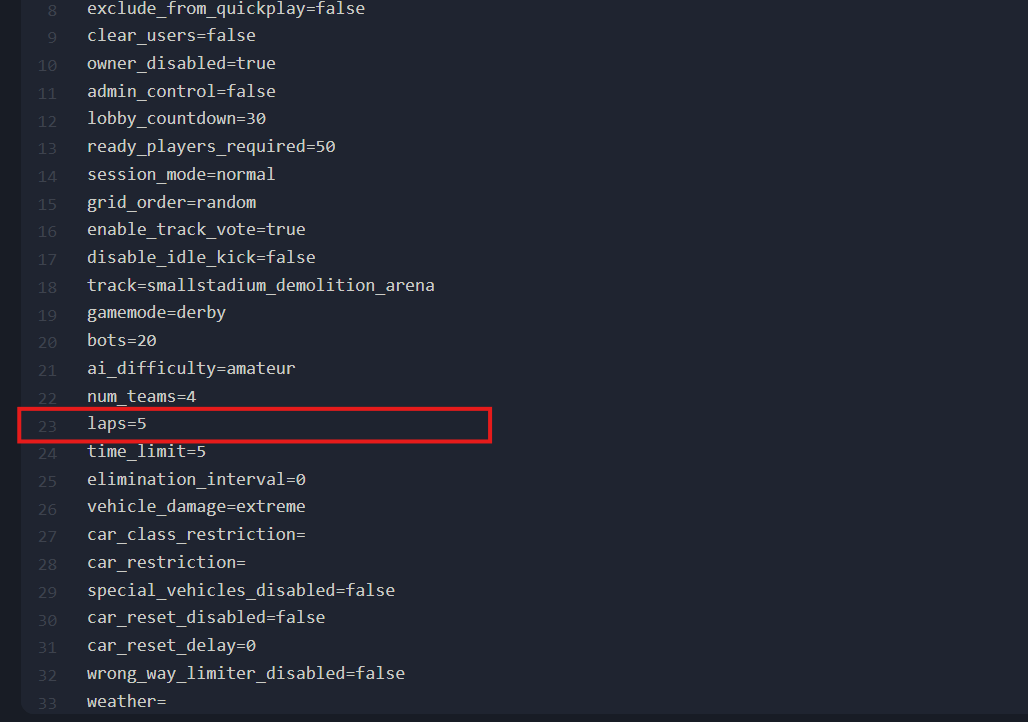
In the file manager, you'll see a file called server_config.cfg. You will need to open it.

In the file, go to line 23. In that line, you can increase or decrease the amount of laps you want for your race.
When you've made your changes, click save.
-1777923633652.png)
Start your server.
-1767462125511.png)