
In this guide
How to use Mod Installer on your WindRose Server
Login to your Kinetic Panel
Go to "Tools", then "Mod installer"
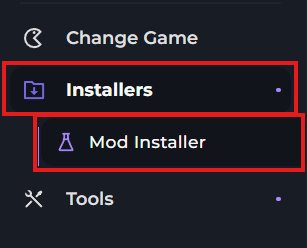
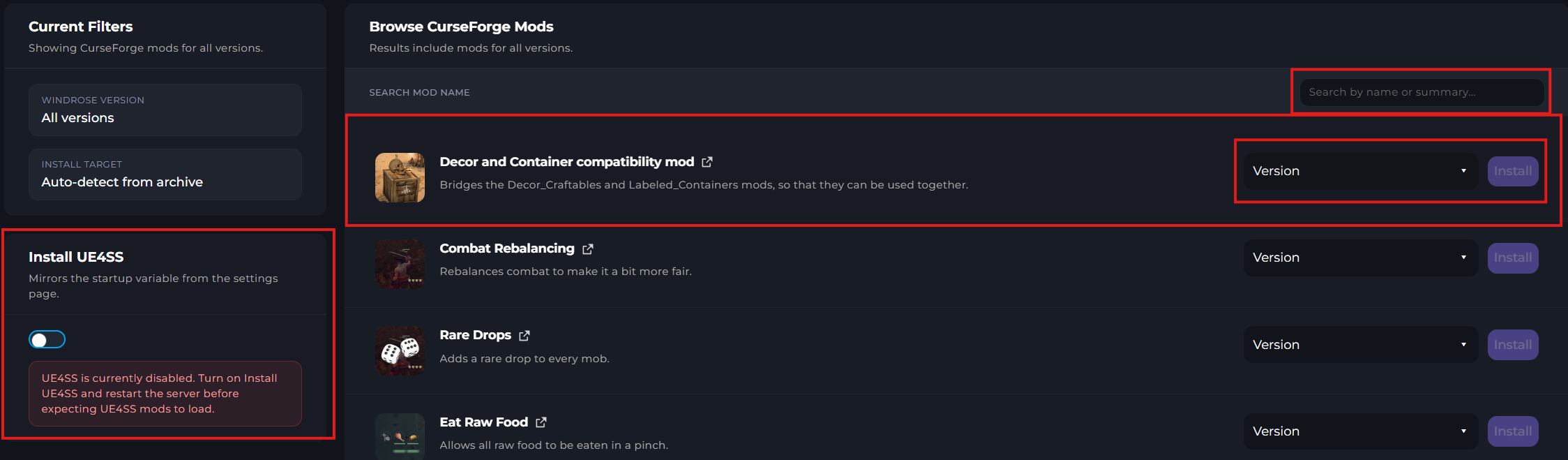
In the mod installer menu, you'll first see a load of mods that you can install. However, if you're looking for a specific mod, you can use the search bar to find it. Also, keep in mind, you'll need to install UE4SS on our server in order to run mods. This can be easily done by activating UE4SS on the left side of this menu, then restarting your server.
Before Installing a mod, stop your server.
-1767383729764.png)
Now that your server has stopped, you can install mods. First, select the version of the mod you'd like to install, then click "Install".

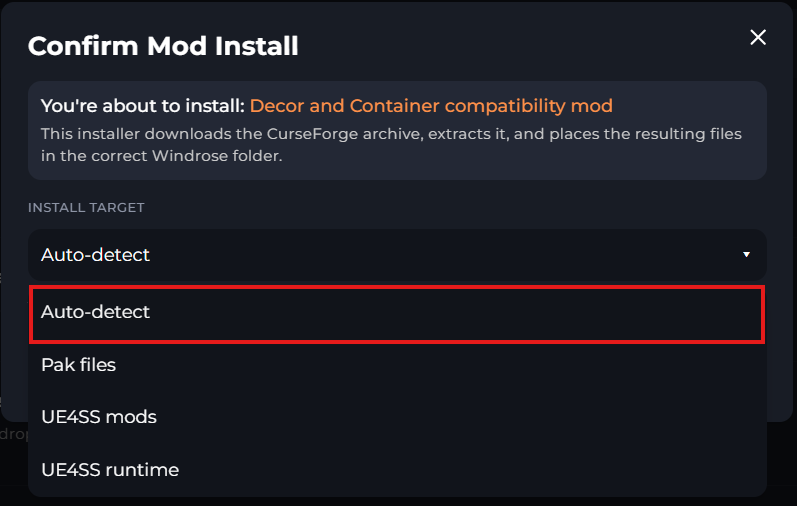
You'll then be met with a menu to select which directory you'd like to install the mod. Some mods require to be installed in different locations, but the auto-detect option should do this for you. On the unlikely event that the auto-detect fails, you can research the mod yourself to find out where it's supposed to go, and select the file directory yourself.
That's all there is to it! Now you can start your server once the mod download has complete.
-1771174363177.png)