
In this guide
How to add UE4ss Mods to your server.
Log in to the Kinetic Panel.
Stop the Server.
-1767383729764.png)
Go to the Settings page.
-1770486781191.png)
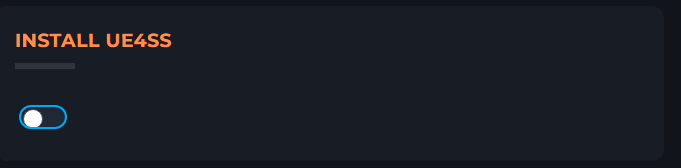
Toggle Ue4ss Install.
Start the server.
-1767462125511.png)
Go to File Manager.
-1767384099292.png)
Open R5/Binaries/win64/ue4ss/Mods.
Upload your desired mod.
Open mods.Json.
Paste this in at the botton just before the last bracket.
,
    {
        "mod_name": "<Replace this>",
        "mod_enabled": true
    }
Replace this with the mod's name.
Save the file.

Go back to the Mods folder.
Open mods.txt.
Paste
BPModLoaderMod : 1Just After BBpModLoader. And replace with the mod's name you uploaded.
Save the file.
-1769970007660.png)
Restart the server.
-1771174363177.png)
Adding Pak Mods
Mods containing pak files. Most mod pages will tell you they need to be added to a content folder
Adding to the Server.
Log in to the Kinetic Panel.
Stop the server
Open File Manager
Open R5.
Open Content
Open Paks.
Upload the mod folder (Just drag the folder onto the page.).
Start the server.
Adding to your Windrose client
Open Steam
Right-click Windrose.
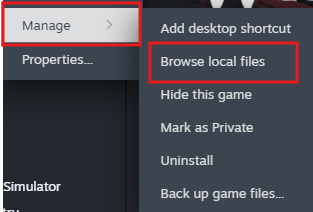
Click Manage > Browse Local files
Open R5 > Content > Paks.
Create a folder called ~mods
Upload the mods folder.
Start the game.