How to set your Unturned Server GSLT
Last updated 08 Jun 2025
Need a game server?
Spin one up fast with our feature-rich panel and seriously low prices.
The GSLT (Game Server List Token) allows you to connect to your Unturned server, this will also allow it to be on the Public Server List.
Setting the GSLT
1 Login to the Kinetic Panel
2 Head to the Settings Page.
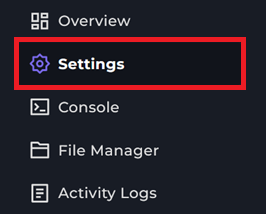
3 You will see the "GSLT" box, stay on the settings page.
4 Head to the Steam Game Server Manager
5 For the Game ID, you will paste 304930 inside of it.
6 Then, for the Memo, you can give this a unique name. However, we recommend calling it UNTURNED.

7 From there, click the Create button, you will now see your Login Token.

8 Copy that login token & paste it inside of the "GSLT" box on the Kinetic Panel.
9 From there, start your server, you should now be able to connect.
That is how you set your GSLT on the Kinetic Panel for UNTURNED.