How to Join your Schedule 1 Server
Last updated 14 May 2026
Need a game server?
Spin one up fast with our feature-rich panel and seriously low prices.
How to Join your Schedule 1 Server
Login to your Kinetic Panel
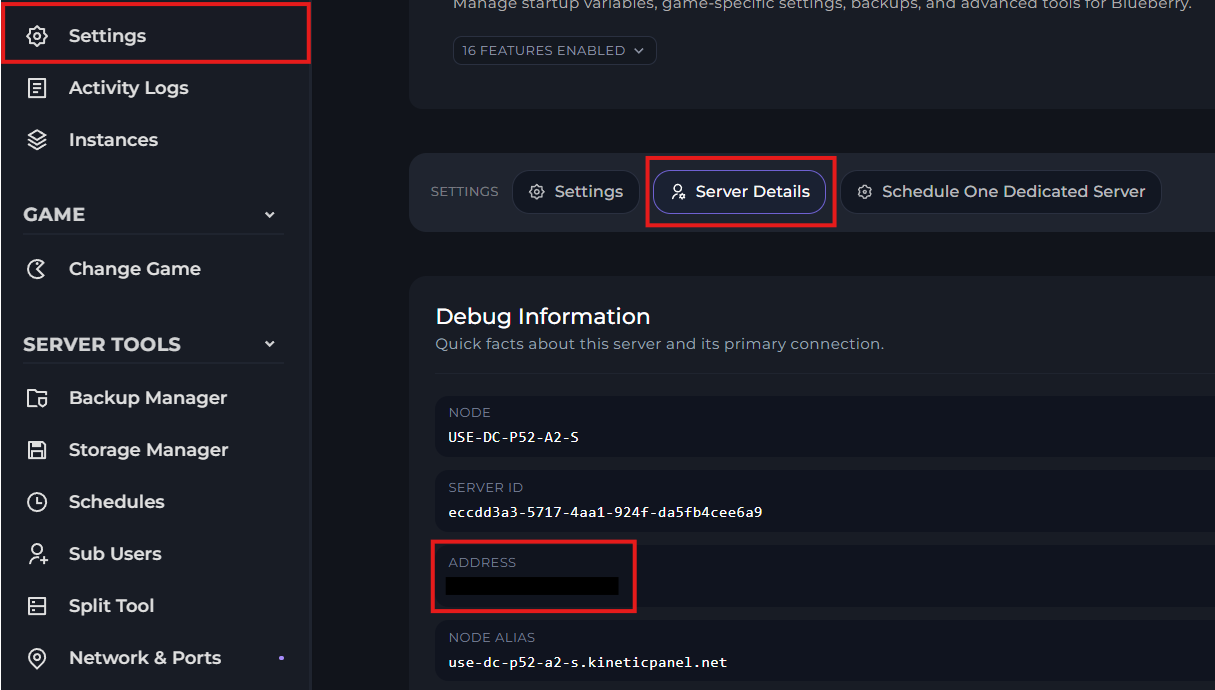
Go to settings, then server details. On this menu, you will find your numerical IP address. Copy it, as you will need it for later.
Open Schedule 1 on your PC.
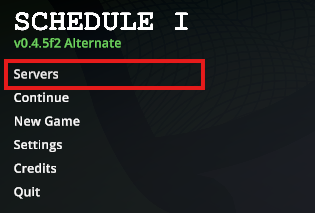
You should now find a button to join a server. If you don't see one, you will need to ensure that you download the server mod on your game client. A guide on how to do that can be found here.
In the next menu, click "Add server". Input your details, and then click "Save server".
When inputting the connection address, make sure that the address and the port are separate.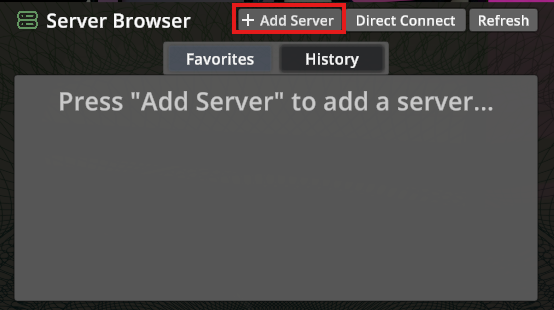
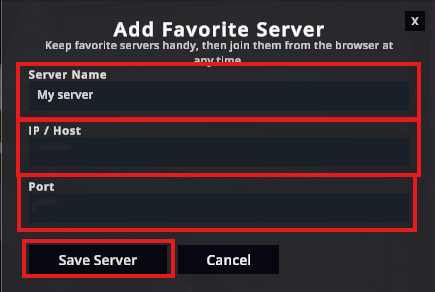
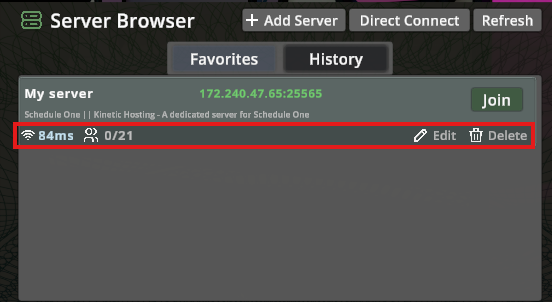
If the details were inputted correctly, you will see your server come up on the list. Which you can then join.