How to install MelonLoader and Server Mod on your Schedule 1 game
Last updated 14 May 2026
Need a game server?
Spin one up fast with our feature-rich panel and seriously low prices.
How to install MelonLoader and Server Mod on your Schedule 1 game
To install mods on your Schedule 1 game, you'll first need to install MelonLoader. You can download MelonLoader here.

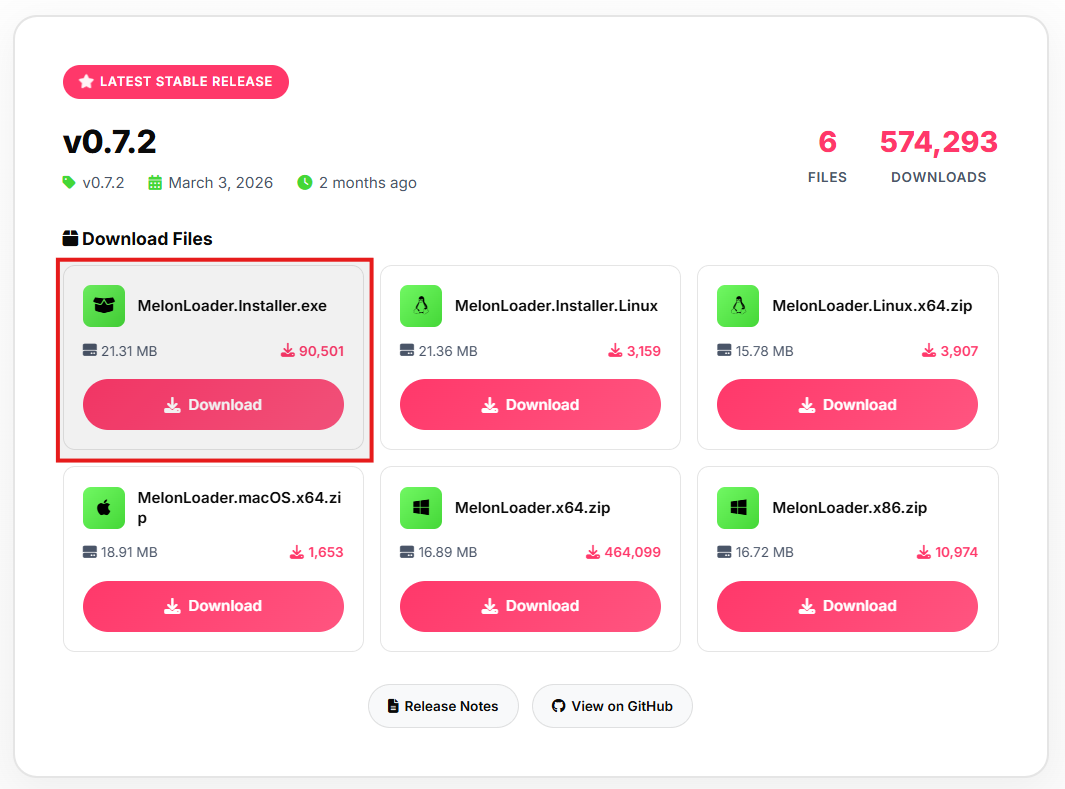
On the website, you will first need to select which version you'd like to install depending on your OS. In this case, we're using windows. So we will need to install the MelonLoader.Installer.exe file.
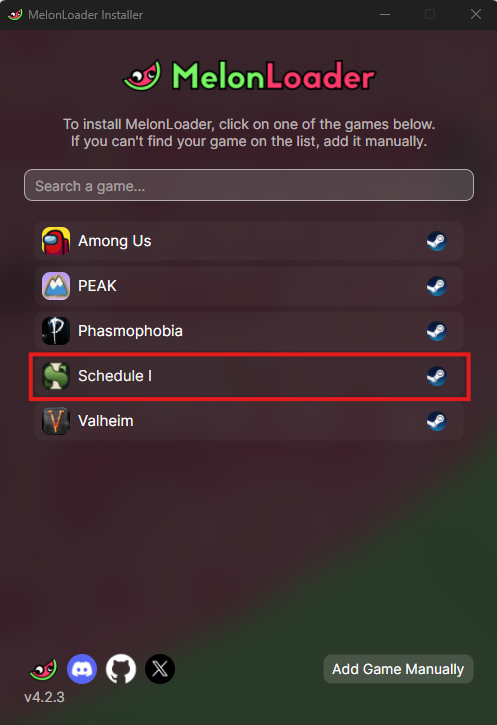
Once you have that downloaded, launch the installer. You'll be met with this menu, where you have to select "Schedule 1". If is doesn't appear, you will need to manually look for the schedule 1 game folder in your files.
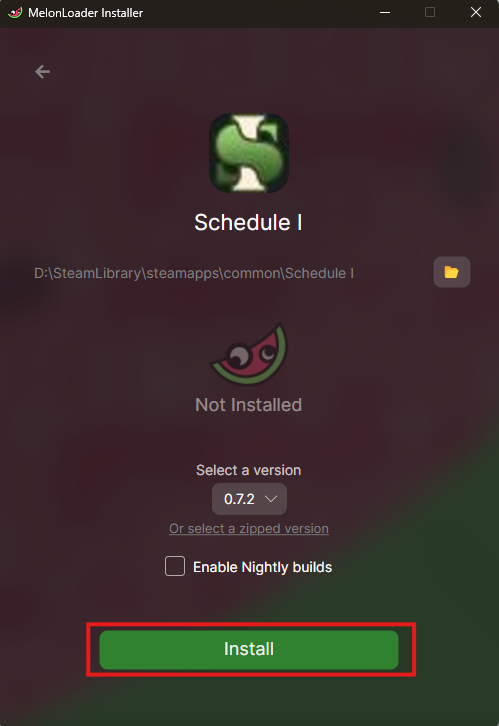
Once you've selected Schedule 1, confirm that the file directory is correct, then click "Install".
Well done! MelonLoader is now installed. But now you will need to install the server mod.
First, you will need to download the mod itself. Which can be found here.
At the top of the page, you'll find the latest version of the mod. Then, you'll need to click the "Assets" dropdown. Then, select and download the Il2cpp_Client.zip file.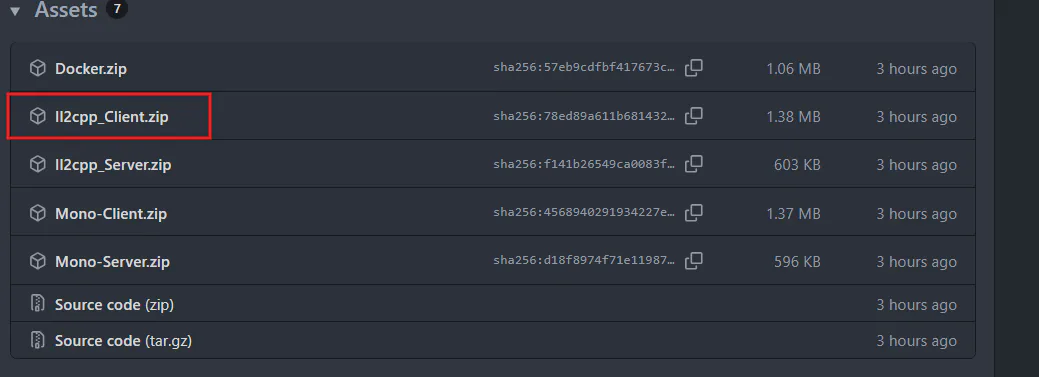
Once you have that downloaded, you will need to open steam. Then, find your Schedule 1 game, select "Manage", then "Browse Local Files"
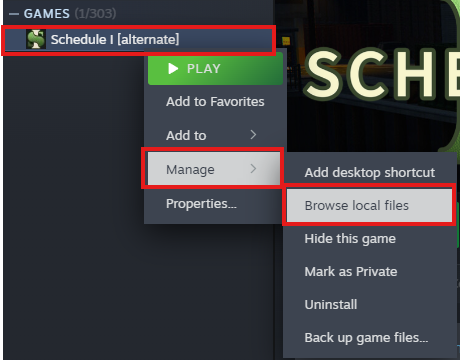
You'll now have access to your game folder. In there, you'll find a mods folder. If you don't see a mods folder, it means that MelonLoader was not installed properly, and you will have to install it again.
You will need to then also open the II2cpp-client.zip folder you downloaded earlier, where you will find the mod file. This file is to be uploaded to your games mod folder.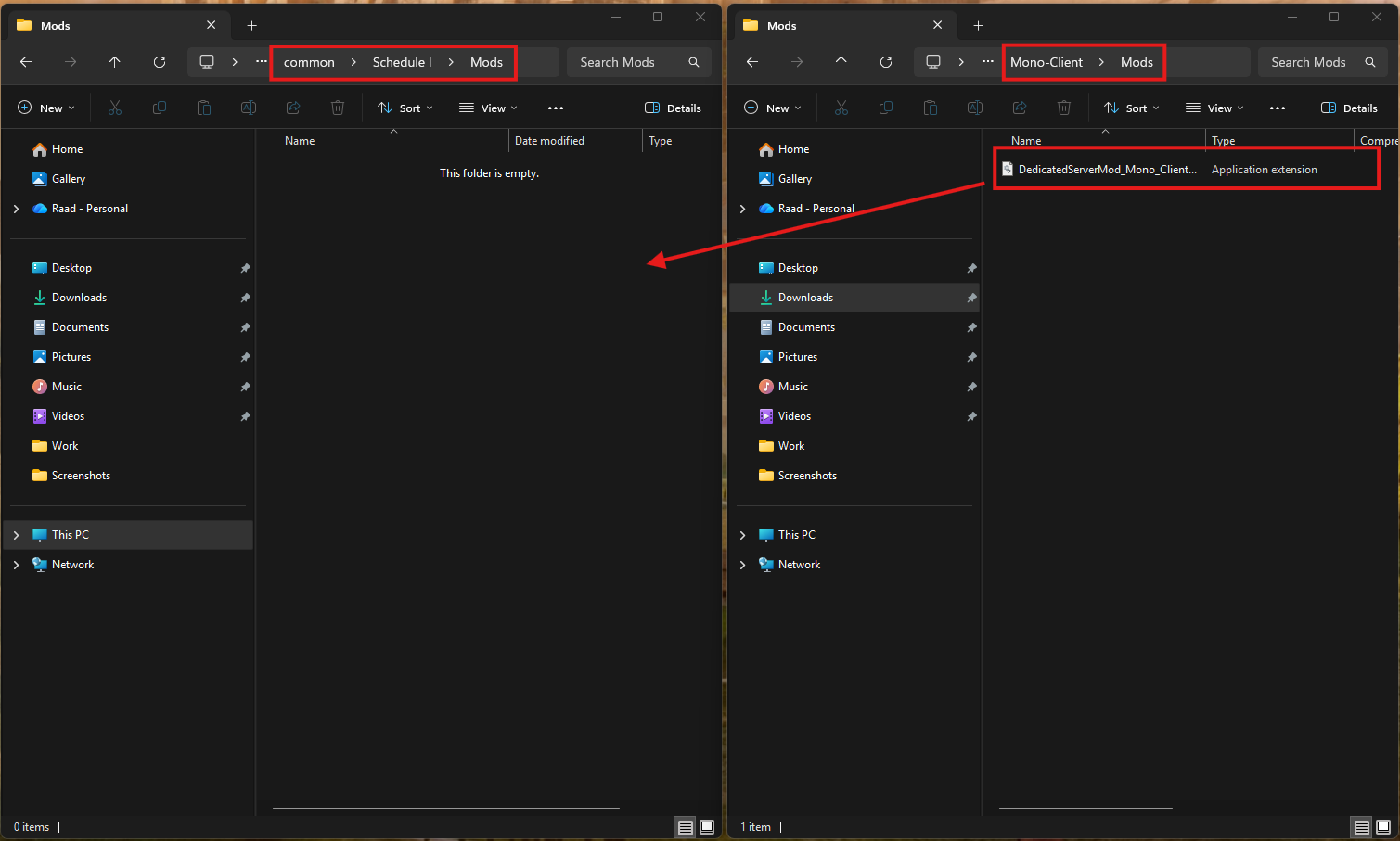
Once that is done, launch the game.
It may take a way to launch at first, but that's normal.
If the mod worked, you'll find a "Servers" button on the left side.