
In this guide
How to upload a custom mission to your Nuclear Option server
Login to your Kinetic Panel.
Stop your server.
-1767383729764.png)
Go to settings. In there, input the Workshop ID of the custom mission you want to play.
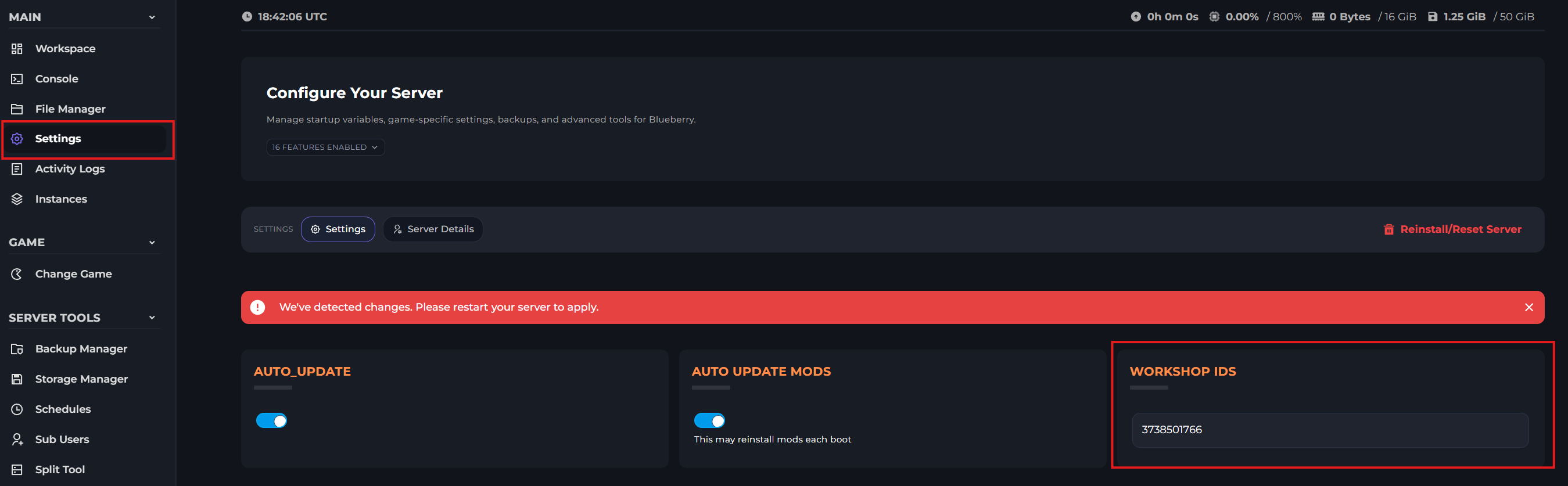
After you've inputted the name, start your server once.
-1767462125511.png)
After your server has finished starting, stop your server again.
Open file manager.
-1770311095747.png)
Open your "NuclearOption-missions" folder.

In there, you'll find the name of the mission you added. You will need to copy the name.

Once you've copied the name, go back to your main directory within file manager, and open your "DedicatedServerConfig.json" file.

In the file, replace "BuiltIn" with "User", and change the mission name to the name you copied.
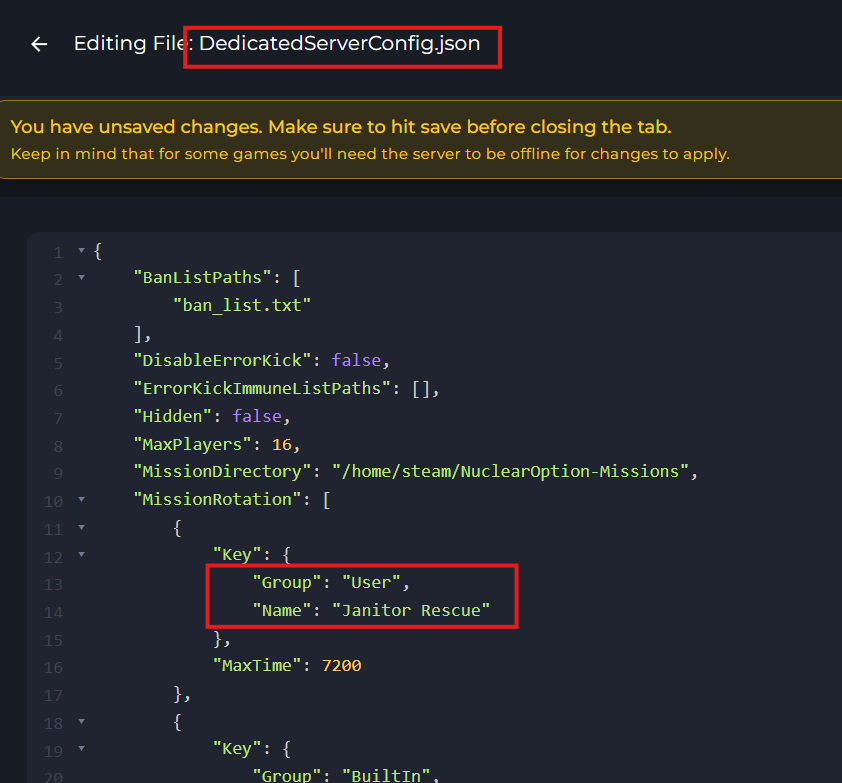
Once you've made the changes, click "Save"
-1777923633652.png)
Start your server.
Finding workshop ID's
When you're on a page for a steam workshop item, you can view the workshop ID within the link.
