How To Change Minecraft Server Mob Spawn Rates
Last updated 07 Jun 2025
Need a game server?
Spin one up fast with our feature-rich panel and seriously low prices.
This guide will show you how to increase or decrease the mob spawn rates in Minecraft. Please make sure you are running Spigot, Paper or Bukkit on your server.
Adjusting mob spawning rates
1 Login to the Kinetic Panel
2 Head to the File Manager
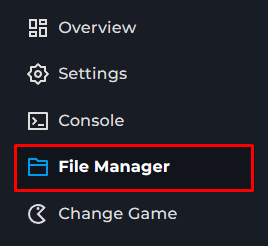
3 Find the bukkit.yml file & open it
4 You will be able to find a spawn-limits section, that is what you are looking for
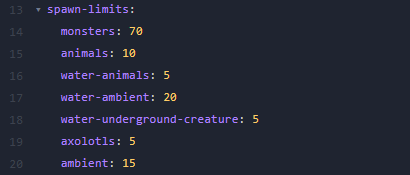
5 You can change those to your liking & click "Save Content" in the bottom right of the page.
6 Make sure to restart your server for the changes to take affect.