Change Your Server Location
Last updated 07 Jun 2025
Need a game server?
Spin one up fast with our feature-rich panel and seriously low prices.
If you ordered a server on the wrong location & would like for it to be changed to another, you would need to open a ticket with our support staff.
Billing Area
1 Login to your Billing Account
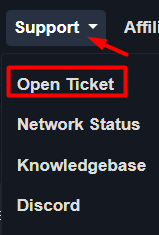
2 On the top of the menu, you will select the "Support" button to open the drop down menu, then click on "Open Ticket"
3 You will now be brought to the page to open a Support Ticket, from there you can request what location you would be moved to.
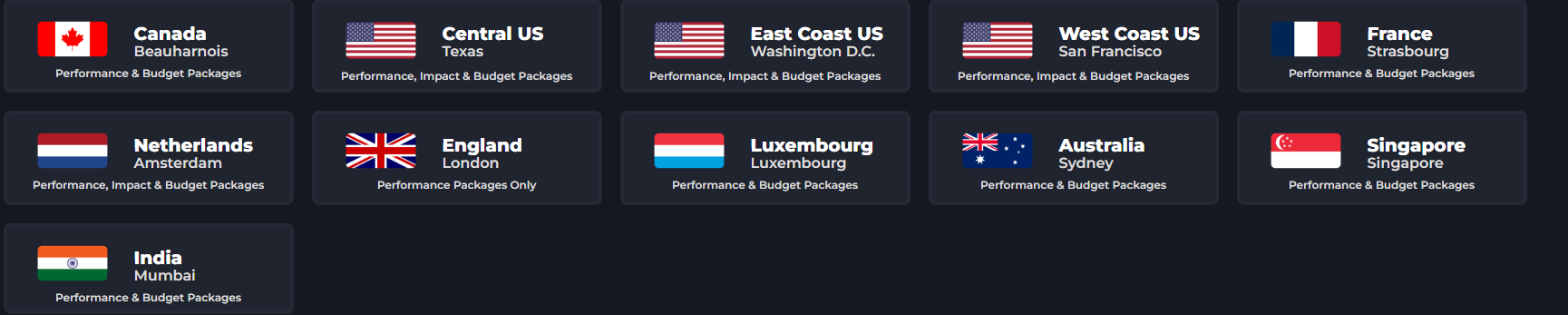
Note:Make sure the location is offered for your Package Type.
Discord Ticket
You can also create a discord ticket to get your server moded to another location.
1 Join the Kinetic Hosting [Discord Server(https://discord.gg/CTcb3Uw4Xz)]
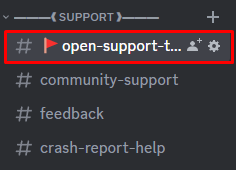
2 Navigate to the SUPPORT section within the discord & click on open-support-ticket channel.
3 Click Open Ticket. Make sure you provide us with your SERVER ID.
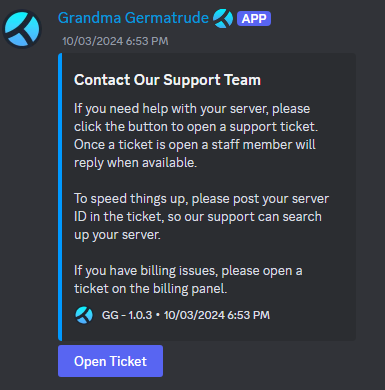
4 You can ask the members of our staff what location you would like to be moved to.
That is how you get your server moved to another location.