In this article
Barricading your windows and doors in Project Zomboid is essential to keep yourself safe. Zombies will be able to easily break through openings like windows in your shelter unless you add extra defenses to prevent their line of sight and protect the fragile glass.
There are 3 main ways to barricade things in Project Zomboid:
Wooden Barricade
Metal Bars
Metal Sheet
We'll help break down how you can do each, and what materials you need!
How to Barricade
As long as you have a form of barricade in your inventory, you can walk up to any window/opening and right-click it. In the menu that opens, assuming what you selected is compatible, you will see a "Barricade" option in the list.
Selecting this option will begin a barricade animation/process which will install your barricades on the window or door once complete. You can be interrupted by attacks if you're doing this in the heat of the moment, so remember to set up defenses a bit in advance.
Crafting Barricades
There are 3 types of barricades in the game you can use: Wooden Barricades, Metal Bars, and Metal Sheets. The following are the materials needed to craft each:
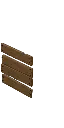
Wooden Barricade:
1 Plank
2 Nails
1 Hammer (for installation)
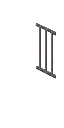
Metal Bars
3 Metal Bars
1 Welder Mask
1 Propane Torch
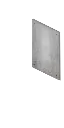
Metal Sheet
1 Metal Sheet
1 Welder Mask
1 Propane Torch
Removing Barricades
If you ever want to remove a barricade that you placed previously, you will need to use the same tool type that you used to install the barricade. For wooden barricades, this would be a Hammer (though a crowbar also works here). For metal barricades, you will need to use a propane torch.
To begin the removal process, you can right click on your barricade to reveal the option to dismantle it with your eligible tool.