
Login to the Kinetic Panel
Stop your server.
Open File manager.

Navigate to data > Saves.
On your pc search %appdata%
Open the 'VintagestoryData' folder.
Open the Saves folder.
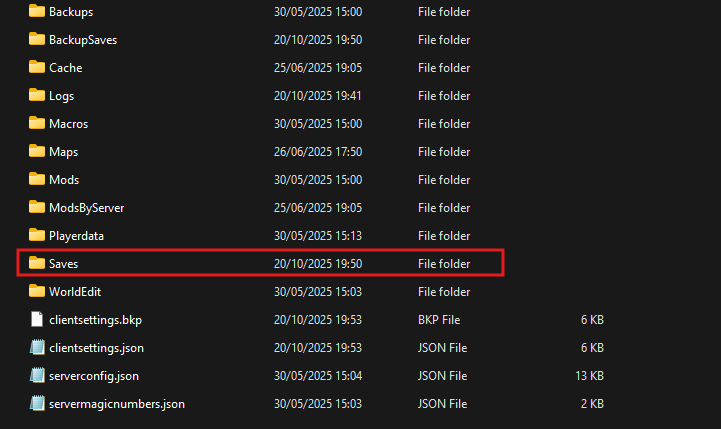
Select the desired Save.
Drag this file into the panel.
Return to root.
Go to data > serverconfig.json.
Locate the 'SaveFileLocation' parameter.
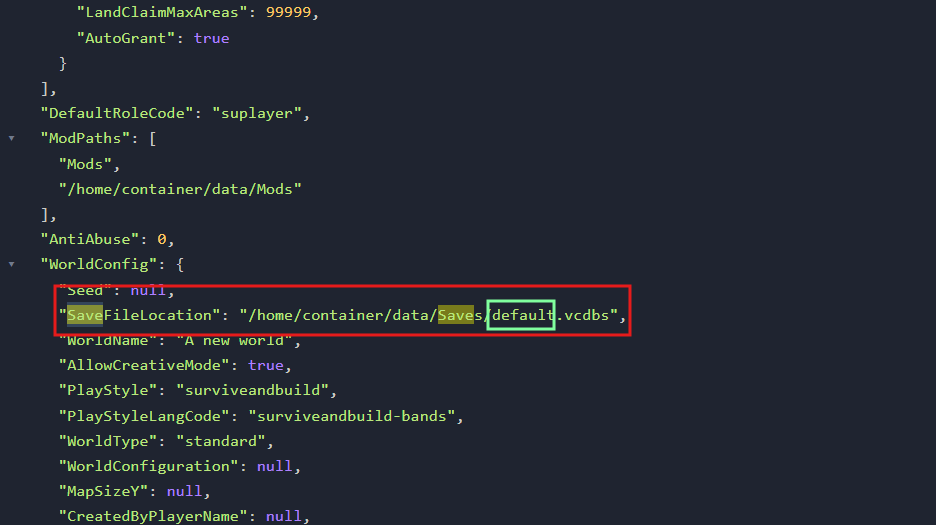
Replace the highlighted 'default' text with the name of the world you uploaded.
Start the server.
Vintage Story guide
How to upload a Vintage Story Save to your server
This guide will cover how to upload your own vintage story saves to the Vintage Story server