How to publicly list your Vintage Story server

Following this guide will allow your Vintage Story server to be publicly joinable.

  1. Login to the Kinetic Panel

  2. Stop your server.

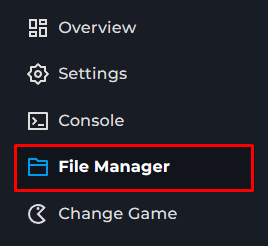
  3.  Go to the File Manager in the side bar.
  4. Open the data folder.

  5. Open the serverconfig.json file.

  6. Locate the AdvertiseServer parameter.

  7. Replace the 'false' value with 'true'.

  8. Click Save at the top of the page.

  9. Start your server back up.

Display and navigation

Accessibility options

Personalise how the website looks and how you move around it. Your choices are saved on this device.

High-contrast dark theme

Use black and dark backgrounds with white text and stronger borders throughout the site.

Keyboard link hints

Hold Shift to label visible links and controls. Keep holding Shift and type a label to activate it, or release Shift to close the labels.

Keyboard shortcuts

Ctrl+KOpen site search

ShiftShow link hints when enabled

Find your way around

Search Kinetic Hosting

Search site pages, game servers, knowledgebase articles, blog posts, FAQs and modpacks.

Enter at least two characters to search the site.