How to join Your Vintage Story Server

Last updated 08 Jun 2025

Need a Vintage Story server?

Spin one up fast with our feature-rich panel and seriously low prices.

  1. Log in to the Kinetic Panel.

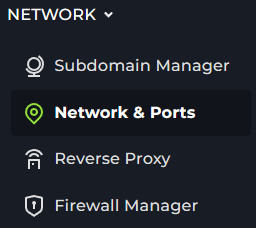
  2. Open Network & Ports Section.

  3. Look for the port marked primary. Keep this page open.

  4. Open Vintage Story.

  5. Click Multiplayer.

  6. Click on Add New Server.

  7. Enter the IP & Port from the Network page. As well as any set password.
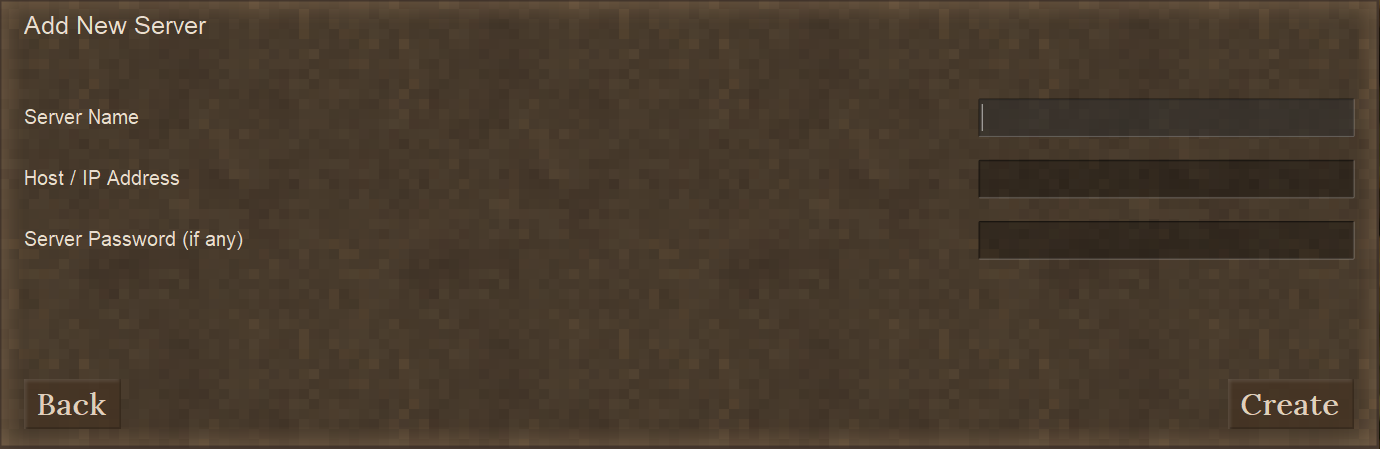
  8. Click Create & Join the server that appears.

Kinetic Hosting Logo

Our goal at Kinetic is to offer genuinely helpful, human-powered support (no bots, no AI), combined with a feature-rich panel, powerful hardware, and prices that won’t break the bank.

Registered in England & Wales • Co. No. 11439987 • ICO No. ZA841955

Kinetic Hosting and the Kinetic Hosting logo are trademarks of Dapper Fox Group LTD. All other trademarks are the property of their respective owners.