
In this guide
Login to the Kinetic Panel.
Stop the server.
Go to File Manager.
Navgaite to Vein/Saved/Config/LinuxServer/Game.ini
Locate the desired settings,
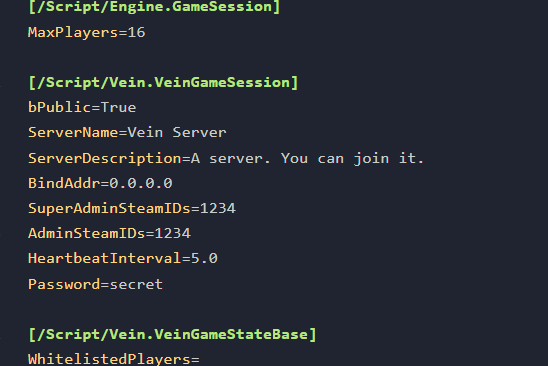
Change as wanted.
Click Save

Start the server.

Pvp, Time Multiplier & Ai Spawner
Go to the Settings page.
-1767382223523.png)
Stop the server
Click on Vein Console Variables.
Change the settings desired.
Hit Save.
Start the server