
In this guide
How to add players to Whitelist on your Vein Server
Login to your Kinetic Panel.
Stop your server.
-1767383729764.png)
Go to File Manager.
-1770486606909.png)
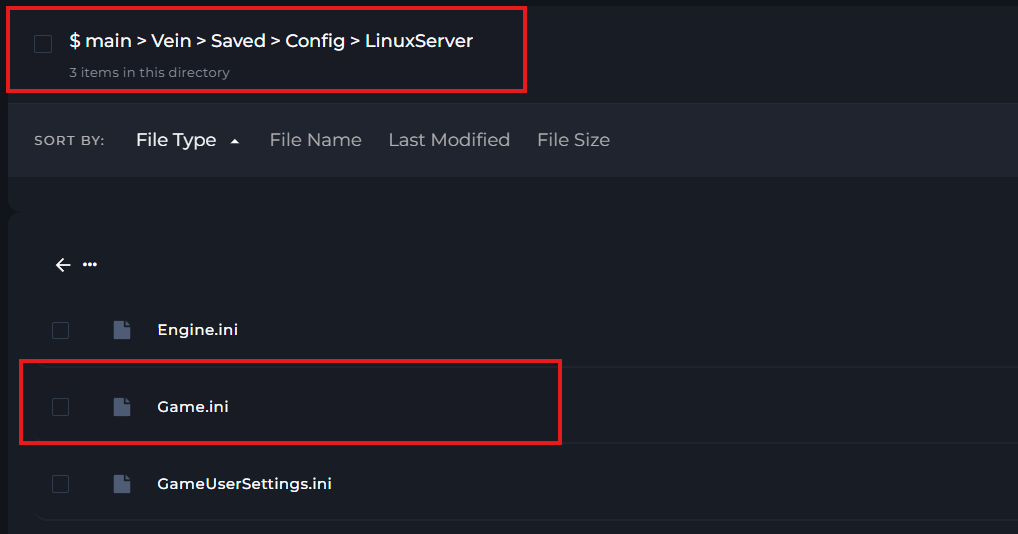
In your file manager, go to the following file directory. Here, you'll find a game.ini file which you need to open.
In the game.ini file, you'll see a line of text to add players to your whilelist. You'd need to input steam64ID. You can find out how to find a steam64ID on this guide.
If you want to add multiple players, you'll need input another line of text with "WhitelistedPlayers=(steam64ID). You can do this multiple times.
Once you've made your changes, click "Save".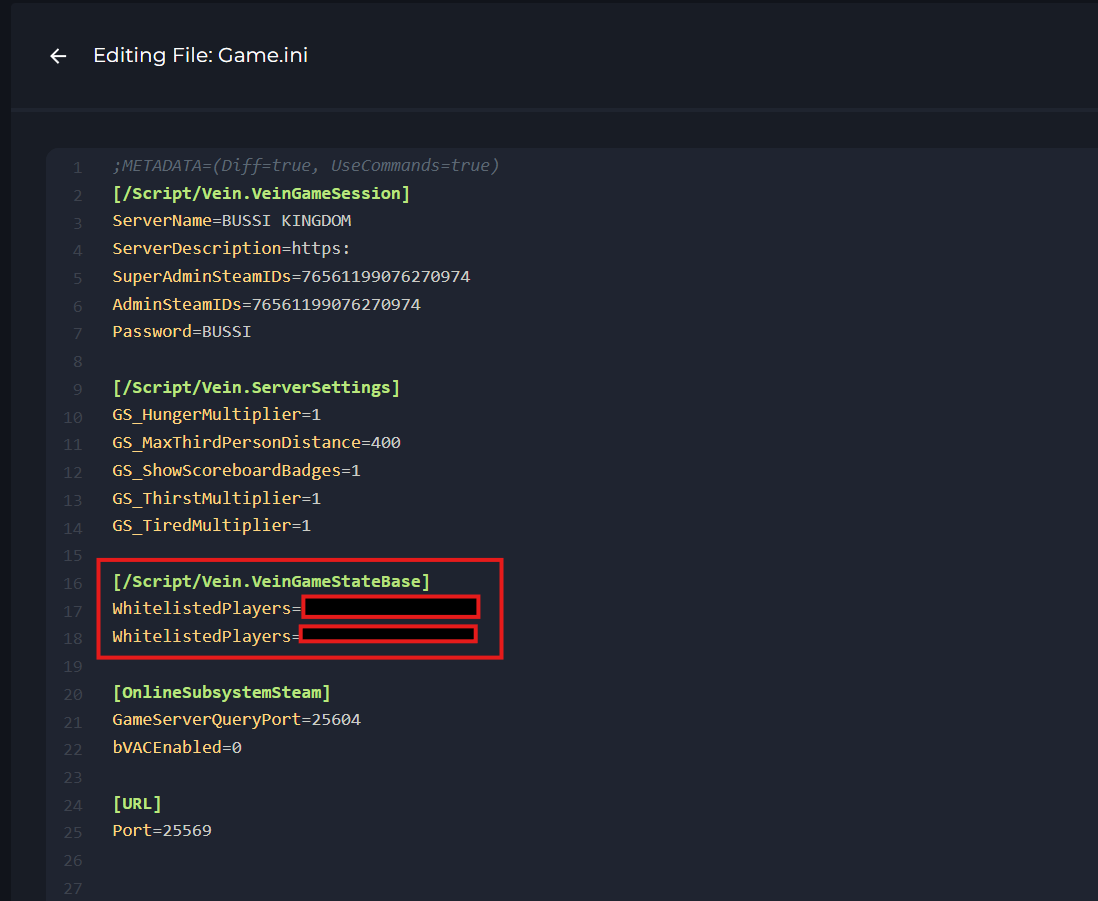
Start your server.
-1767462125511.png)