
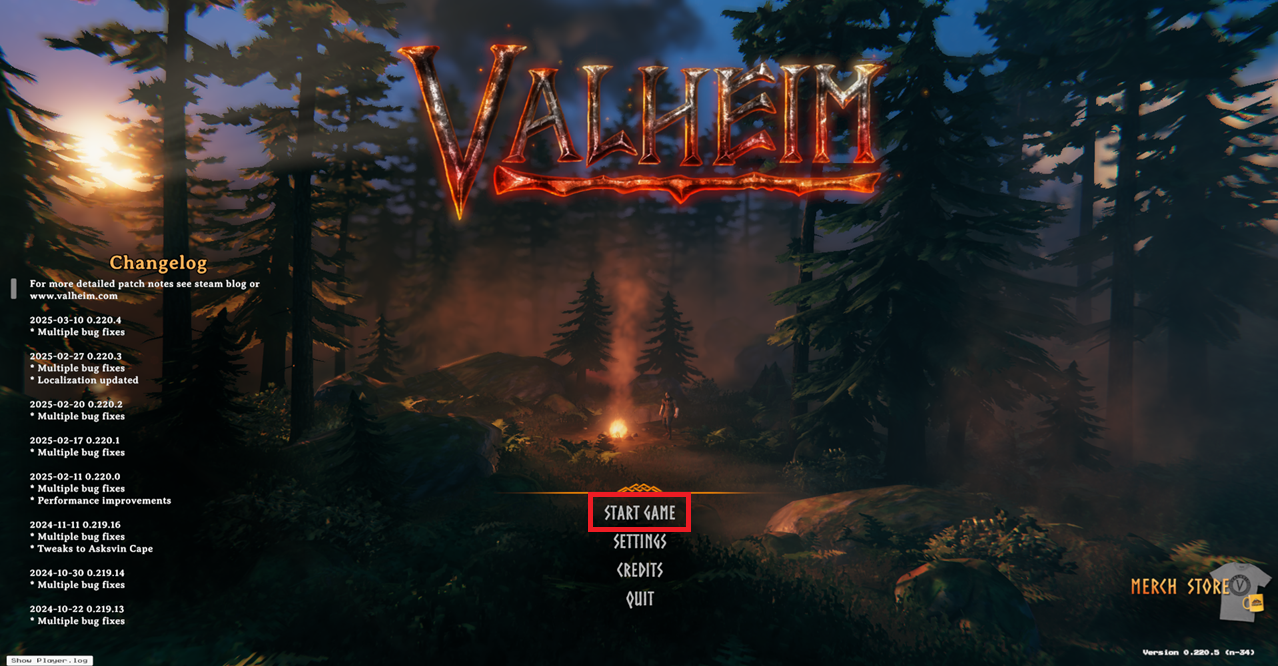
1 Once on the main menu click Start Game.
2 Select the Character you want to use on the server then click Start.
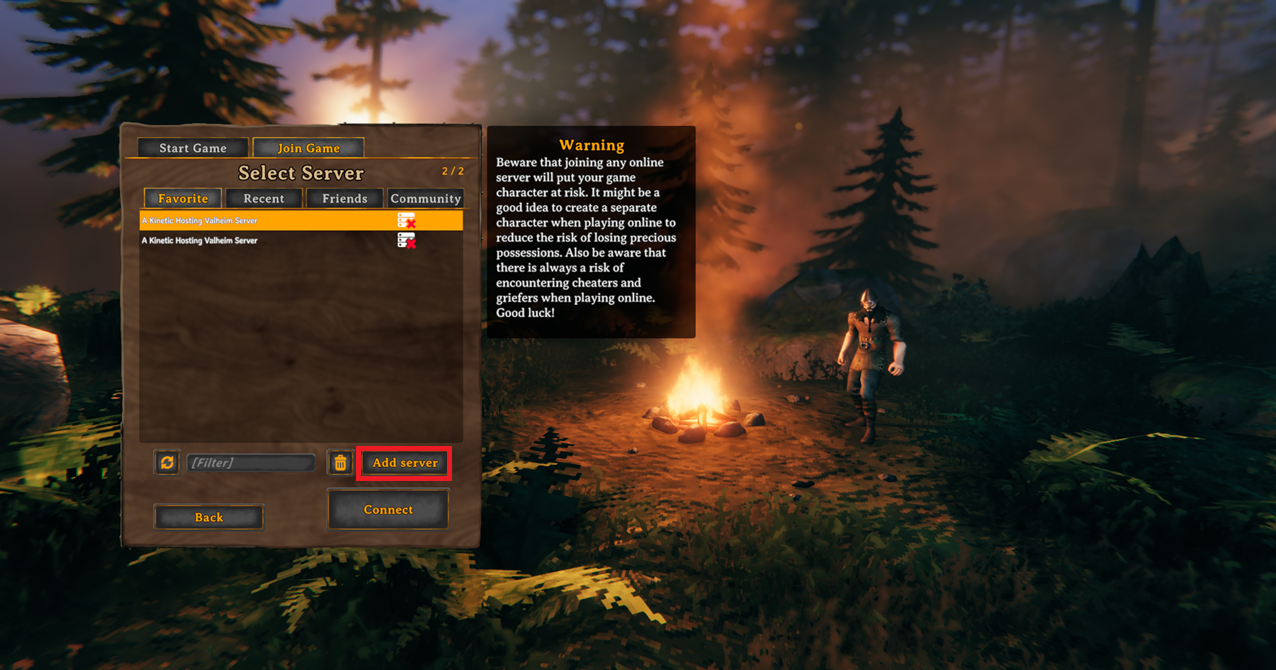
3 Click the Add server button.
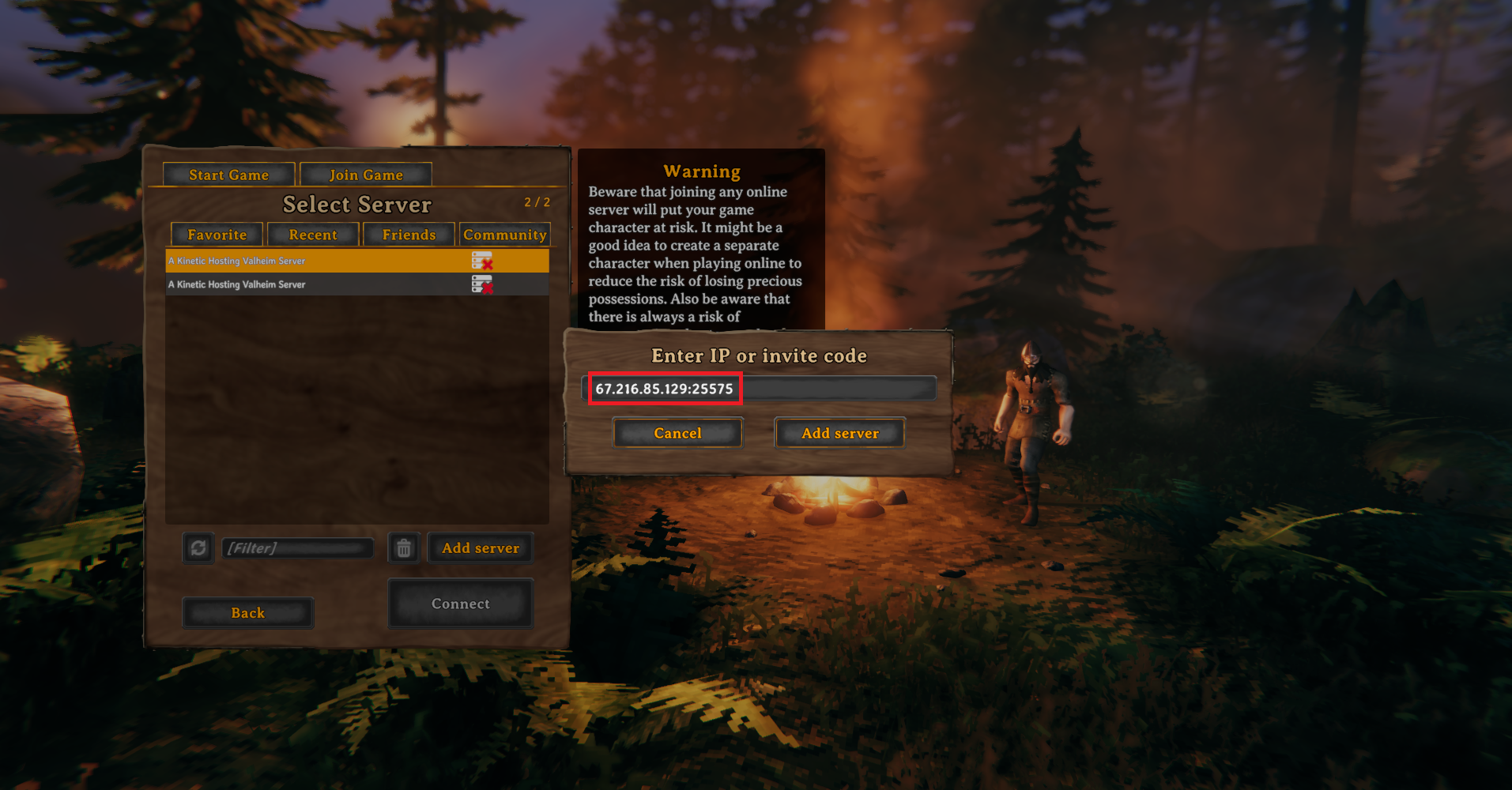
4 Enter your Server Connection Address then click Add server.
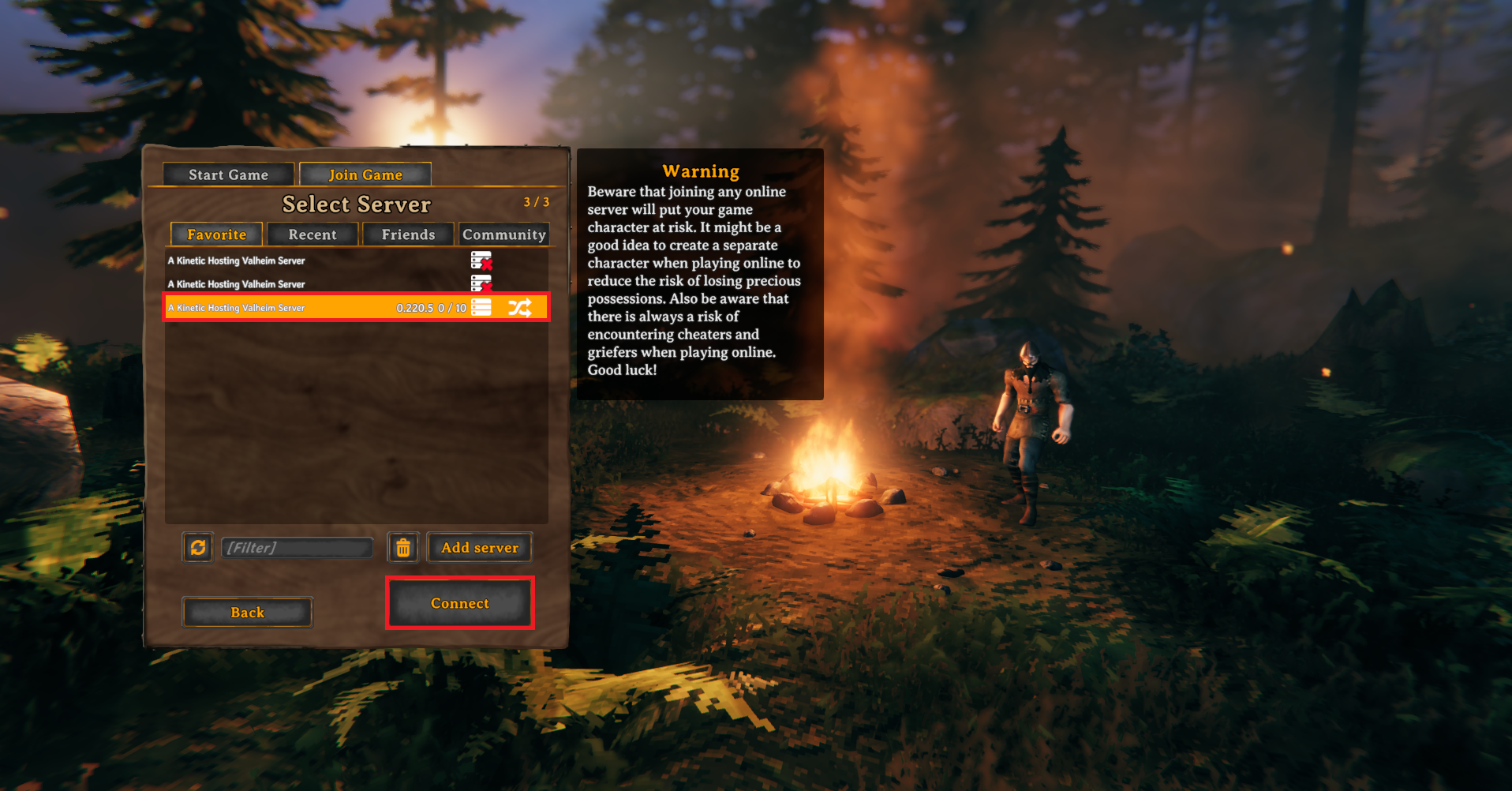
5 Select your server then click Connect.
The easiest way to join your Valheim server is by adding it to the in-game server list using your server's connection address. To follow this guide you will need to know your server's Connection Address which can be found at the top of your servers Overview page.
1 Once on the main menu click Start Game.
2 Select the Character you want to use on the server then click Start.
3 Click the Add server button.
4 Enter your Server Connection Address then click Add server.
5 Select your server then click Connect.