How To Become An Admin On Your Valheim Server
Last updated 11 Sept 2026
Need a game server?
Spin one up fast with our feature-rich panel and seriously low prices.
1 Login to the Kinetic Panel and Stop your server.
2 Go to the File Manager

3 Go to saves > adminlist.txt.
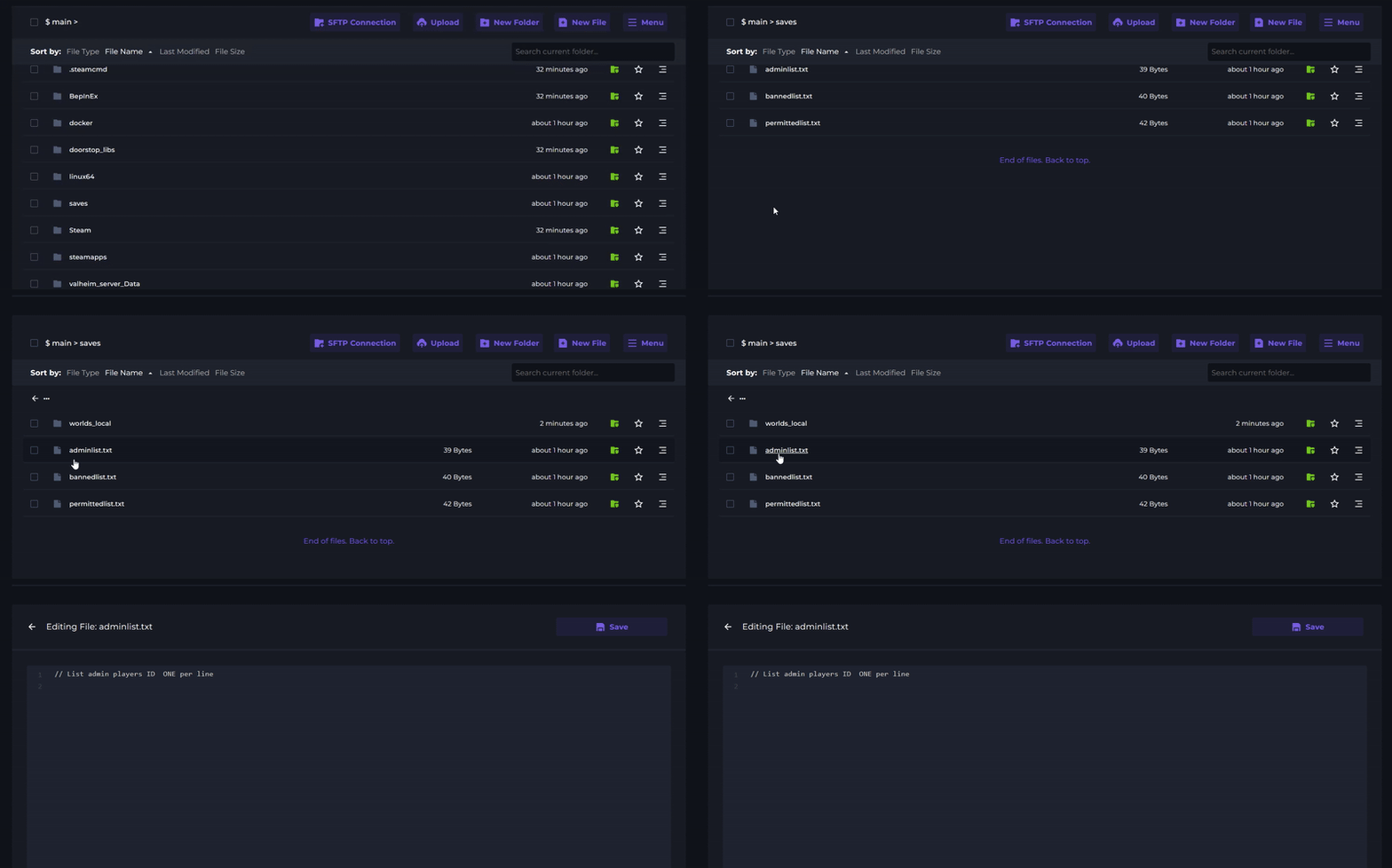
4 Enter your SteamID64. If you have multiple admins, make sure each ID is on a new line. Ensure to input "V_" before your steam ID.
Once you've finished making your changes, click save.

5 Start you server to apply the change.