How To Add A Whitelist To Your Valheim Server
Last updated 12 Aug 2025
Need a game server?
Spin one up fast with our feature-rich panel and seriously low prices.
If Valheim server owners want to make their server private but don't want to set a password, they can add a whitelist to their server. This is done by adding players SteamID64 to the permitlist file. When the permitlist.txt file is empty, the whitelist will be automatically disabled.
1 Login to the Kinetic Panel and Stop your server.
2 Go to the File Manager

3 Go to saves > permitlist.txt.
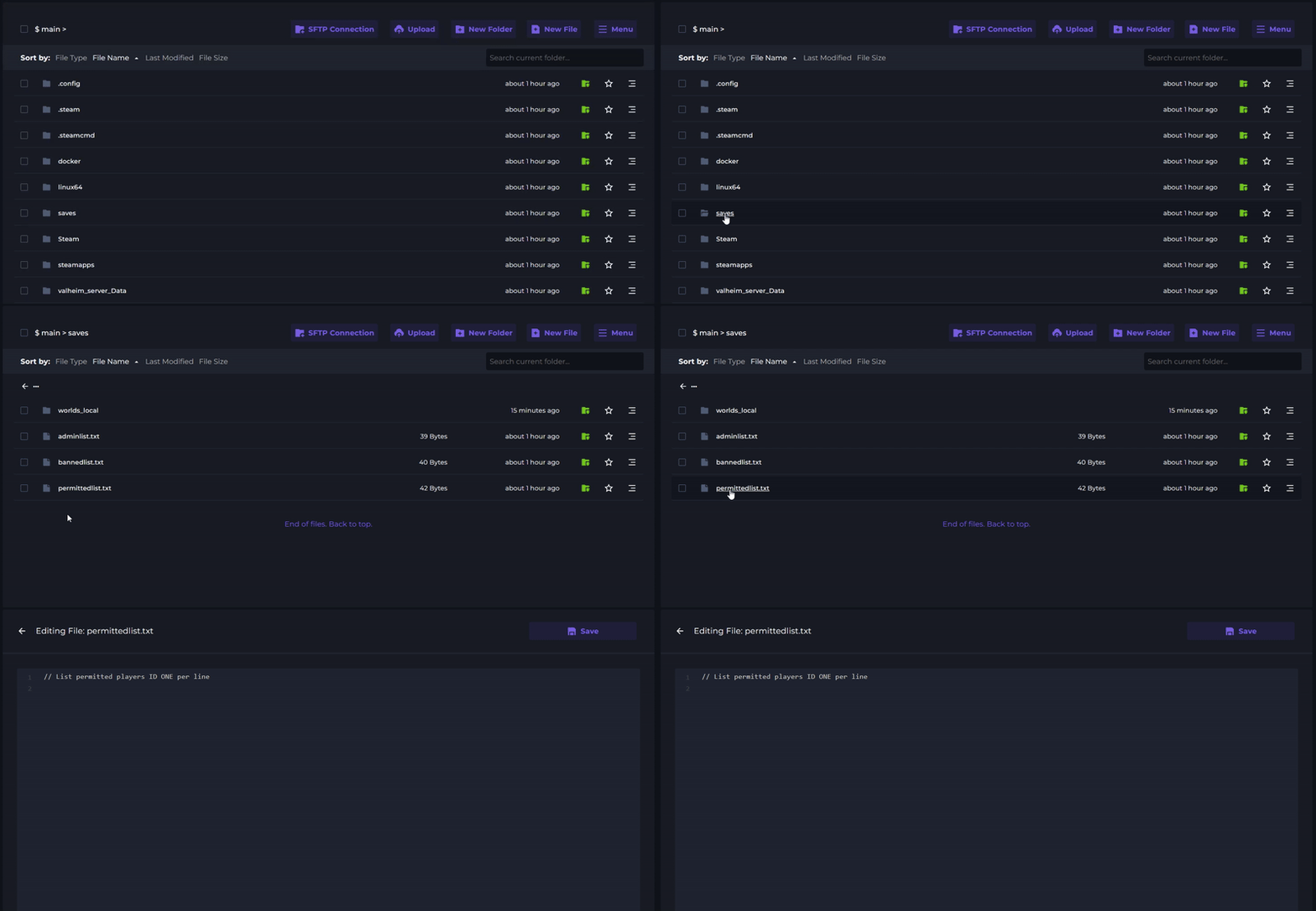
4 Enter the SteamID64 of players you want to whitelist. Each players ID should be on a new line.
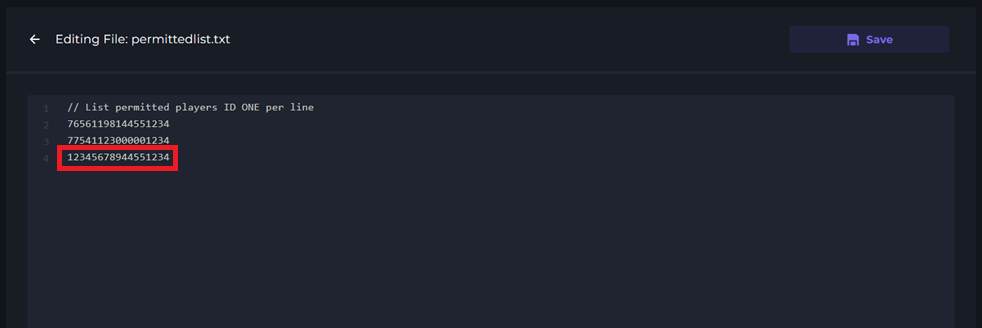
5 Click Save and Start your server.