
In this guide
Getting the Mod id
Open the Steam workshop.
Click on a mod you wish to add.
Click share.

Copy the id at the end of the link
Installing the mod
Log in to the Kinetic Panel.
Stop the server.
-1767383729764.png)
Open the settings page.
-1770486781191.png)
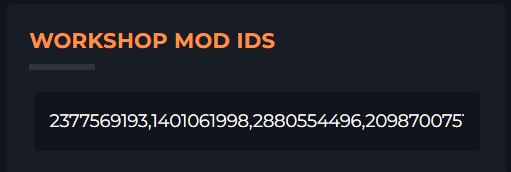
Enter in the Mods ID separated by commas
Start the server.
-1767462125511.png)
It will populate the enabled.json with the mods that have been downloaded.
FAQ
What if I want to upload mods myself?
Leave the Workshop Mod IDs blank. It won't touch the enabled.json then Any downloaded mods will remain in the folder.