How to Install SMAPI Mods on the Stardew Valley Client
Last updated 07 Aug 2025
Need a game server?
Spin one up fast with our feature-rich panel and seriously low prices.
To play modded Stardew Valley, you’ll need to install SMAPI. You can follow the guide.
If you prefer not to install it manually, you can use CurseForge, which simplifies the process.
Installing the mods
Locate the Games Folder.
Drag the archived/zipped file into the folder.
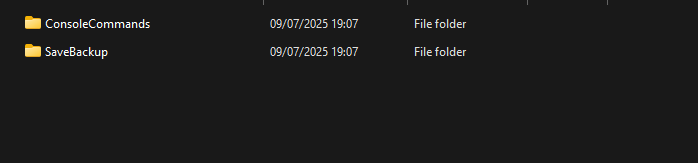
Unarchive file.

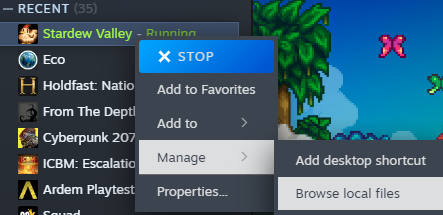
Steam
Open Steam.
Click on Stardew Valley in your game library.
Click Manage.
Select Browse local files.
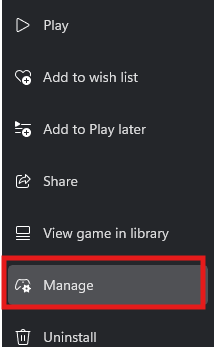
Xbox App
Open the Xbox App.
Right-click on Stardew Valley.
Click Manage.
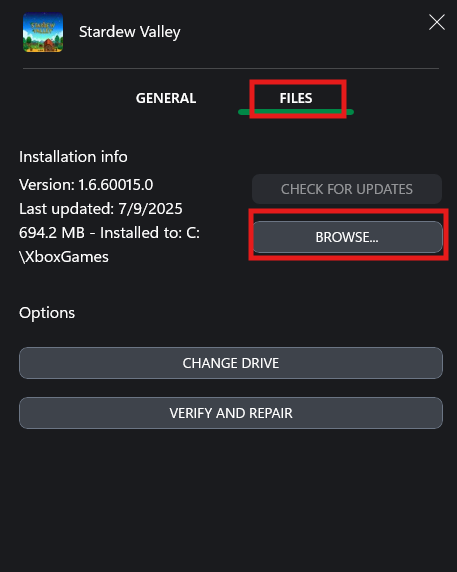
Go to the Files tab.
Click Browse to open the game folder.
Open the content Folder.