In this guide
How To Make Your Skyrim Together Server Public
Login to your Kinetic Panel.
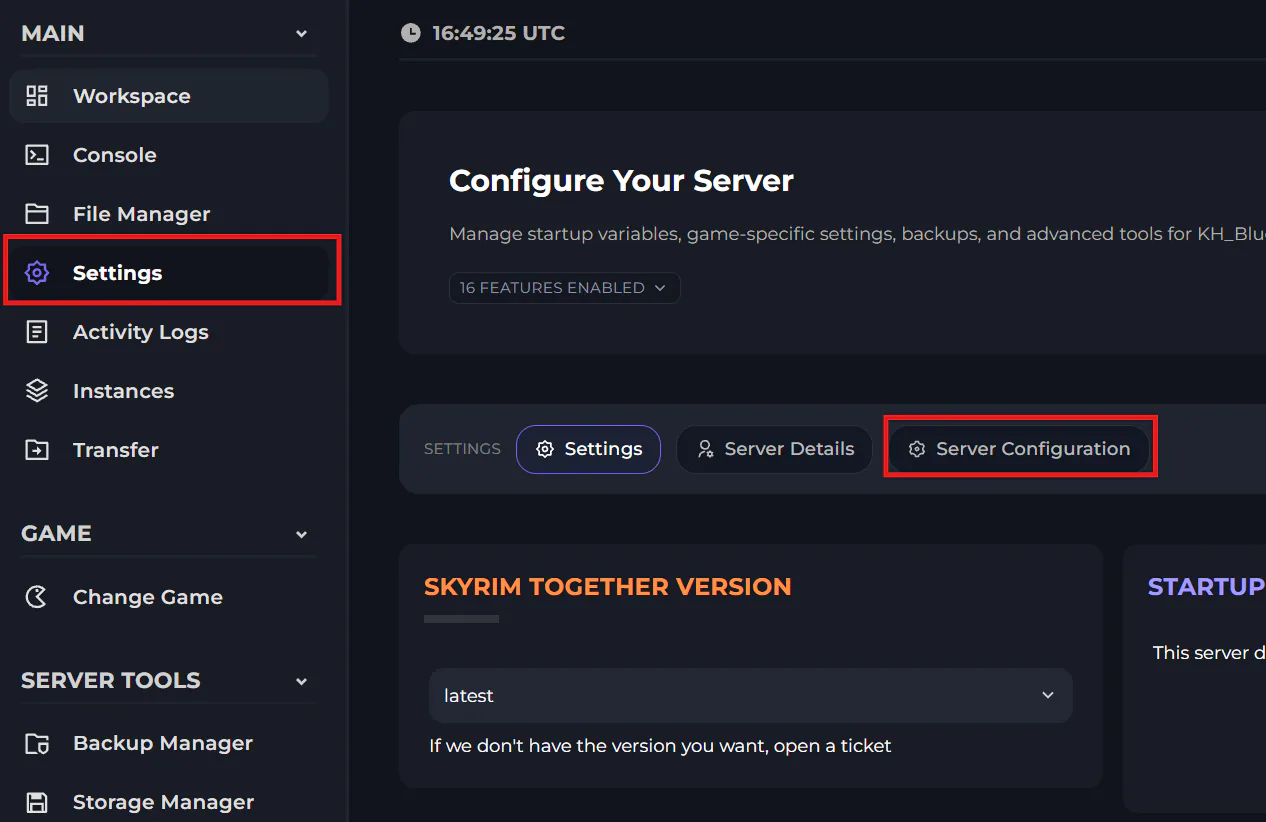
Go to "Settings", then "Server configuration"
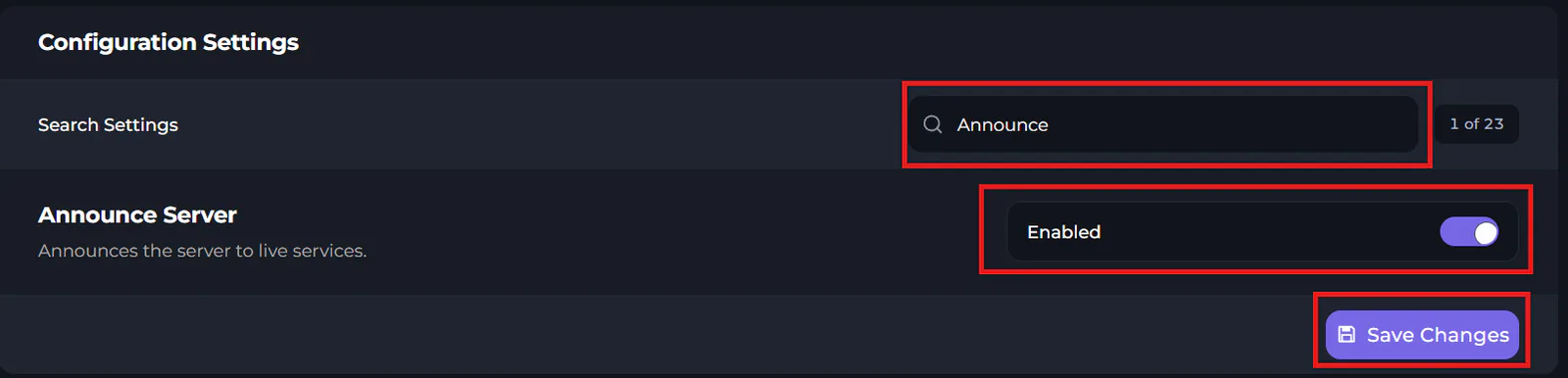
In here, you can use the search bar to find settings. Search "Announce", and enable it.
Make sure to click save once you're done.