How to Use Steam Beta Branches on Your SCP: Secret Laboratory Server
Last updated 17 Aug 2025
Need a game server?
Spin one up fast with our feature-rich panel and seriously low prices.
You can configure your SCP: Secret Laboratory server to use a specific Steam beta branch. This allows you to access different versions of the game, including experimental builds or the original release version.
Setting Your Steam Beta Branch
Login to the Kinetic Panel and stop your server.
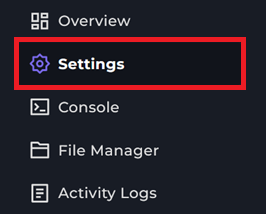
Click Settings.
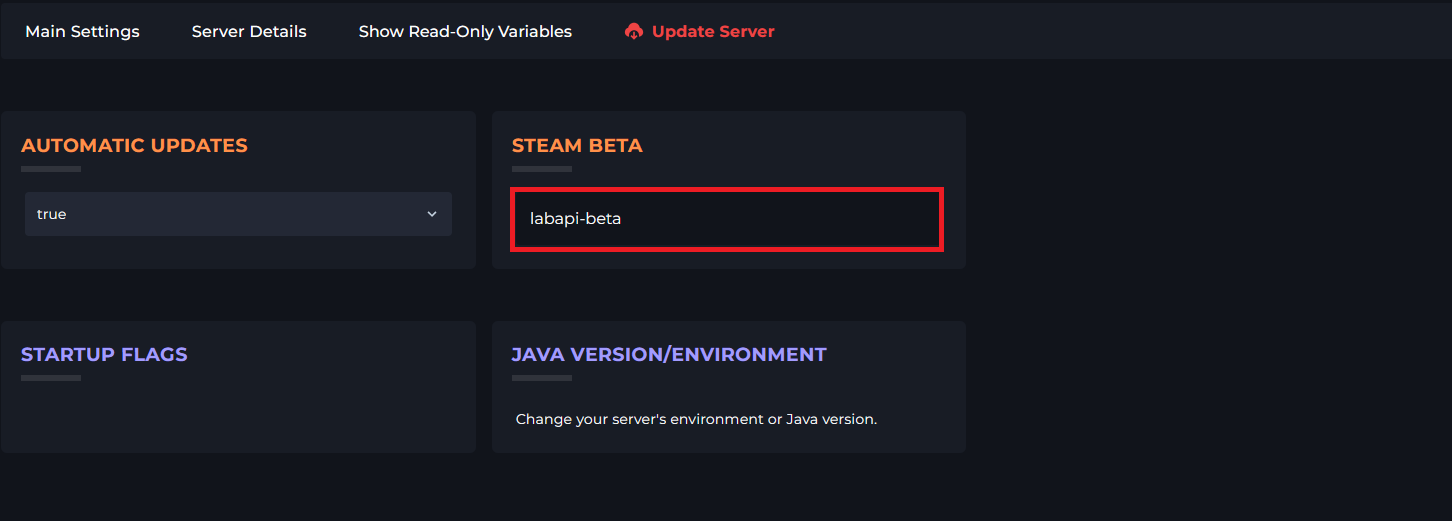
Locate the Steam Beta field and enter your desired beta branch name.
Save restart your server.
Available Beta Branches
● public - Standard release branch (default if field is blank)
● labapi-beta - Early testing for the LabAPI modding framework
● first_version_of_sl_published_on_steam - First public version of SCP:SL