How to Install Plugins on Your SCP: Secret Laboratory Server
Last updated 17 Aug 2025
Need a game server?
Spin one up fast with our feature-rich panel and seriously low prices.
This guide shows you how to install plugins on your SCP: Secret Laboratory server. EXILED framework comes pre-installed on all Kinetic Hosting servers, so you can start adding plugins immediately.
Installing Plugins
Log in to the Kinetic Panel and stop your server.
Click File Manager.

Navigate to
.config/EXILED/Plugins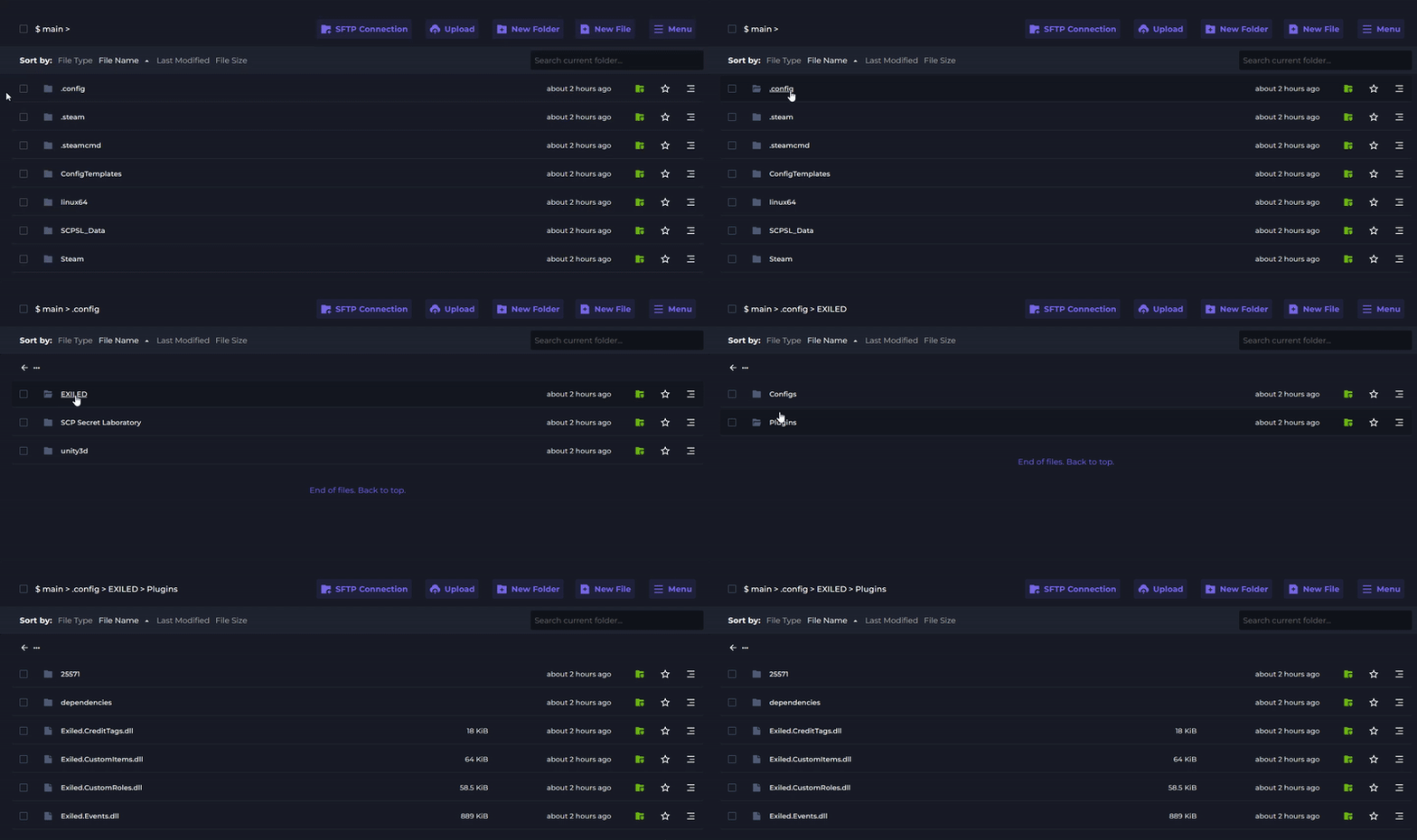
Upload your plugin (.dll file) to this folder using the upload button.
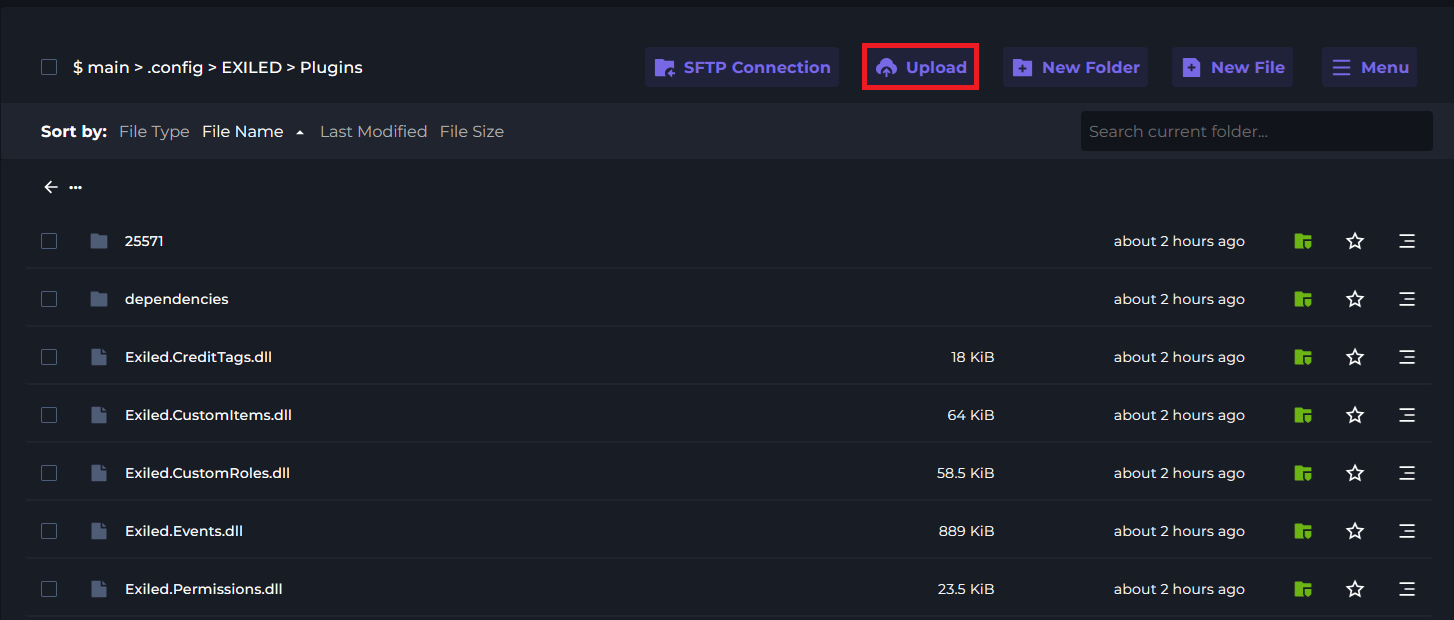
Save and restart your server to activate the new plugin.
Finding Plugins
You can find SCP: Secret Laboratory plugins from:
● Official EXILED Discord server
● GitHub repositories
● Community forums and websites
Plugin Configuration
Most plugins create their own config files in .config/EXILED/Configs after the first run. You can edit these to customise plugin behaviour.