How to Change Your SCP: Secret Laboratory Server Name
Last updated 17 Aug 2025
Need a game server?
Spin one up fast with our feature-rich panel and seriously low prices.
You can change the name of your SCP: Secret Laboratory server to make it easier for players to identify your server in the server browser.
Setting Your Server Name
Login to the Kinetic Panel and stop your server.
Click File Manager.

Navigate to
.config/SCP Secret Laboratory/config/[your server port]/config_gameplay.txt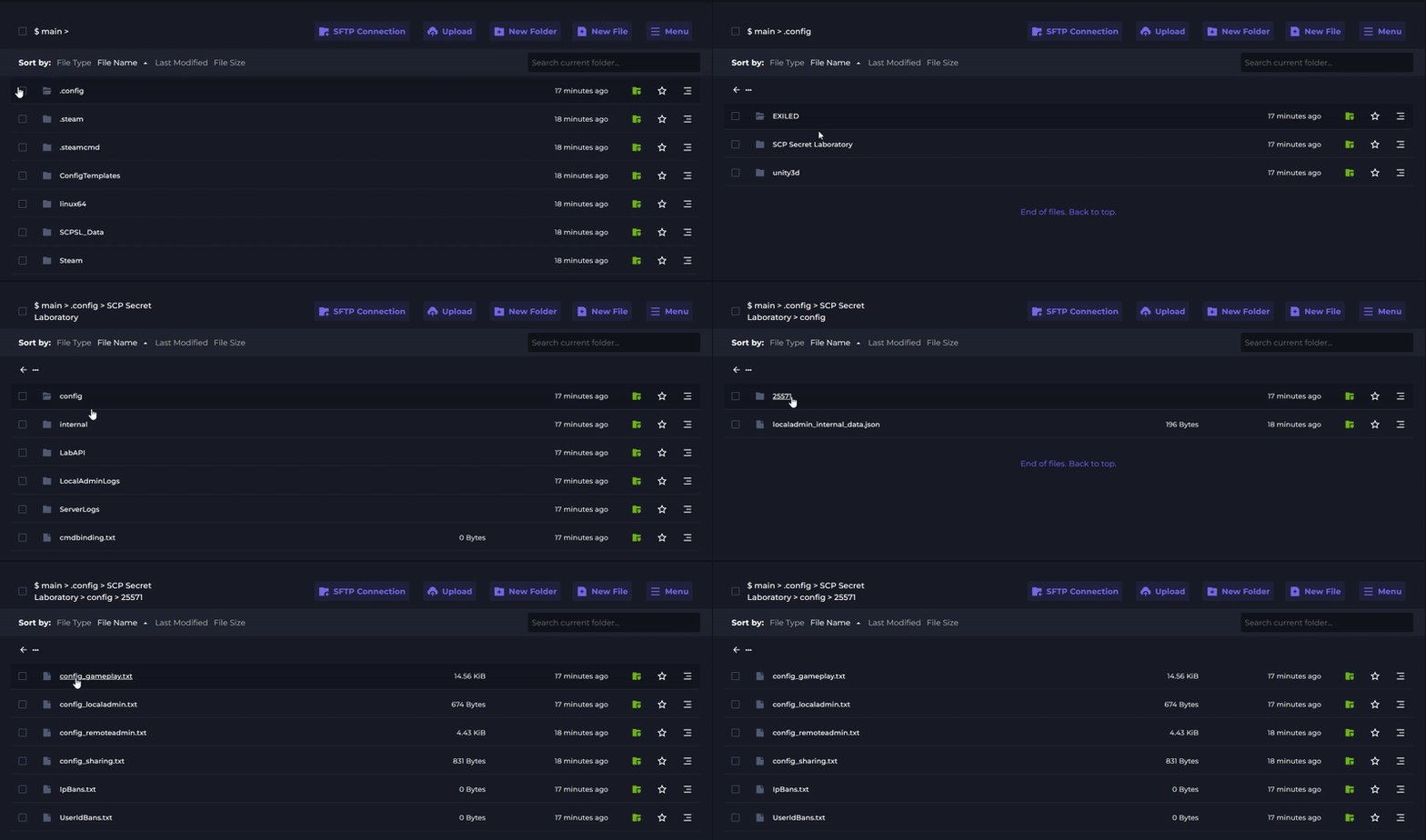
Locate the
server_nameoption and change it to your desired name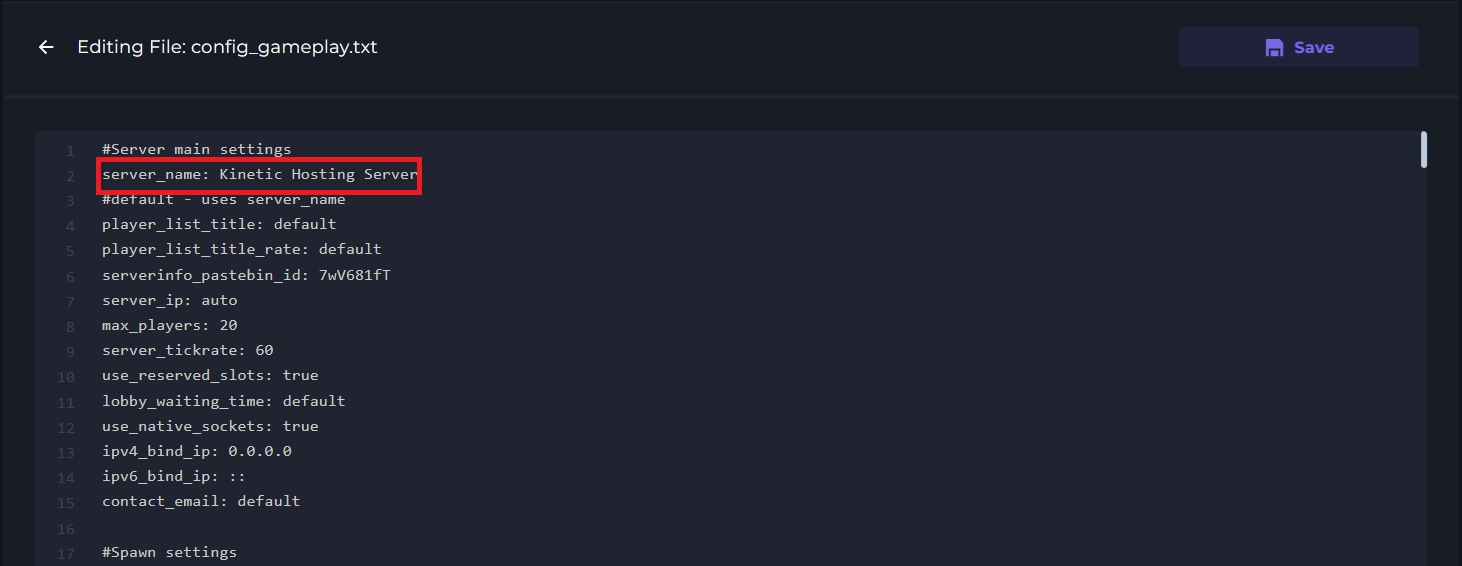
Save the file and restart your server.