How to Become Admin on Your SCP: Secret Laboratory Server
Last updated 17 Aug 2025
Need a game server?
Spin one up fast with our feature-rich panel and seriously low prices.
This guide will show you how to become admin on your SCP: Secret Laboratory server and give yourself access to Remote Admin.
Becoming An Admin
Login to the Kinetic Panel and stop your server.
Click File Manager.

Navigate to
.config/SCP Secret Laboratory/config/[your server port]/config_remoteadmin.txt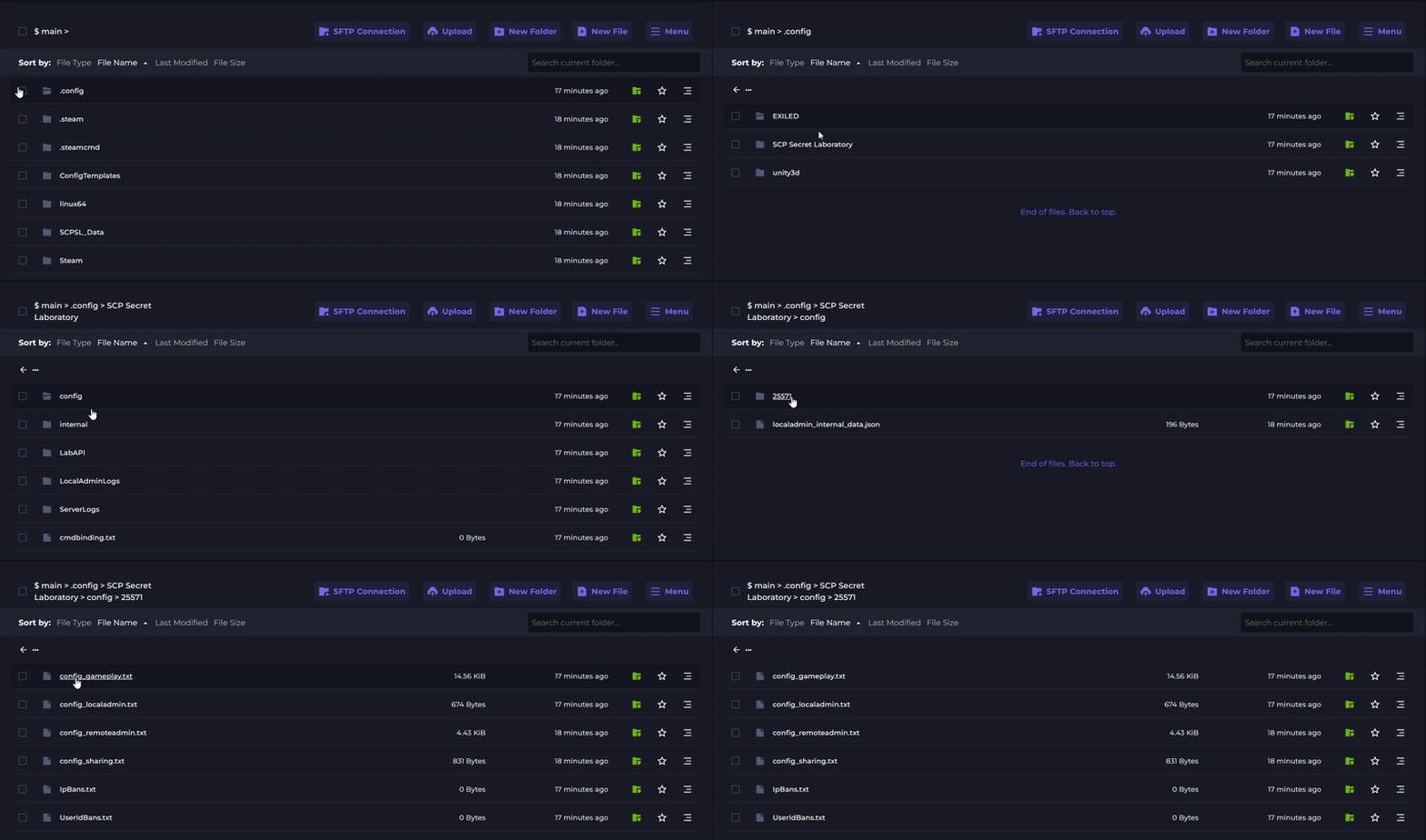
Add your Steam ID in the following format:
76561198XXXXXXXXX@steam: owner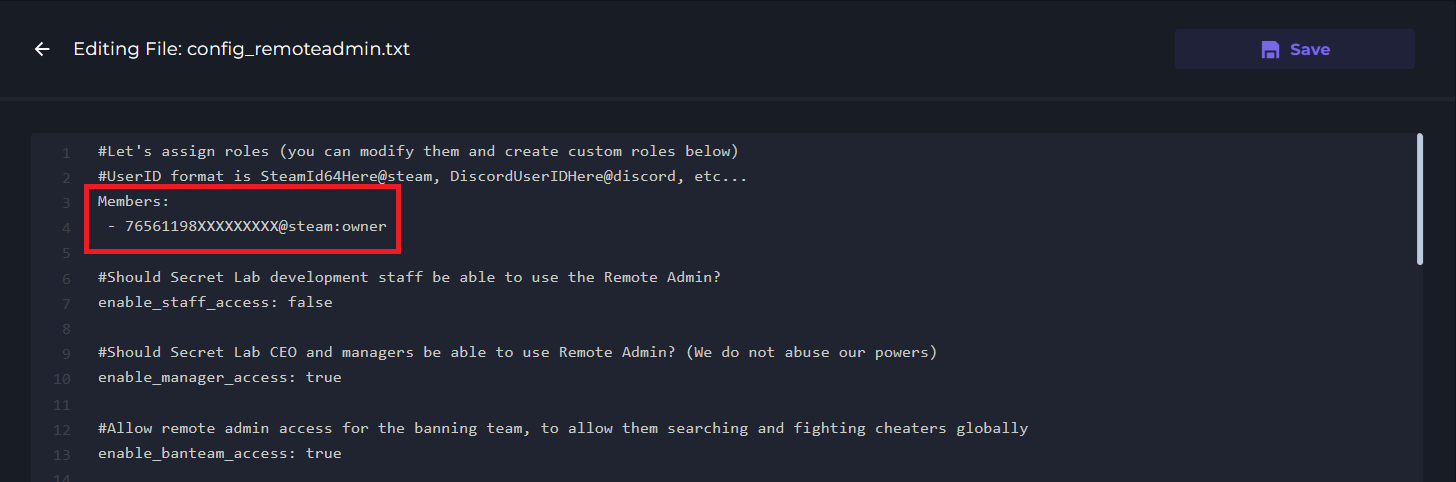
Save the file and restart your server.
Permission Levels
● owner - Full server control and all permissions
● admin - Most administrative functions
● moderator - Basic moderation tools
● Custom permissions - You can define specific permission nodes