How to install Oxide on a Rust server
Last updated 08 Jun 2025
Need a game server?
Spin one up fast with our feature-rich panel and seriously low prices.
Oxide is what allows you to run Mods on your Rust Server to give your players a unique experience. This guide will show you how to Enable it on the Kinetic Panel.
1 Login to the Kinetic Panel
2 Stop your server.
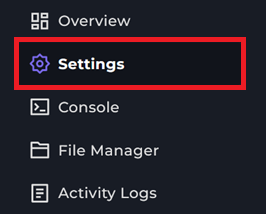
3 Head to the Settings Page.
4 You should now see a Box labeled as OxideMod, it should be disabled.

5 You can click the Switch to enable the OxideMod for Rust on your server.

6 OxideMod will not be installed on your Rust Server. You can start your server to make sure everything loads correctly that Oxide will need.