
In this guide
The ability to ban or unban someone from your Rust server is simple. This guide will display on how to ban someone off of a Rust server.
Firstly, you would need to get that users SteamID. You can check out this article
Banning a Player
Keep in mind, there are two ways to ban a user from your Rust server. However, we recommend always using the SteamID as it's more efficient and to clear up confusion.
1 Login to the Kinetic Panel
2 Navigate to the Console Tab.
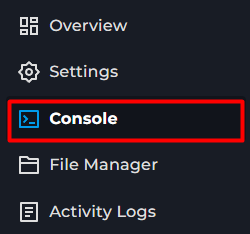
3 Inside of the Console & type banid STEAMID reason.

From there, the player will be banned & will receive that ban reason when they try to connect to the Rust server next.
Unbanning a Player
1 Login to the Kinetic Panel
2 Navigate to the Console Tab.
3 Inside of the Console & type banid STEAMID reason.

From there, the player will be unbanned & can connect to the rust server again.
Checking the Banlist
You can also view the banned players from the server by typing banlistex into the console, that will display their SteamID & the reason.
There is also a file which you can view the banned players.
1 Head to the file manager.
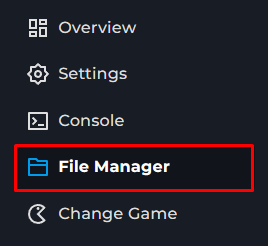
2 Navigate to the server folder.

3 Click on the Rust folder.
4 Click on the cfg folder.
5 From there, you will see a bans.cfg file. From there, that will be where the bans are stored.
That is how you Ban, Unban & Check bans on your rust server.