
In this guide
How to upload your world to your Romestead server
Login to your Kinetic Panel
Stop your server.
-1767383729764.png)
Go to "File Manager".
-1770486606909.png)
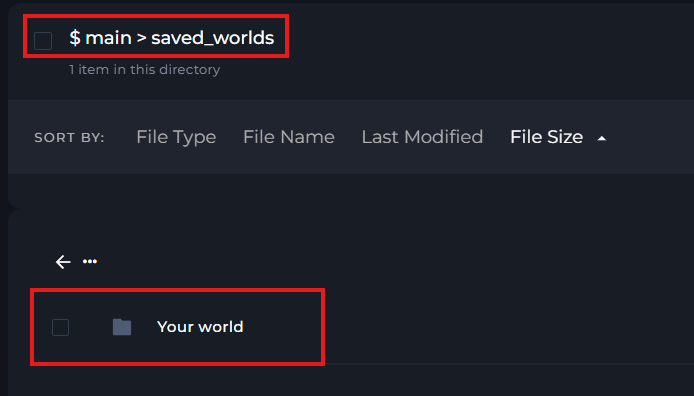
In your File manager, open "Saved_worlds"

In that folder, you can upload your world file.
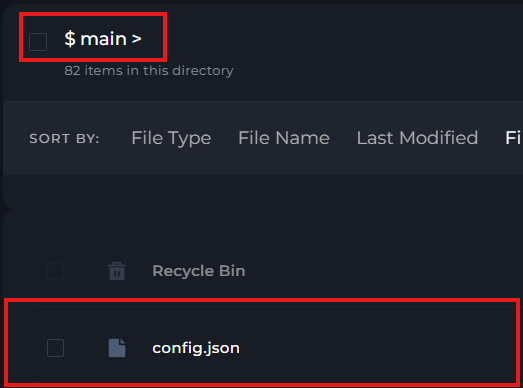
Now, go back to your main file directory, and find and open your config.json file.
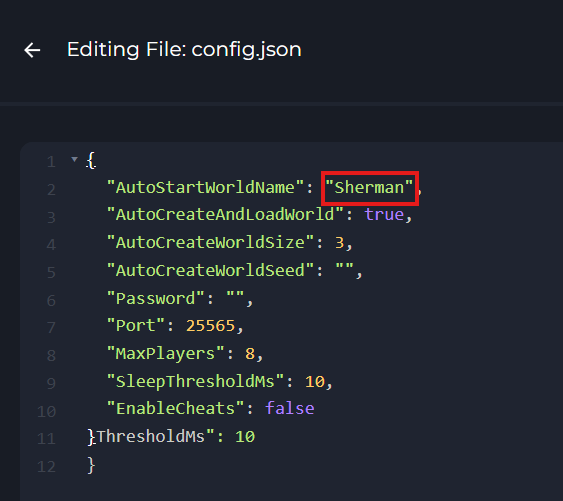
In the config file, change the world file name to the name of the world file you uploaded. At the moment, it's set to "Sherman", but in this case I would need to change it to "Your world"
Once you've made your changes, click "Save" on the top right.
-1777923633652.png)
Start your server.
-1767462125511.png)