How to change settings on your Rimworld Together server
Last updated 20 Jun 2026
Need a game server?
Spin one up fast with our feature-rich panel and seriously low prices.
How to change settings on your Rimworld Together server
Login to your Kinetic Panel
Stop your server.
-1767383729764.png)
Go to Settings.
-1770311132720.png)
Within the settings menu, you will find several setting categories to change settings on your server.
In the first default menu, you'll be able to change the Max Player limit on the server.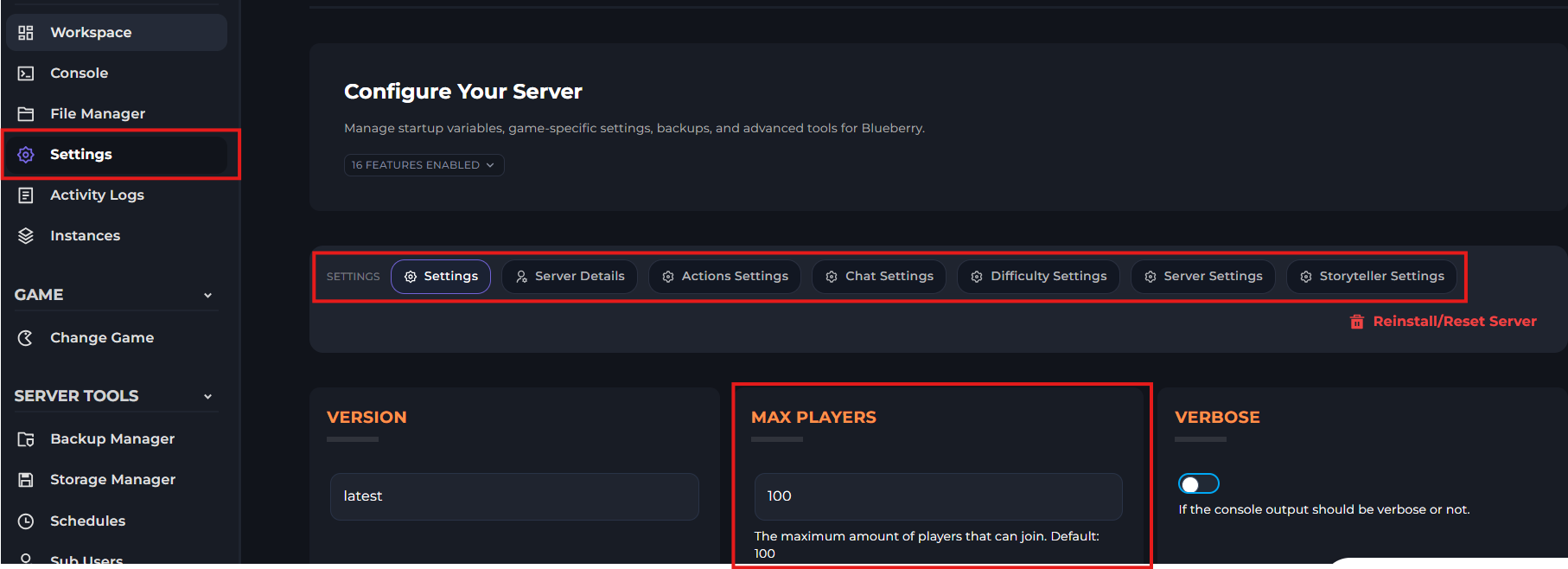
After making the changes to your settings, you may start your server.
-1767462125511.png)