
In this guide
Giving yourself admin privledges on a Project Zomboid server can give you access to commands like Ban, Mute or even Kick. This guide will show you how to give yourself Admin.
If you are looking for all of the Admin commands for Project Zomboid, you can check out the Project Zomboid Wiki for all of the commands.
Making yourself Admin.
1 Login to the Kinetic Panel.
2 Head to the Console page.
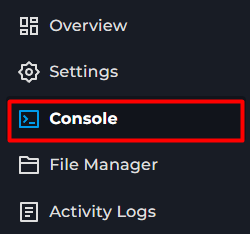
3 You will want to use the following value to give yourself admin on your server SetAccessLevel <username> <level>.
4 In this case, we'll be giving the user KineticHostingPlayer full Admin privledges on the server, so we will enter the following in the console SetAccessLevel KineticHostingPlayer admin

5 You will now see a message in the servers console stating the user now has Admin privledges.

You should now have Admin Level access on your Project Zomboid Server.
If you wish to remove any admin privledges from a player, use the following SetAccessLevel <player> user
Admin Level Access
Below will be a variety of different Available Admin Levels for Project Zomboid. With Admin being the Highest permission level.
● admin
● moderator
● overseer
● gm
● observer