How To Reset A Playerfile On A Palworld Server
Last updated 08 Jun 2025
Need a game server?
Spin one up fast with our feature-rich panel and seriously low prices.
1. Login to the Kinetic Panel
2. Stop your server.

3. Go to the File Manager.

4. Navigate to the following file: $main>Pal>Saved>SaveGames>0>WORLDCODE>Players
5. You will see some player files inside of the folder.
6. Delete the player file experiencing the issue.
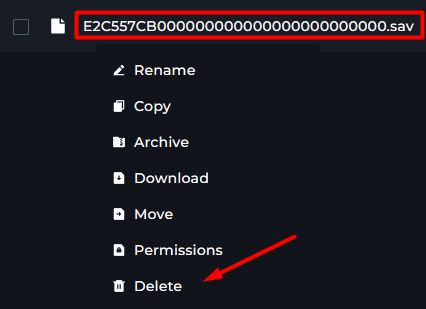
From there, start your server & check if the player can login.
How to find a Player UID
1 Launch the game and Connect to your server.

2. Enter the command as an Admin: /ShowPlayers.
3. Take a note of the Player UID, it will be the middle number.

4. You will need to convert the Player UID Decimal to a Hexadecimal Here

5. Login to the Kinetic Panel
6. Navigate to the following file: $main>Pal>Saved>SaveGames>0>WORLDCODE>Players
7. Match the hexadecimal from step 4 to the player.sav file.
Those are the steps on how you would get & reset a Player file on a Palworld server!