How To Become Admin On A Palworld Server
Last updated 08 Jun 2025
Need a game server?
Spin one up fast with our feature-rich panel and seriously low prices.
This guide will show you how to become admin on your Palworld server. Admin permissions are a good way to manage your server in game.
1 Login to the Kinetic Panel
2 Then, head to the settings page.
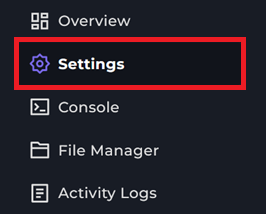
3 From there, you will see a box with "ADMIN PASSWORD", type in a password you would like the Admins to use.

4 When you set a password, you can restart your server.
5 Now join your Palworld server & run the command /AdminPassword YourPasswordhere.
6 You will then see a message pop up saying if the password was successful or not.

That is how you become Admin on your Palworld Server!
warning
Only give this password to people you trust. You will also need to re-enter the admin password every time you rejoin the server.