How to edit the Day And Night cycle on your Motor Town server
Last updated 23 Mar 2026
Need a game server?
Spin one up fast with our feature-rich panel and seriously low prices.
How to edit the Day And Night cycle on your Motor Town server
Login to your Kinetic Panel
Stop your server.
-1767383729764.png)
Open "File Manager"
-1770311095747.png)
Go to the following file directory:
MotorTown>Saved>Config>WindowsServer
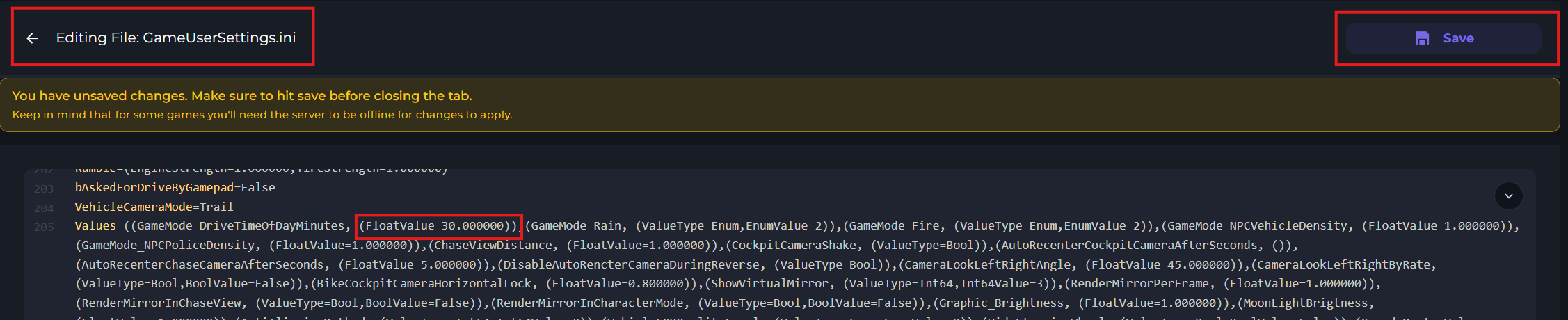
Open the GameUserSettings.ini file. In there, scroll down till you see the line "(FloatValue=30.000000))". You can have this value at a minimum of 5, and a max of 120.
Example: (FloatValue=120.000000))
Example (FloatValue=5.000000))
After you've made your changes, click "Save"
Start your server.
-1767462125511.png)