How to add Admins to your Motor Town server
Last updated 23 Mar 2026
Need a game server?
Spin one up fast with our feature-rich panel and seriously low prices.
How to add Admins to your Motor Town server
Login to your Kinetic Panel
Stop your server.
-1767383729764.png)
Go to "File Manager"
-1770311095747.png)
Find the file "DedicatedServerConfig.json", and open it.

In that file, you'll see a file for admins. Here, you'll need to input the steam64 ID's of the players you wish to be admin. Separated by ","
For example:
[123123123123123,123123123123123,123123123123123]
Once you've made your changes, click "Save".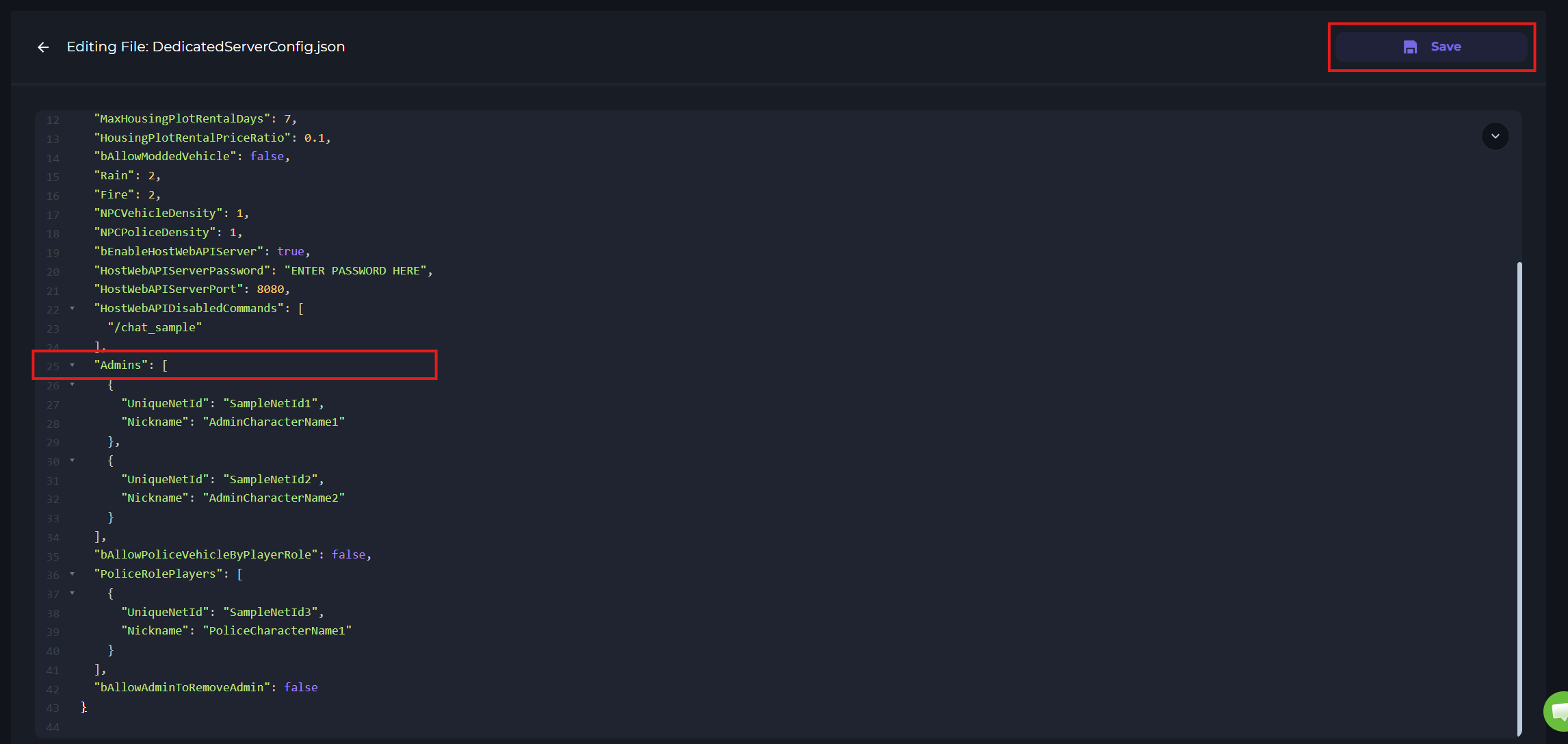
Start your server.
-1767462125511.png)