How To Install Spigot On A Minecraft Server
Last updated 05 Feb 2026
Need a game server?
Spin one up fast with our feature-rich panel and seriously low prices.
Version Installer
Go to the Kinetic Panel.
Head to the Version Installer on the Left Hand Side in the Installers menu.
-1770313983143.png)
You'll want to click on the Vanilla Drop-Down menu to select Spigot.
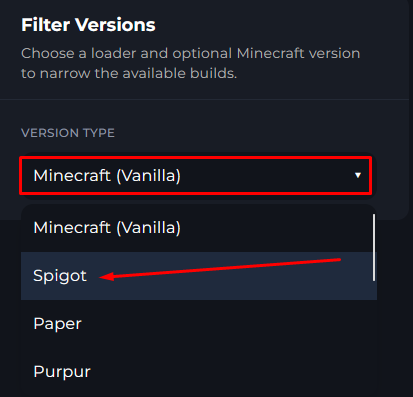
Once you find the Spigot version you wish to use, simply click Install & Spigot will be installed on your server.

You'll see a Modal Appear, make sure to click Install, this will complete the process to install Spigot.
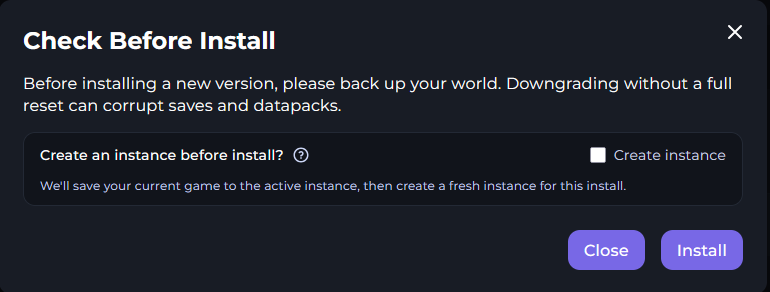 warningMake sure to create a backup within the Backup Manager on the Kinetic Panel to prevent a potential loss of data or corruption.
Installing Manually
Download the version you need from Here
Head to the File Manager
-1770311095747.png)
Click on the Upload button & find the Spigot Jar you downloaded on your computer, you can simply drag & drop to upload the jar from your computer.
 noticeIf your server has a server.jar already, make sure to delete this.
Once Uploaded, rename the jar to server.jar

Once that is completed, you can power on the server & your server will be running spigot.
warningMake sure to create a backup within the Backup Manager on the Kinetic Panel to prevent a potential loss of data or corruption.