How to use the World Manager
Last updated 14 Dec 2025
Need a game server?
Spin one up fast with our feature-rich panel and seriously low prices.
Log in to the Kinetic Panel.
Open World Manager in the sidebar.
Here you can see the Manager panel. On the left, you can upload worlds & see past backups. It will also warn you if your world is not backed up.
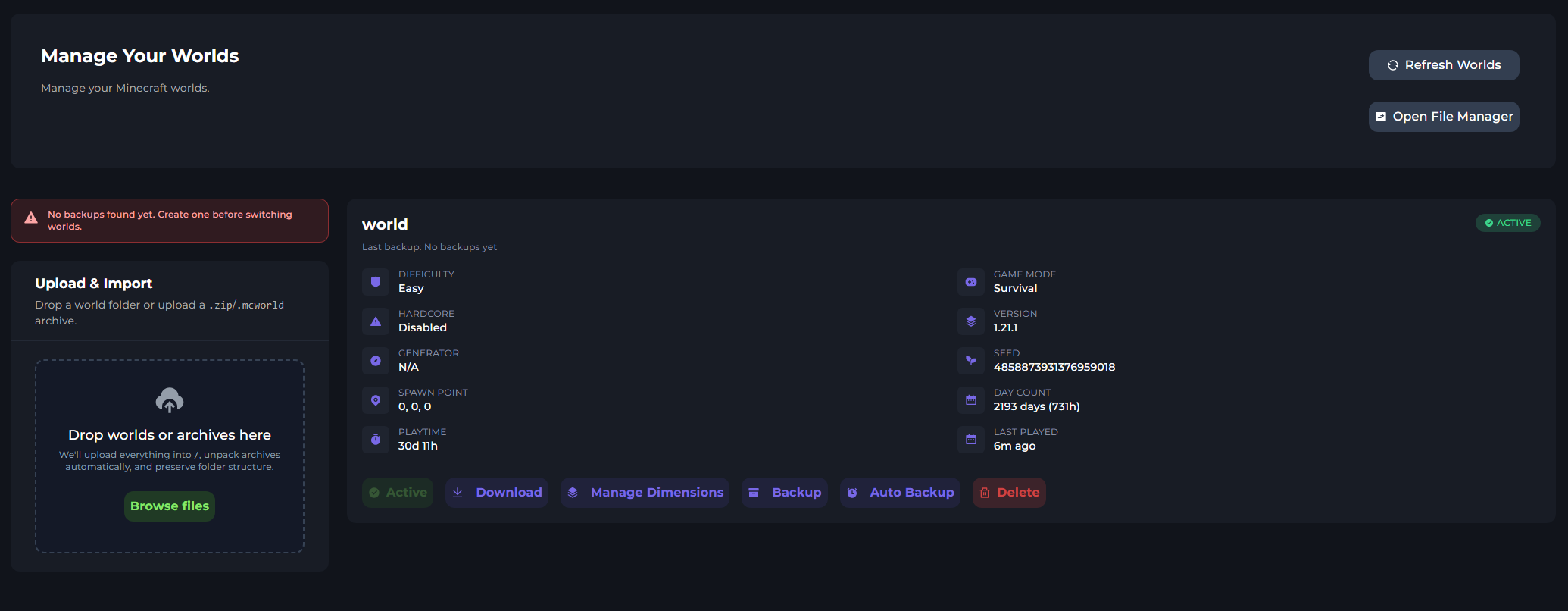
The right-side panel provides information about the currently loaded world. Here you can see the Difficulty, Time played, Day count, & More.
It will also display the active world & if there's a backup for this world.
Viewing all Worlds
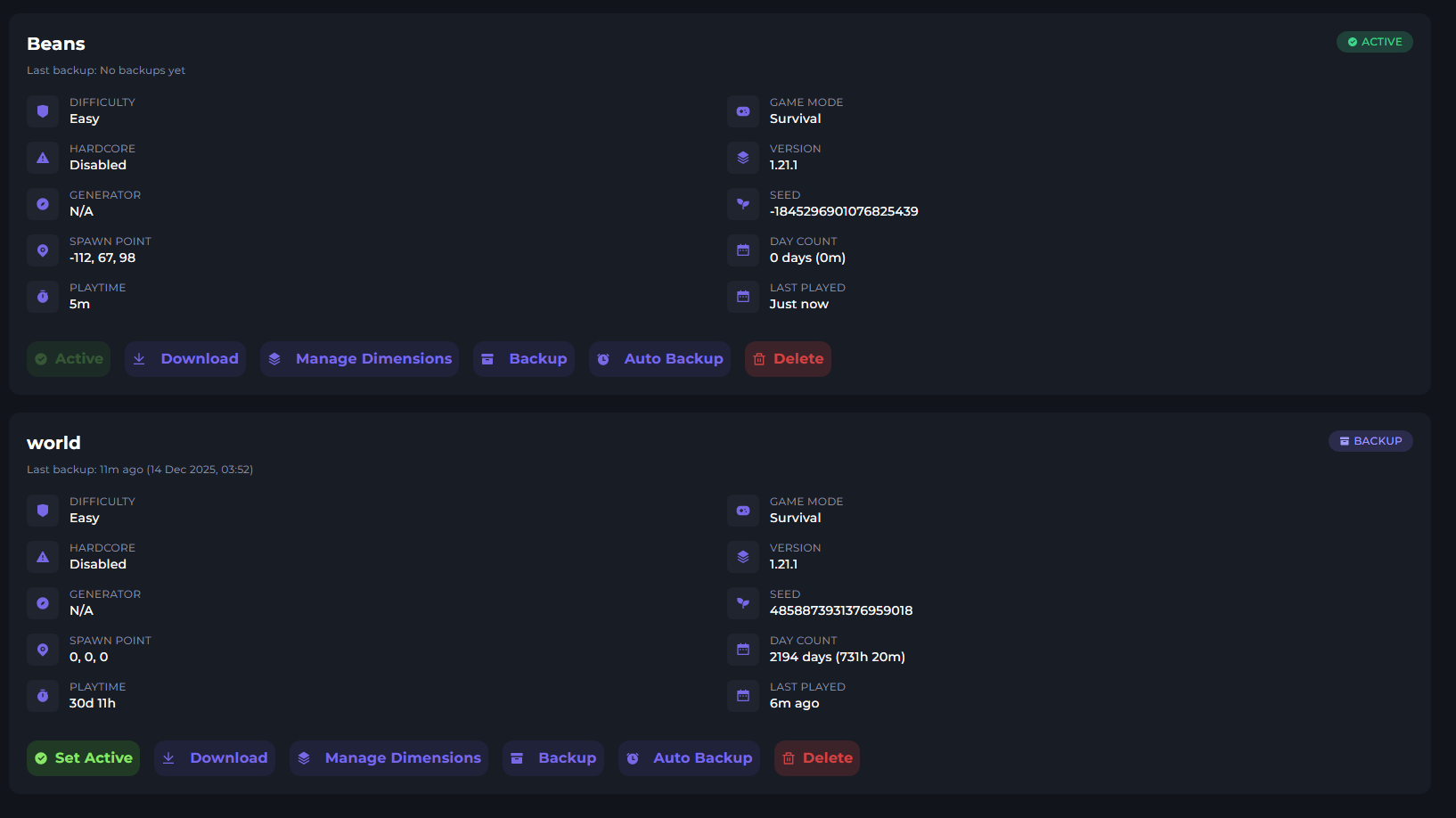
When more worlds are detected, they will show up on this page. You may need to reload your page. You can switch the active world here by clicking the green Active Button. Y
World Options

At the bottom of each world, you can see an options. We will go over each from Left to right.
Set Active- This will make this world the active world.
Download - Will download the world to your pc
Manage Dimensions - Will allow you to backup & delete individual dimensions, such as the end. This works with modded worlds, too.
Backup - Backup this world
Auto Backup - Create a daily backup for this world.
Delete - Delete the world