How to use the Crash Manager
Last updated 13 Dec 2025
Need a game server?
Spin one up fast with our feature-rich panel and seriously low prices.
Log in to the Kinetic Panel.
Open Crash Manager.
This page will show you info on the crashes. There are a few sections, and we will go through a few here.
Crash Log Viewer
This has two sections. The top shows any detected issues. The bottom shows a snippet of the log.
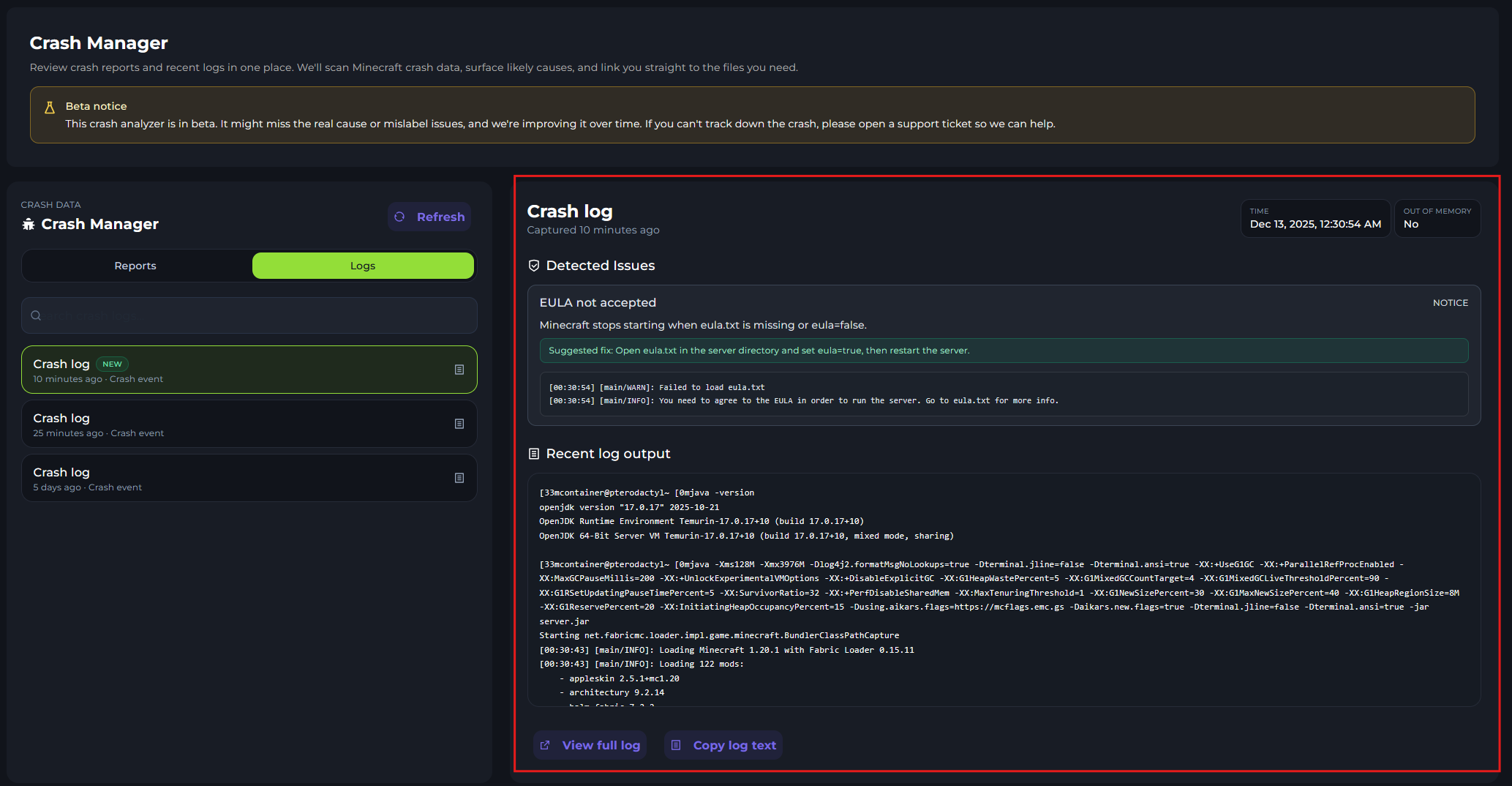
Detected Issues

As this is a beta feature, it may not always find the problem. It will give some info on the issue.
The one shown in the image is that Eula is not accepted.
It will suggest a fix in the green box.

Crash Manager
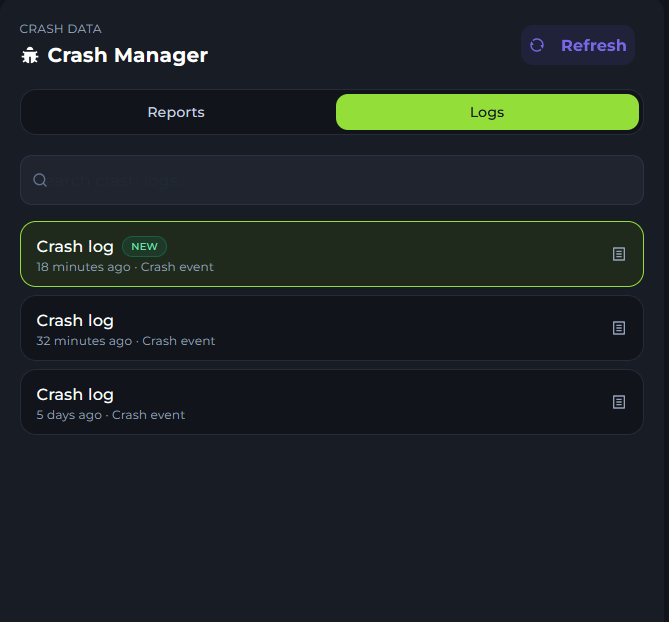
Here is the selection for the crash manager. Here, you can click refresh to reload.
Select between logs, these would be auto-detected ones and Reports from the crash-reports.
You can then click on each file to have it load in the Crash Log viewer.