How To Install Minecraft Server Versions
Last updated 03 Dec 2025
Need a game server?
Spin one up fast with our feature-rich panel and seriously low prices.
We have a Version Installer of a variety of versions to choose from.
You can select your version by doing the following:
1 Login to the Kinetic Panel & stop your server.
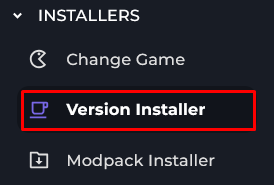
2 Head to the Installers category & select "Version Installer"
3 From there, you can select a version you would like. There is also a drop-down menu that has a variety of versions.
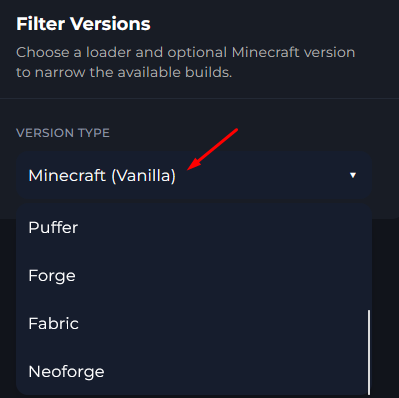
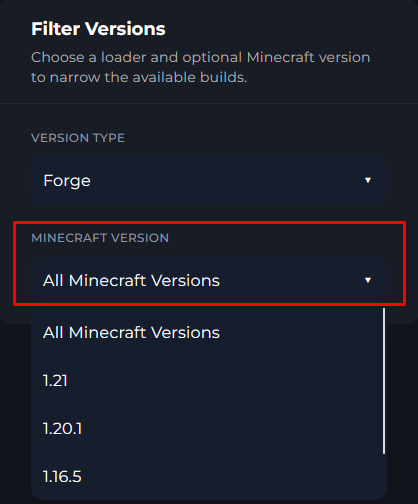
4 You can also select a game version as well inside of the "Select Minecraft Version" drop-down.
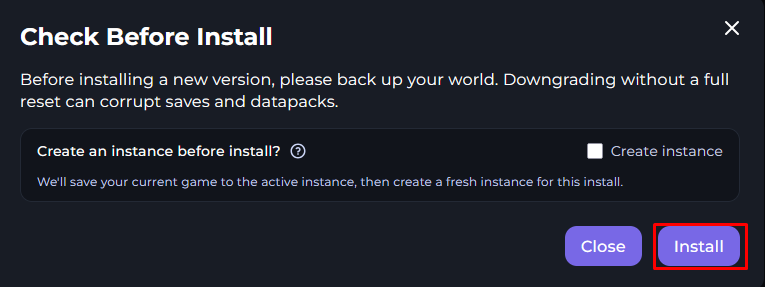
5 Once you find that version for Minecraft you would like to use, click on the Install button.

6 From there, make sure this is the correct version and read the "Check Before Install" popup.
7 When you are done installing the version, you will see at the top of the page of what Minecraft Version, Loader & Loader Version was installed.
