How To Set A Minecraft Server MOTD
Last updated 05 Feb 2026
Need a game server?
Spin one up fast with our feature-rich panel and seriously low prices.
Setting the MOTD
1. Login to the Kinetic Panel.
2. Head to the Settings Page.
-1770311132720.png)
3. Click on the Server Properties tab.
-1770311201615.png)
4. Search for "motd", you will see the box show up there.
-1767778267402.png)
5. From there, you can type in your MOTD to whatever you would like.
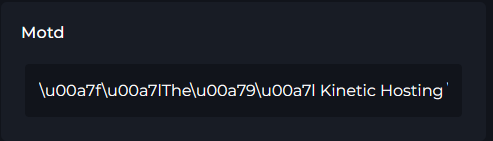
6. Click save & reboot your server, your MOTD will display there.
Adding colors to the MOTD
1. We will be using Minecrat.tools for this guide, it's an easy MOTD Creator.
2. Pick the colors you would like to use for the MOTD, then type in the box whatever you would like.

3. You can also preview your MOTD by clicking the Preview button.
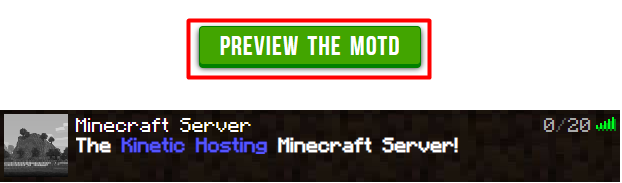
4. Then, click the Create button, you will get your MOTD with the colors there.

5. From there, follow steps 4 on the top of this guide to set your colored MOTD.