In this guide
How To Edit Your Startup Flags
The start up flags are a set of instructions you can give your server on how it should boot or settings it should change. Depending on the game you're running will depend on what the flags do and what they can change. Please see the game sections for more info on what flags are available for your game.
Login to your Kinetic panel.
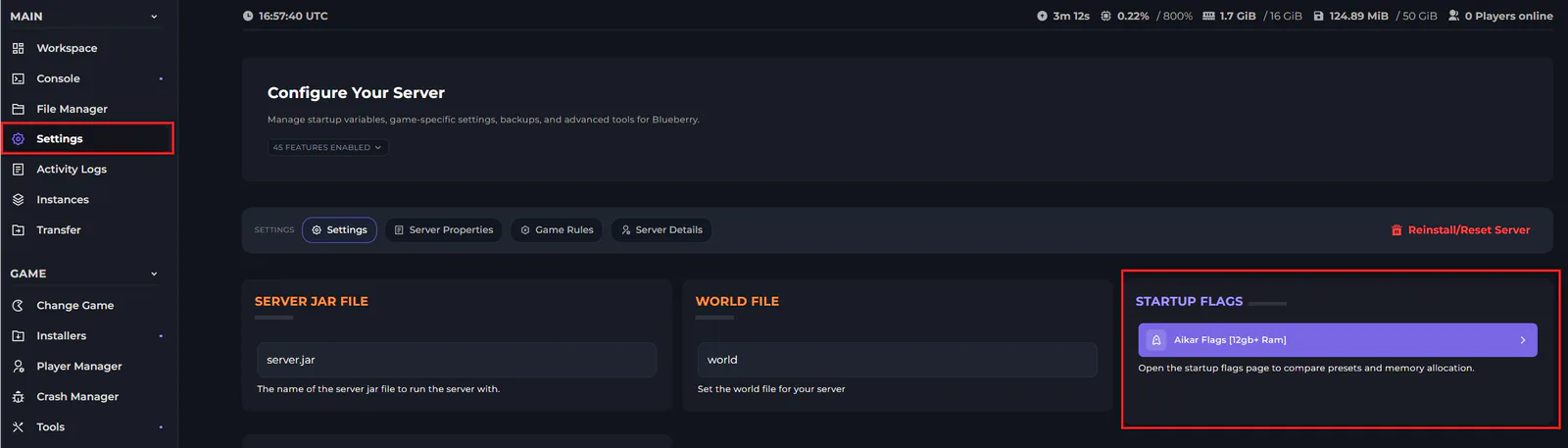
Go to settings on the left side of the panel.
-1770311132720-optimized.webp)
On the settings page, you will see an option on the right hand side to change your startup flags. You will need to select it.
On this menu, you have several options. You can choose between certain startup flags, being Aikar, ZGC, or Custom. The numeric values will change depending on your package.
You also have the option to build you own flag, which is useful if you're trying to create something customized for your needs. You can also import your own, if you already have one.
The information on the right states the allocation values between Minecraft and Java, and the save button to save your changes is on the top right.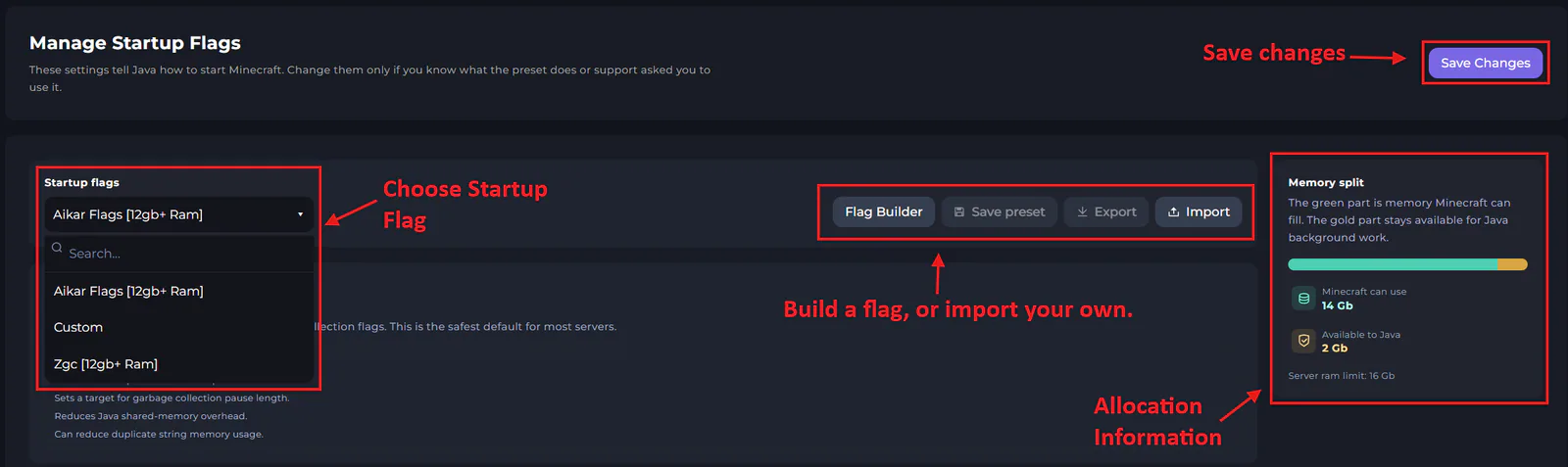
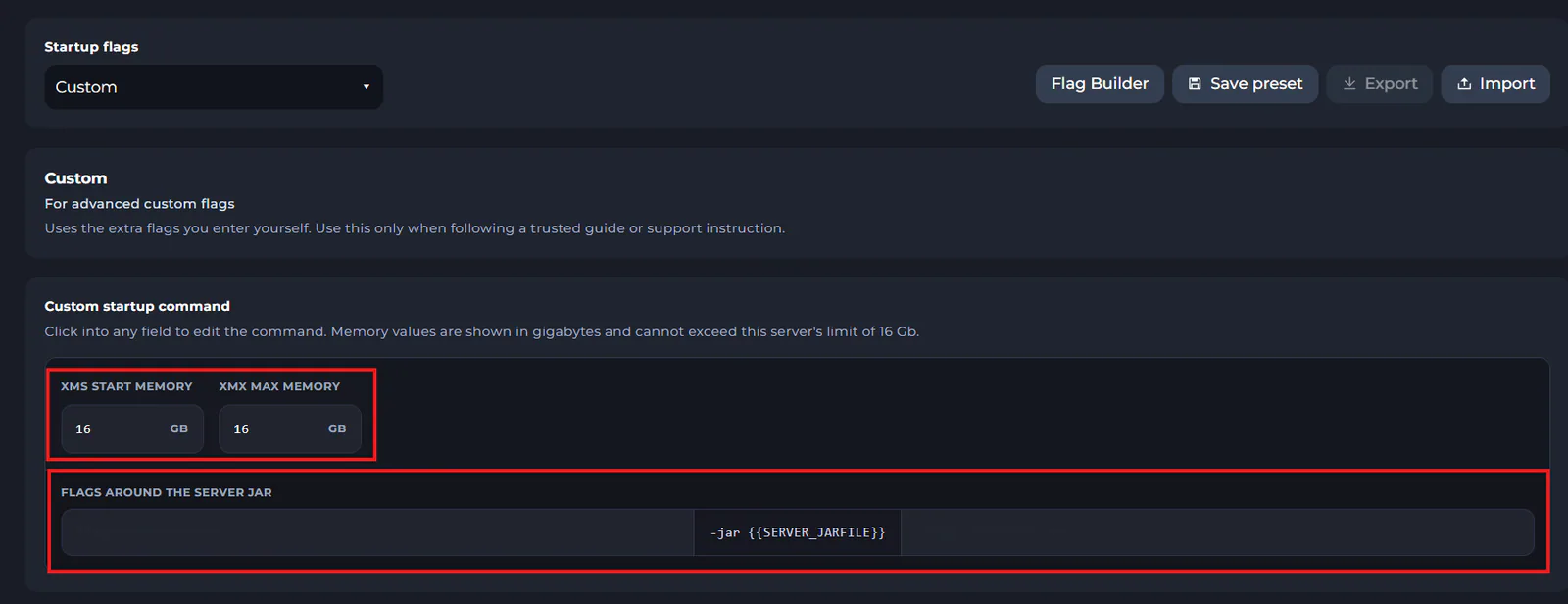
If you're trying to set a custom flag, you can select "Custom". You will then see some boxes pop-up to set your Xmx and Xms values, and you can input custom startup commands.
noticeIt's recommended that you lower the XMS and XMX start memory values by at least 2GB. Otherwise, you may experience server crashes.