How to Change or Reset your Minecraft Server World
Last updated 02 Jan 2026
Need a game server?
Spin one up fast with our feature-rich panel and seriously low prices.
If you do not like the world your Minecraft server has generated, you can change your world by following this guide.
Want To Keep The World?
If you want to keep your old world, you can do as follows.
1. Login to the Kinetic Panel, then stop the server by clicking the square icon under the power button.
-1767383729764.png)
2. Go to the settings page.
-1767382223523.png)
3. Find the box that says "World file". Here, you can set a new name for a new world file in the text box below. In this case, we'll be using "testworld". This will create a new world file called "testworld" on your next server launch, and the server will run on that world too.
Doing this will not delete your old world file. You will still be able to find your old world file in the file manager.
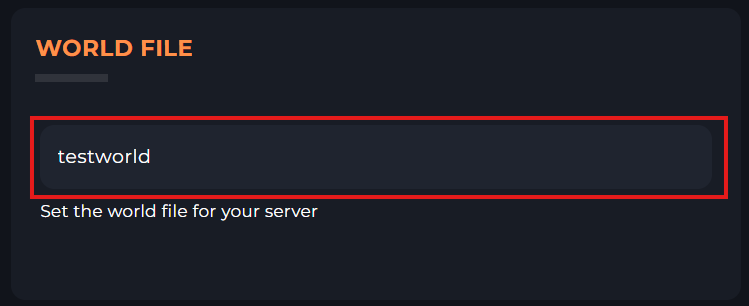
4. You can now start your server & you will have a new world.
Getting a New World.
1. Login to the Kinetic Panel & stop the server.
2. Open your File Manager.
-1767384099292.png)
3. Delete your world folder by right-clicking the folder, and clicking "Move to Recycle Bin".
Here, our world file is called "world", but it might be called something different for you.
-1767384233639.png)
4. You can now start your server & you will have a new world.
Changing Seed
When resetting your world, your seed may not change, you can change your seed by doing the following.
1. Login to the Kinetic Panel & stop the server.
2 On the Settings page, head to the Server Properties section.
-1767385306511.png)
3. From there, you can search "Seed", and you'll then find an option called "Level Seed". Here, you can input the world seed you wish to use the Level Seed text box. Once you've made the change, make sure to click "Save"
-1767385406155.png)
4. You can now start your server & your new world will run on the seed that you set.